| Version 1 (modified by , 8 months ago) ( diff ) |
|---|
Use-case 0003 Implementation - Create Unit Listing
Initiating actor: Admin
Other actors: None
Description:
The admin adds new apartment units to the system after a floor has been created. This includes entering all unit details such as unit number, room count, area, price, and uploading images. The unit becomes available for agents to show to clients.
Scenario
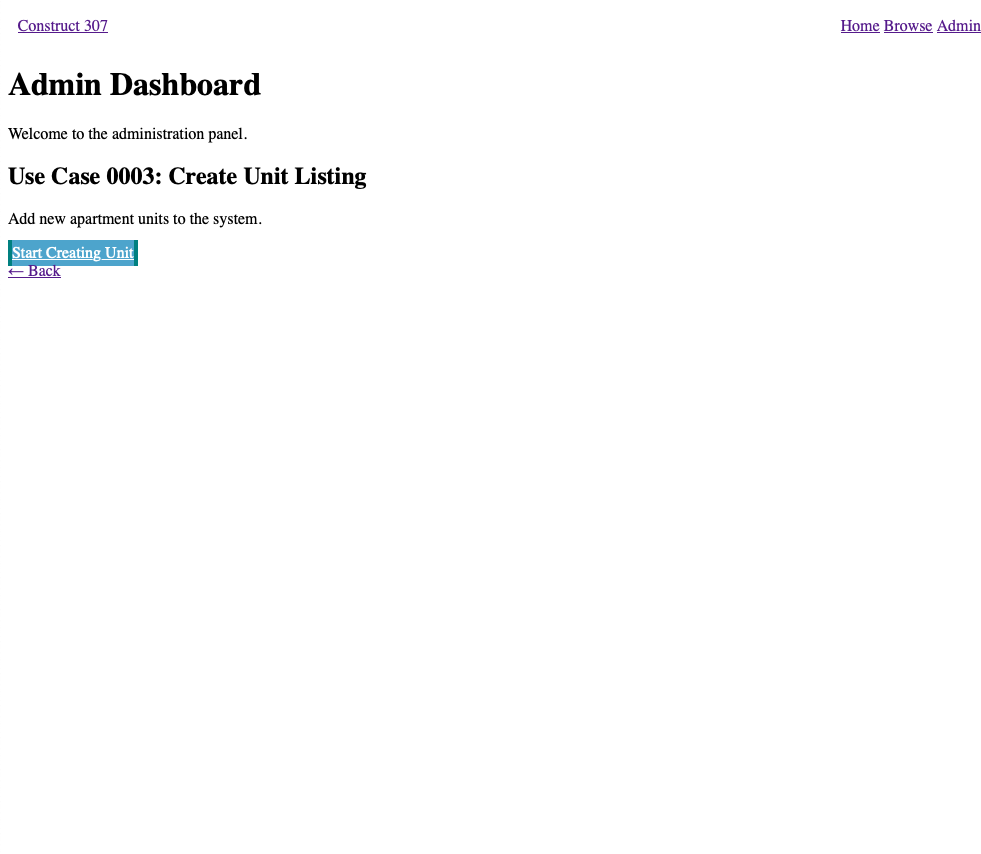
Step 1
User action: Admin navigates to building management.
Screenshot: 
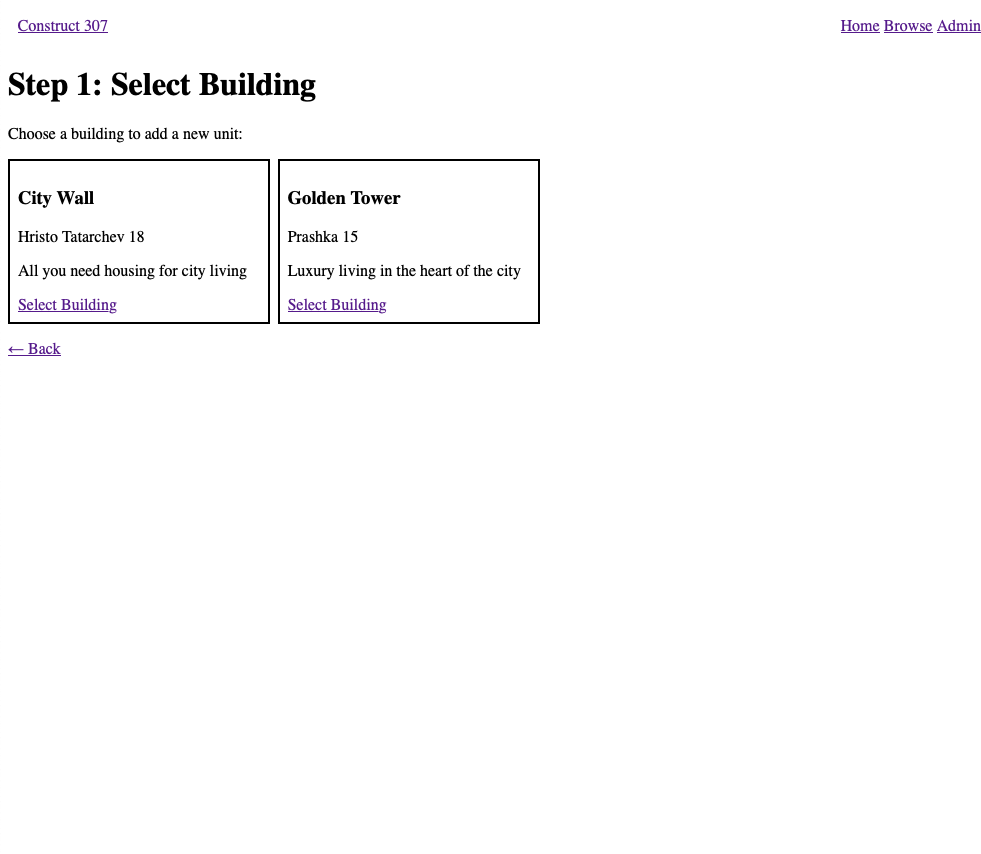
Step 2
System action: System displays all buildings managed by this admin.
Query:
SET search_path TO project;

SELECT building_id, name, address, description
FROM building
WHERE admin_id = (SELECT admin_id FROM admin WHERE name = 'Nikola')
ORDER BY name;
Screenshot: 
- Note selecting an admin by name is only for the prototype, this design poses serious issues if used in a production application.
Step 3
User action: Admin selects "Golden Tower" building.
Screenshot: 
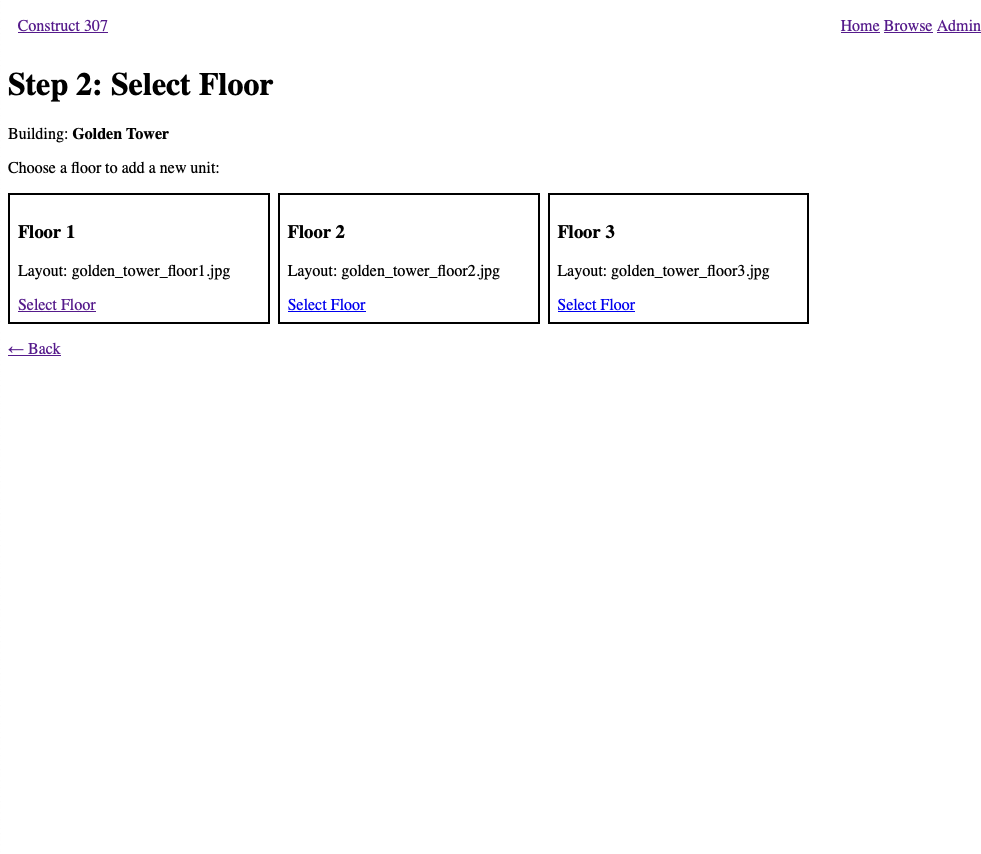
Step 4
System action: System shows all floors in the selected building.
Query:
SET search_path TO project;

SELECT floor_id, floor_number, layout_image
FROM floor
WHERE building_id = (SELECT building_id FROM building WHERE name = 'Golden Tower')
ORDER BY floor_number;
Screenshot: 
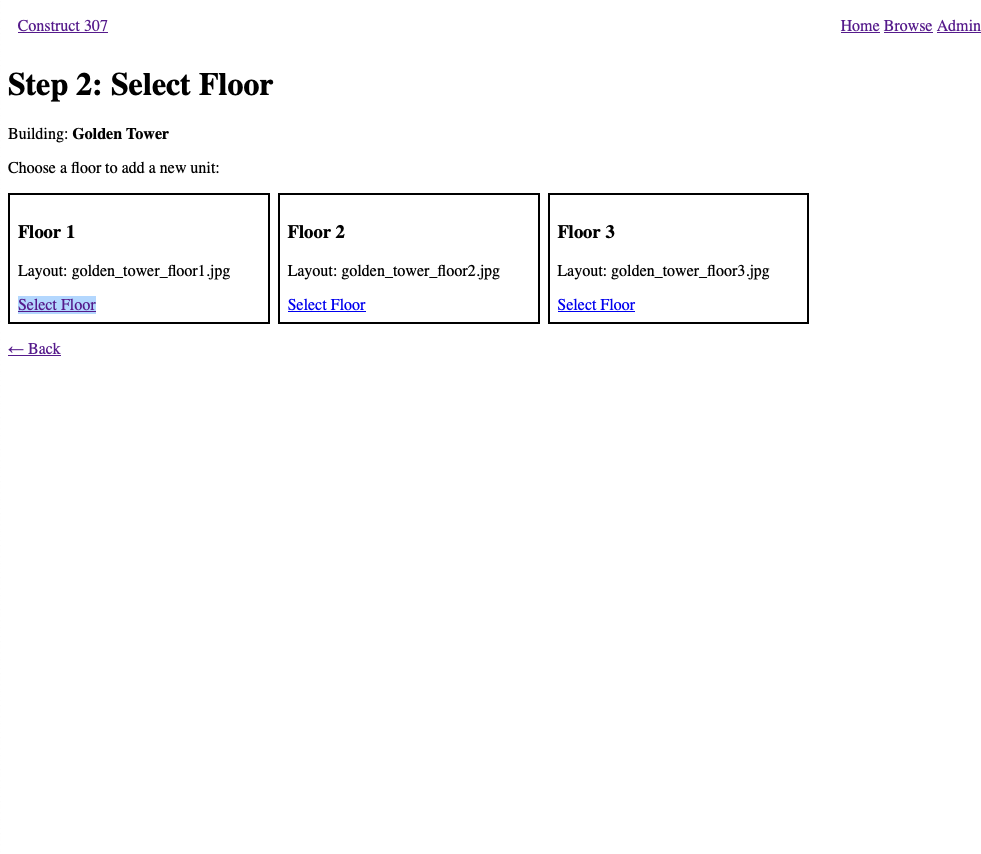
Step 5
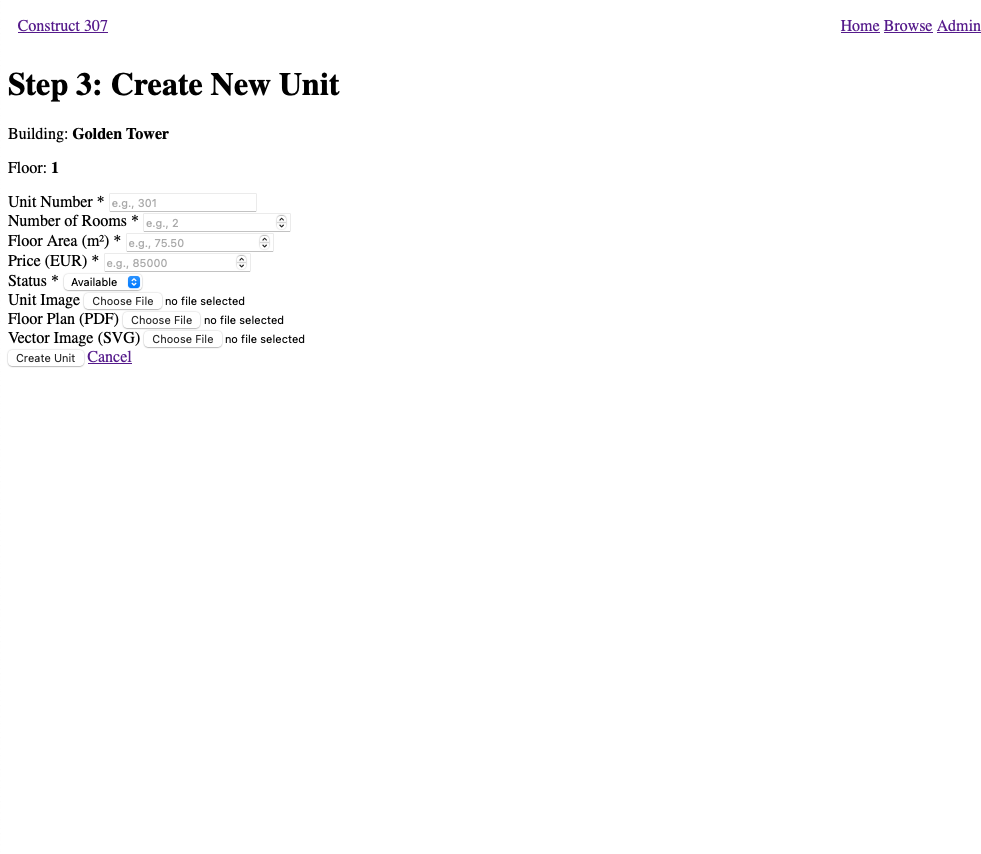
User action: Admin selects Floor 1 and clicks to add a new unit.
Screenshot: 
Step 6
System action: System displays a form with fields: unit number, room number, floor area, price, status, images.
Screenshot: 
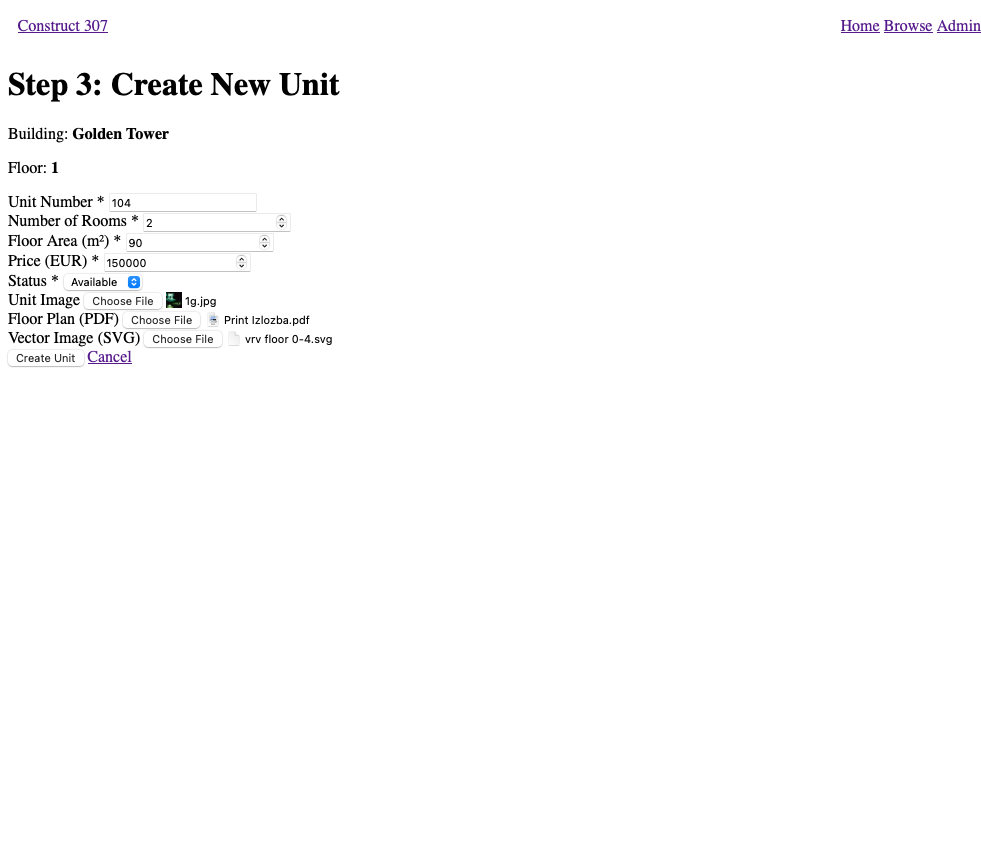
Step 7
User action: Admin enters unit details:
- Unit Number: 104
- Room Number: 2
- Floor Area: 90 m²
- Price: 150000 EUR
- Status: Available
- Uploads images (unit image, floorplan, vector image)
Screenshot: 
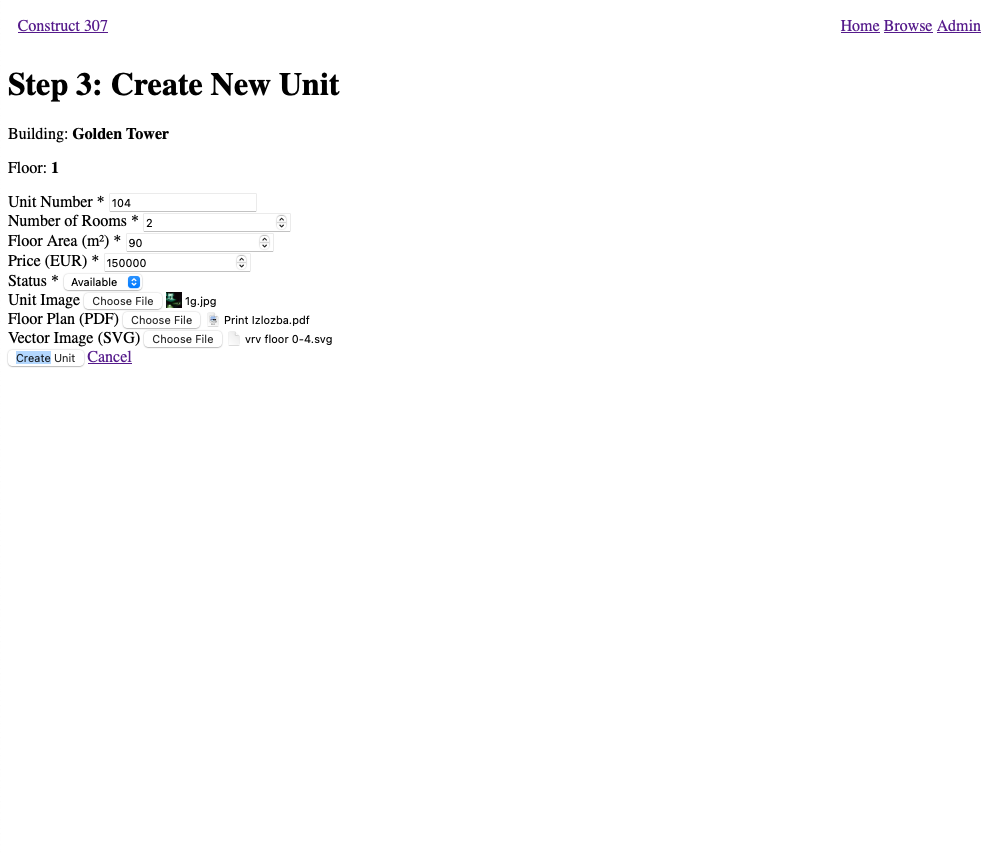
Step 8
User action: Admin submits the form.
Screenshot: 
Step 9
System action: System validates that unit number doesn't already exist.
Query:
SET search_path TO project;

SELECT COUNT(*)
FROM unit
WHERE floor_id = (
    SELECT floor_id FROM floor
    WHERE building_id = (SELECT building_id FROM building WHERE name = 'Golden Tower')
    AND floor_number = 1
)
AND unit_number = '104';
Step 10
System action: System inserts the new unit.
Query:
SET search_path TO project;

INSERT INTO unit(unit_number, room_number, floor_area, status, price, image, floorplan, vector_image, floor_id, admin_id)
VALUES (
    '104',
    2,
    82.50,
    'Available',
    95000.00,
    'unit_104.jpg',
    'plan_104.pdf',
    'vector_104.svg',
    (SELECT floor_id FROM floor
     WHERE building_id = (SELECT building_id FROM building WHERE name = 'Golden Tower')
     AND floor_number = 1),
    (SELECT admin_id FROM admin WHERE name = 'Nikola')
);
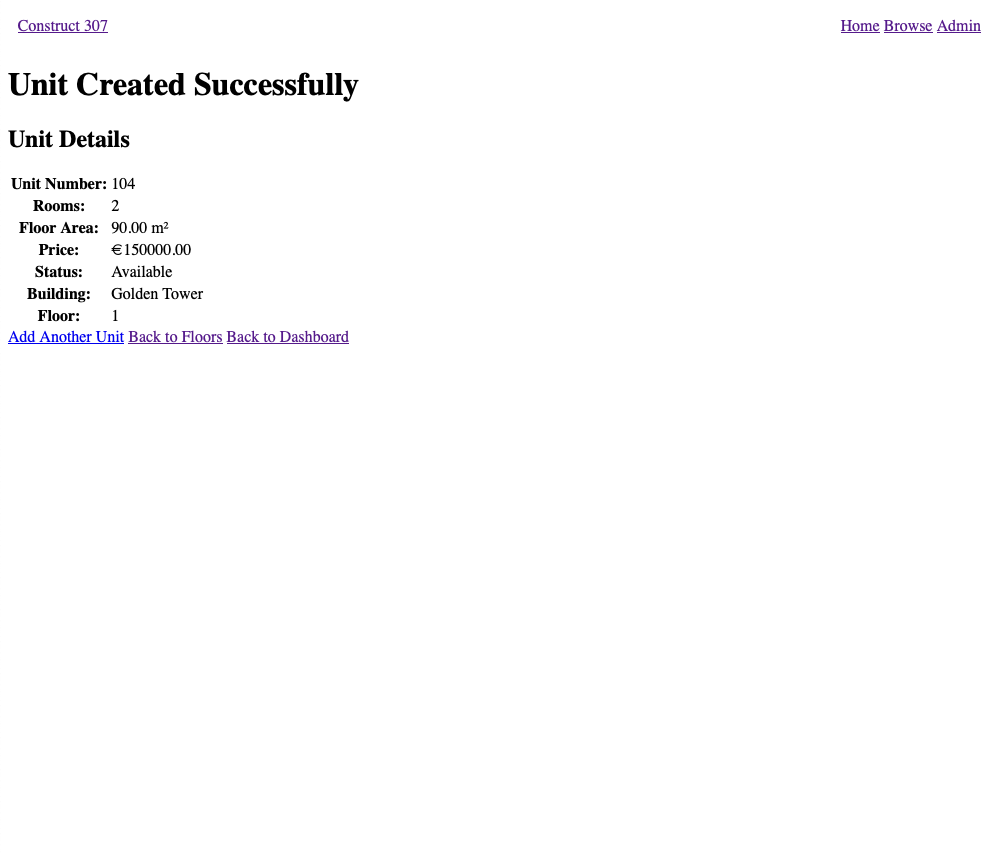
Step 11
System action: System confirms successful creation and displays the unit details.
Screenshot: 
Attachments (8)
- 0003-1.png (45.4 KB ) - added by 8 months ago.
- 0003-2.png (51.7 KB ) - added by 8 months ago.
- 0003-3.png (51.1 KB ) - added by 8 months ago.
- 0003-4.png (51.1 KB ) - added by 8 months ago.
- 0003-5.png (61.7 KB ) - added by 8 months ago.
- 0003-6.png (61.9 KB ) - added by 8 months ago.
- 0003-7.png (62.0 KB ) - added by 8 months ago.
- 0003-8.png (53.0 KB ) - added by 8 months ago.
Download all attachments as: .zip