| Version 1 (modified by , 7 months ago) ( diff ) |
|---|
Writer Registration
- The user is shown a landing page where they can choose to sign in to write stories.

- In this case we have a new user, so when they click the Get Started button, the registration form will appear.
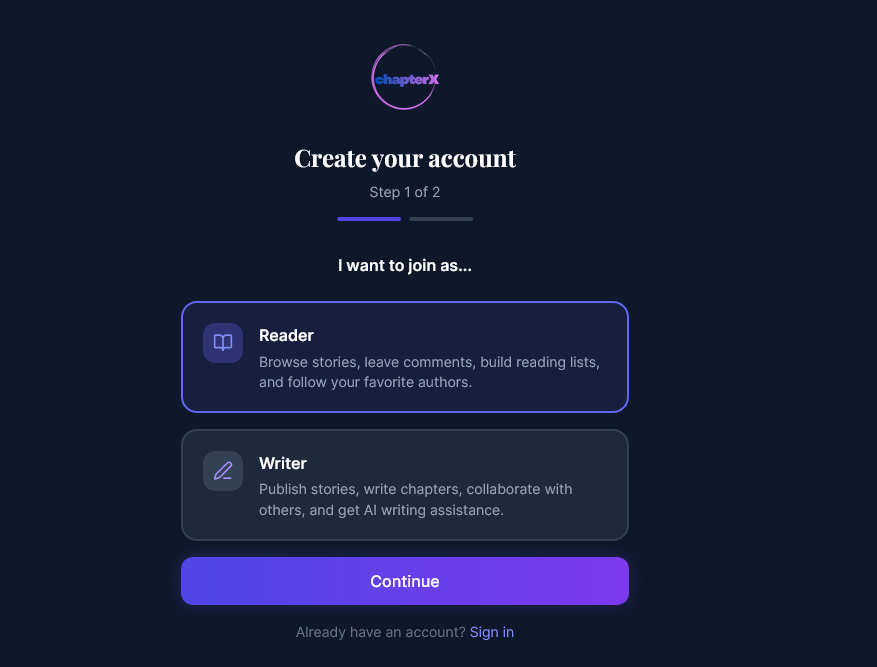
- First, the user needs to choose the type of user they want to register as — in this case, as a writer.

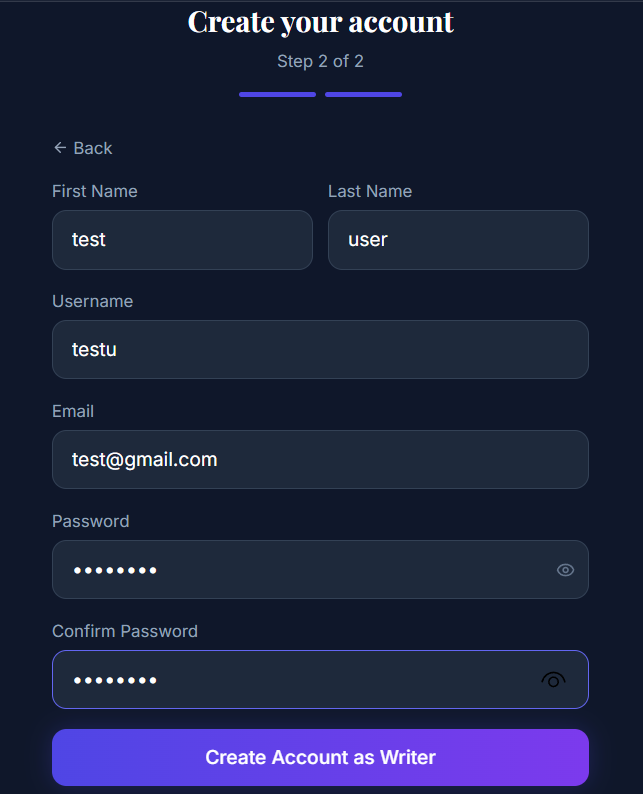
- After this, they fill in the fields to register a new account.

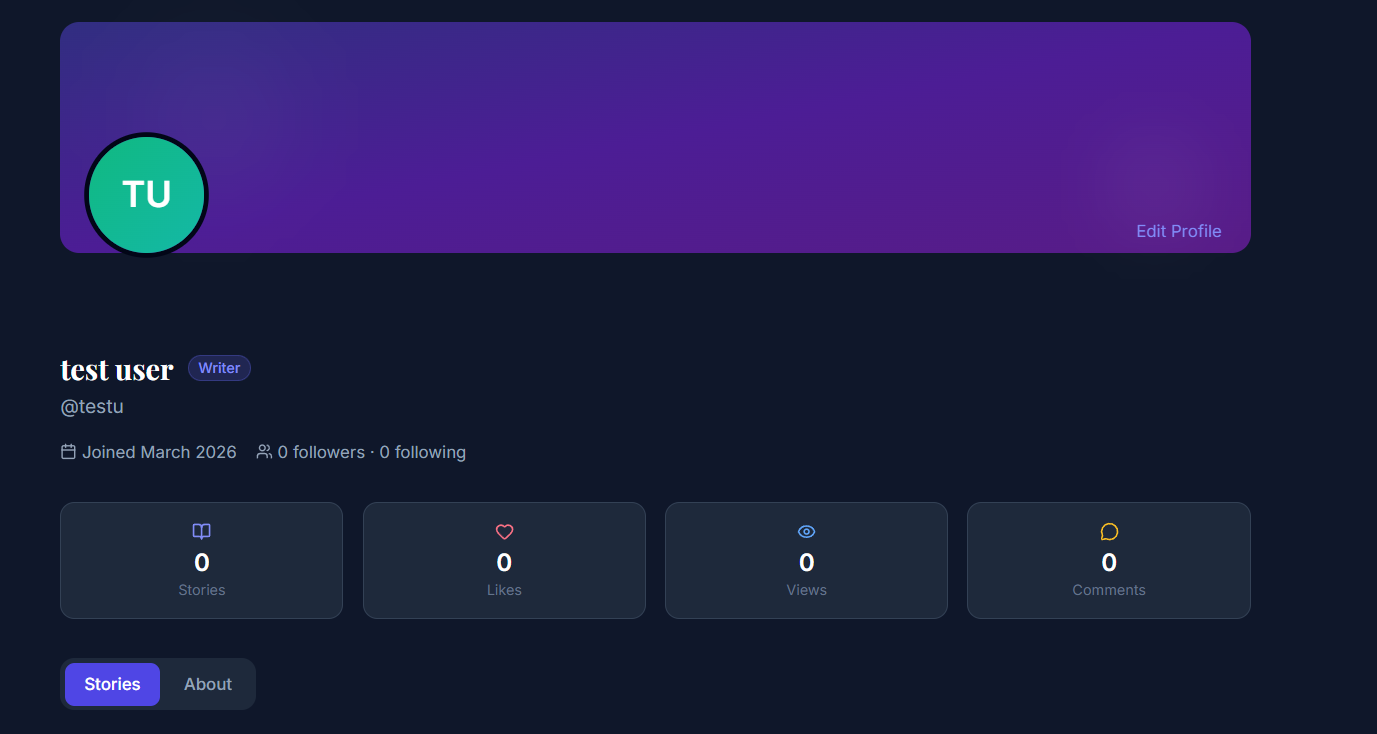
- After successful registration, the user is redirected to the landing page. If they click on the profile page, their account information will be displayed.

Attachments (4)
- landignPage.jpg (229.3 KB ) - added by 7 months ago.
- register1.png (59.3 KB ) - added by 7 months ago.
- register2.png (60.5 KB ) - added by 7 months ago.
- profile.png (134.0 KB ) - added by 7 months ago.
Download all attachments as: .zip
Note:
See TracWiki
for help on using the wiki.