| Version 2 (modified by , 6 months ago) ( diff ) |
|---|
Writer Creates Story
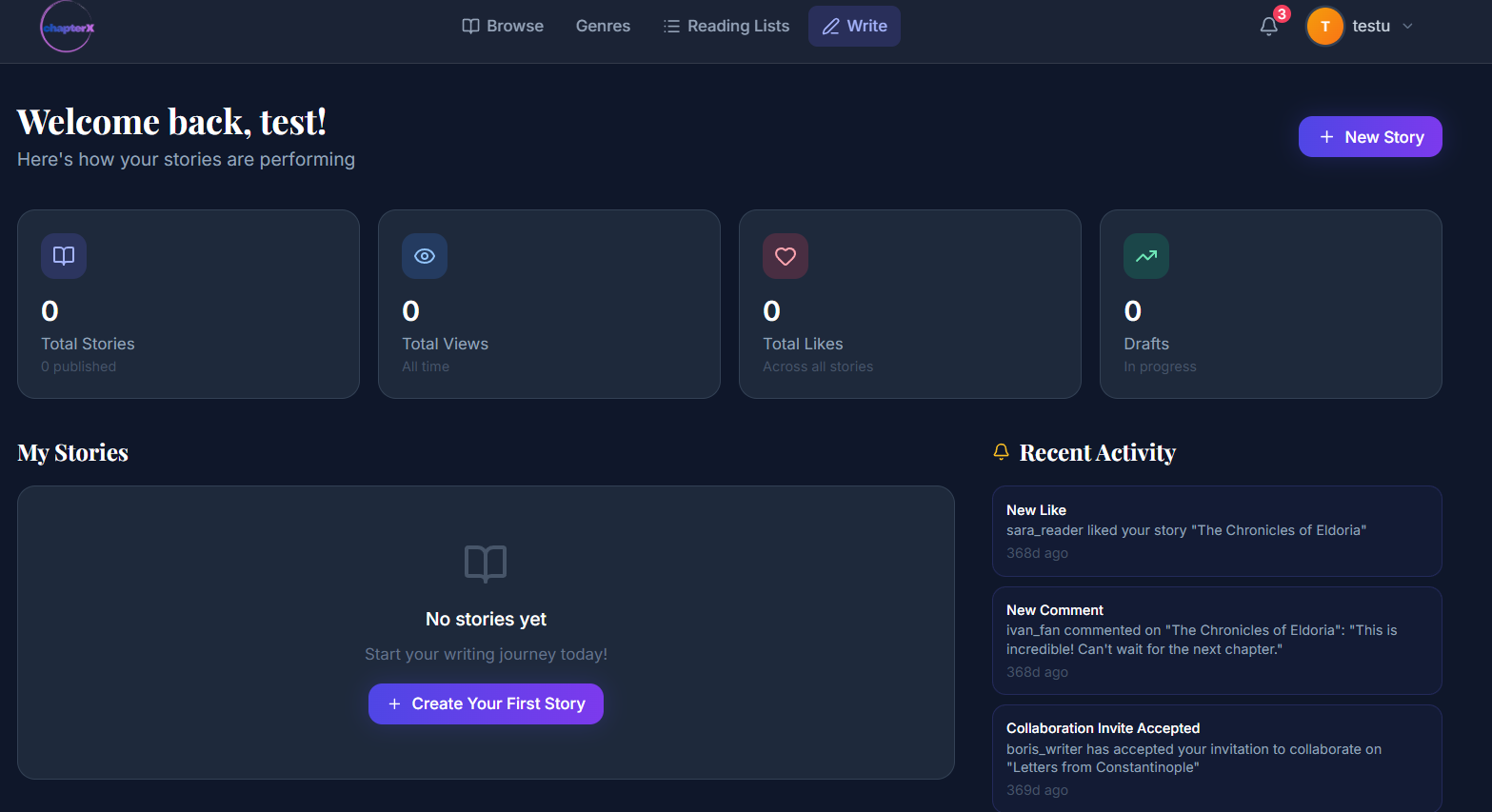
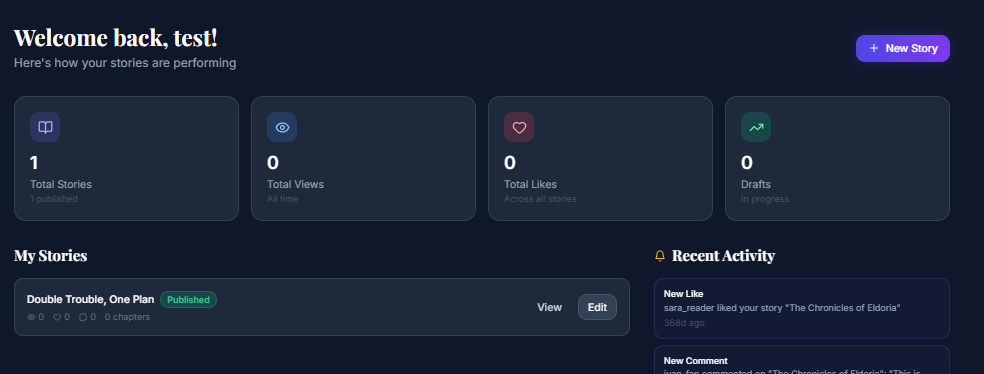
- The user navigates to the Write tab, where they can start writing a story.

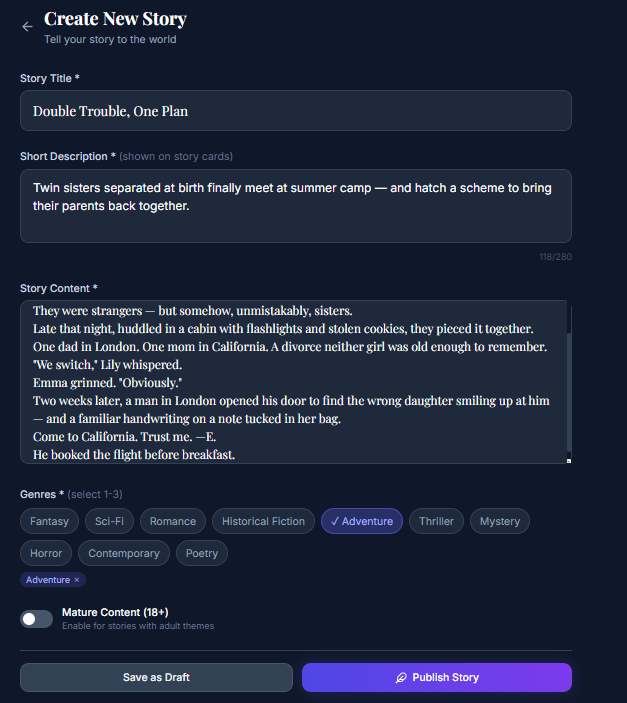
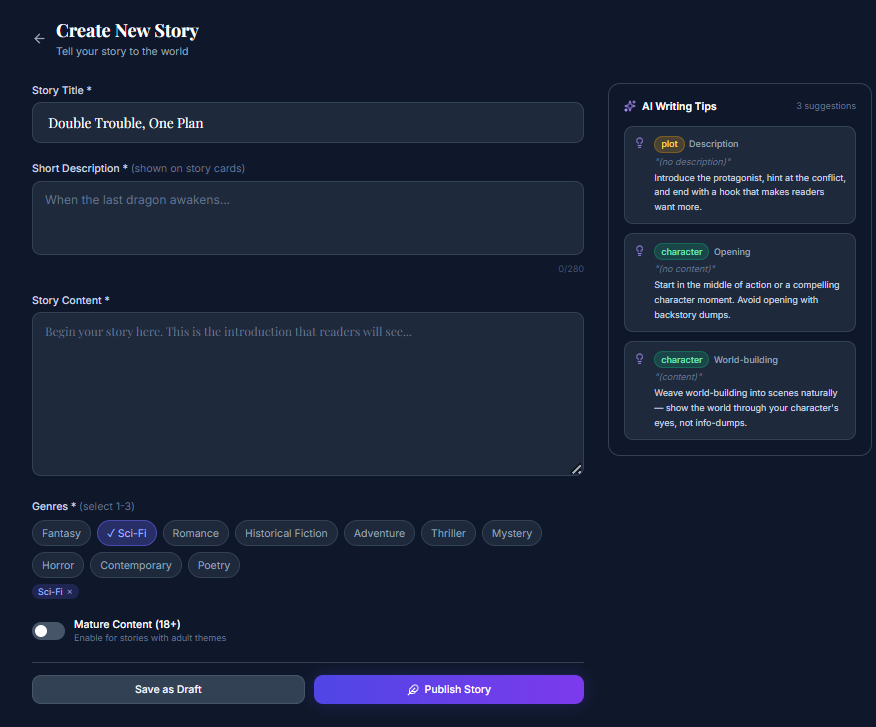
- The user clicks the Create Story button and is redirected to the story creation page, where they can add a story title, description, and content, choose a genre, and mark whether the story is intended for a mature audience.

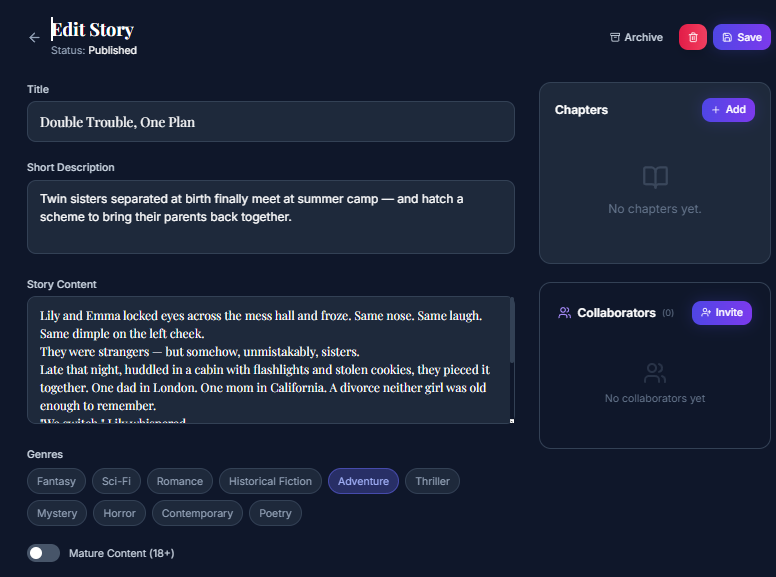
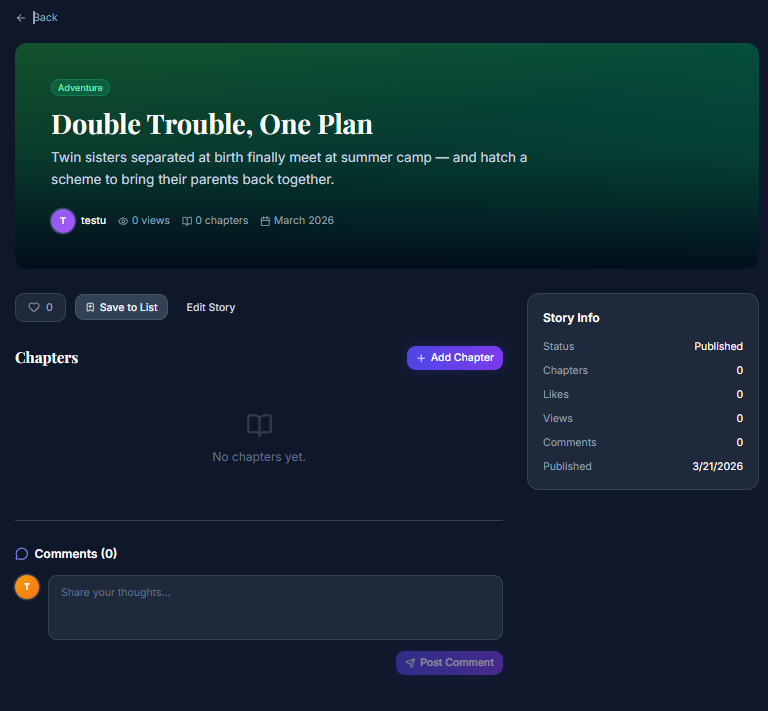
- After the story is created, the user is redirected to the Edit Story page, where they can choose collaborators and optionally add a chapter immediately. After that, they click Save to save the story and are navigated to the story details page.

- On the story details page, the user can add new chapters and edit collaborators at any time.

- When returning to the Write page, the user can see their story listed and has the option to edit or view it.

Attachments (6)
- story0.png (134.8 KB ) - added by 6 months ago.
- story1.png (92.3 KB ) - added by 6 months ago.
- story2.png (88.0 KB ) - added by 6 months ago.
- story4.png (112.5 KB ) - added by 6 months ago.
- story3.png (46.1 KB ) - added by 6 months ago.
- story1.2.png (86.6 KB ) - added by 6 months ago.
Download all attachments as: .zip
Note:
See TracWiki
for help on using the wiki.