| 1 | # ⚙️ node-sqlite3
|
|---|
| 2 |
|
|---|
| 3 | Asynchronous, non-blocking [SQLite3](https://sqlite.org/) bindings for [Node.js](http://nodejs.org/).
|
|---|
| 4 |
|
|---|
| 5 | [](https://www.npmjs.com/package/sqlite3)
|
|---|
| 6 | 
|
|---|
| 7 | [](https://app.fossa.io/projects/git%2Bhttps%3A%2F%2Fgithub.com%2Fmapbox%2Fnode-sqlite3?ref=badge_shield)
|
|---|
| 8 | [](https://nodejs.org/dist/latest/docs/api/n-api.html#n_api_n_api)
|
|---|
| 9 | [](https://nodejs.org/dist/latest/docs/api/n-api.html#n_api_n_api)
|
|---|
| 10 |
|
|---|
| 11 | # Features
|
|---|
| 12 |
|
|---|
| 13 | - Straightforward query and parameter binding interface
|
|---|
| 14 | - Full Buffer/Blob support
|
|---|
| 15 | - Extensive [debugging support](https://github.com/tryghost/node-sqlite3/wiki/Debugging)
|
|---|
| 16 | - [Query serialization](https://github.com/tryghost/node-sqlite3/wiki/Control-Flow) API
|
|---|
| 17 | - [Extension support](https://github.com/TryGhost/node-sqlite3/wiki/API#databaseloadextensionpath-callback), including bundled support for the [json1 extension](https://www.sqlite.org/json1.html)
|
|---|
| 18 | - Big test suite
|
|---|
| 19 | - Written in modern C++ and tested for memory leaks
|
|---|
| 20 | - Bundles SQLite v3.44.2, or you can build using a local SQLite
|
|---|
| 21 |
|
|---|
| 22 | # Installing
|
|---|
| 23 |
|
|---|
| 24 | You can use [`npm`](https://github.com/npm/cli) or [`yarn`](https://github.com/yarnpkg/yarn) to install `sqlite3`:
|
|---|
| 25 |
|
|---|
| 26 | * (recommended) Latest published package:
|
|---|
| 27 | ```bash
|
|---|
| 28 | npm install sqlite3
|
|---|
| 29 | # or
|
|---|
| 30 | yarn add sqlite3
|
|---|
| 31 | ```
|
|---|
| 32 | * GitHub's `master` branch: `npm install https://github.com/tryghost/node-sqlite3/tarball/master`
|
|---|
| 33 |
|
|---|
| 34 | ### Prebuilt binaries
|
|---|
| 35 |
|
|---|
| 36 | `sqlite3` v5+ was rewritten to use [Node-API](https://nodejs.org/api/n-api.html) so prebuilt binaries do not need to be built for specific Node versions. `sqlite3` currently builds for both Node-API v3 and v6. Check the [Node-API version matrix](https://nodejs.org/api/n-api.html#node-api-version-matrix) to ensure your Node version supports one of these. The prebuilt binaries should be supported on Node v10+.
|
|---|
| 37 |
|
|---|
| 38 | The module uses [`prebuild-install`](https://github.com/prebuild/prebuild-install) to download the prebuilt binary for your platform, if it exists. These binaries are hosted on GitHub Releases for `sqlite3` versions above 5.0.2, and they are hosted on S3 otherwise. The following targets are currently provided:
|
|---|
| 39 |
|
|---|
| 40 | * `darwin-arm64`
|
|---|
| 41 | * `darwin-x64`
|
|---|
| 42 | * `linux-arm64`
|
|---|
| 43 | * `linux-x64`
|
|---|
| 44 | * `linuxmusl-arm64`
|
|---|
| 45 | * `linuxmusl-x64`
|
|---|
| 46 | * `win32-ia32`
|
|---|
| 47 | * `win32-x64`
|
|---|
| 48 |
|
|---|
| 49 | Unfortunately, [prebuild](https://github.com/prebuild/prebuild/issues/174) cannot differentiate between `armv6` and `armv7`, and instead uses `arm` as the `{arch}`. Until that is fixed, you will still need to install `sqlite3` from [source](#source-install).
|
|---|
| 50 |
|
|---|
| 51 | Support for other platforms and architectures may be added in the future if CI supports building on them.
|
|---|
| 52 |
|
|---|
| 53 | If your environment isn't supported, it'll use `node-gyp` to build SQLite, but you will need to install a C++ compiler and linker.
|
|---|
| 54 |
|
|---|
| 55 | ### Other ways to install
|
|---|
| 56 |
|
|---|
| 57 | It is also possible to make your own build of `sqlite3` from its source instead of its npm package ([See below.](#source-install)).
|
|---|
| 58 |
|
|---|
| 59 | The `sqlite3` module also works with [node-webkit](https://github.com/rogerwang/node-webkit) if node-webkit contains a supported version of Node.js engine. [(See below.)](#building-for-node-webkit)
|
|---|
| 60 |
|
|---|
| 61 | SQLite's [SQLCipher extension](https://github.com/sqlcipher/sqlcipher) is also supported. [(See below.)](#building-for-sqlcipher)
|
|---|
| 62 |
|
|---|
| 63 | # API
|
|---|
| 64 |
|
|---|
| 65 | See the [API documentation](https://github.com/TryGhost/node-sqlite3/wiki/API) in the wiki.
|
|---|
| 66 |
|
|---|
| 67 | # Usage
|
|---|
| 68 |
|
|---|
| 69 | **Note:** the module must be [installed](#installing) before use.
|
|---|
| 70 |
|
|---|
| 71 | ``` js
|
|---|
| 72 | const sqlite3 = require('sqlite3').verbose();
|
|---|
| 73 | const db = new sqlite3.Database(':memory:');
|
|---|
| 74 |
|
|---|
| 75 | db.serialize(() => {
|
|---|
| 76 | db.run("CREATE TABLE lorem (info TEXT)");
|
|---|
| 77 |
|
|---|
| 78 | const stmt = db.prepare("INSERT INTO lorem VALUES (?)");
|
|---|
| 79 | for (let i = 0; i < 10; i++) {
|
|---|
| 80 | stmt.run("Ipsum " + i);
|
|---|
| 81 | }
|
|---|
| 82 | stmt.finalize();
|
|---|
| 83 |
|
|---|
| 84 | db.each("SELECT rowid AS id, info FROM lorem", (err, row) => {
|
|---|
| 85 | console.log(row.id + ": " + row.info);
|
|---|
| 86 | });
|
|---|
| 87 | });
|
|---|
| 88 |
|
|---|
| 89 | db.close();
|
|---|
| 90 | ```
|
|---|
| 91 |
|
|---|
| 92 | ## Source install
|
|---|
| 93 |
|
|---|
| 94 | To skip searching for pre-compiled binaries, and force a build from source, use
|
|---|
| 95 |
|
|---|
| 96 | ```bash
|
|---|
| 97 | npm install --build-from-source
|
|---|
| 98 | ```
|
|---|
| 99 |
|
|---|
| 100 | The sqlite3 module depends only on libsqlite3. However, by default, an internal/bundled copy of sqlite will be built and statically linked, so an externally installed sqlite3 is not required.
|
|---|
| 101 |
|
|---|
| 102 | If you wish to install against an external sqlite then you need to pass the `--sqlite` argument to `npm` wrapper:
|
|---|
| 103 |
|
|---|
| 104 | ```bash
|
|---|
| 105 | npm install --build-from-source --sqlite=/usr/local
|
|---|
| 106 | ```
|
|---|
| 107 |
|
|---|
| 108 | If building against an external sqlite3 make sure to have the development headers available. Mac OS X ships with these by default. If you don't have them installed, install the `-dev` package with your package manager, e.g. `apt-get install libsqlite3-dev` for Debian/Ubuntu. Make sure that you have at least `libsqlite3` >= 3.6.
|
|---|
| 109 |
|
|---|
| 110 | Note, if building against homebrew-installed sqlite on OS X you can do:
|
|---|
| 111 |
|
|---|
| 112 | ```bash
|
|---|
| 113 | npm install --build-from-source --sqlite=/usr/local/opt/sqlite/
|
|---|
| 114 | ```
|
|---|
| 115 |
|
|---|
| 116 | ## Custom file header (magic)
|
|---|
| 117 |
|
|---|
| 118 | The default sqlite file header is "SQLite format 3". You can specify a different magic, though this will make standard tools and libraries unable to work with your files.
|
|---|
| 119 |
|
|---|
| 120 | ```bash
|
|---|
| 121 | npm install --build-from-source --sqlite_magic="MyCustomMagic15"
|
|---|
| 122 | ```
|
|---|
| 123 |
|
|---|
| 124 | Note that the magic *must* be exactly 15 characters long (16 bytes including null terminator).
|
|---|
| 125 |
|
|---|
| 126 | ## Building for node-webkit
|
|---|
| 127 |
|
|---|
| 128 | Because of ABI differences, `sqlite3` must be built in a custom to be used with [node-webkit](https://github.com/rogerwang/node-webkit).
|
|---|
| 129 |
|
|---|
| 130 | To build `sqlite3` for node-webkit:
|
|---|
| 131 |
|
|---|
| 132 | 1. Install [`nw-gyp`](https://github.com/rogerwang/nw-gyp) globally: `npm install nw-gyp -g` *(unless already installed)*
|
|---|
| 133 |
|
|---|
| 134 | 2. Build the module with the custom flags of `--runtime`, `--target_arch`, and `--target`:
|
|---|
| 135 |
|
|---|
| 136 | ```bash
|
|---|
| 137 | NODE_WEBKIT_VERSION="0.8.6" # see latest version at https://github.com/rogerwang/node-webkit#downloads
|
|---|
| 138 | npm install sqlite3 --build-from-source --runtime=node-webkit --target_arch=ia32 --target=$(NODE_WEBKIT_VERSION)
|
|---|
| 139 | ```
|
|---|
| 140 |
|
|---|
| 141 | You can also run this command from within a `sqlite3` checkout:
|
|---|
| 142 |
|
|---|
| 143 | ```bash
|
|---|
| 144 | npm install --build-from-source --runtime=node-webkit --target_arch=ia32 --target=$(NODE_WEBKIT_VERSION)
|
|---|
| 145 | ```
|
|---|
| 146 |
|
|---|
| 147 | Remember the following:
|
|---|
| 148 |
|
|---|
| 149 | * You must provide the right `--target_arch` flag. `ia32` is needed to target 32bit node-webkit builds, while `x64` will target 64bit node-webkit builds (if available for your platform).
|
|---|
| 150 |
|
|---|
| 151 | * After the `sqlite3` package is built for node-webkit it cannot run in the vanilla Node.js (and vice versa).
|
|---|
| 152 | * For example, `npm test` of the node-webkit's package would fail.
|
|---|
| 153 |
|
|---|
| 154 | Visit the “[Using Node modules](https://github.com/rogerwang/node-webkit/wiki/Using-Node-modules)” article in the node-webkit's wiki for more details.
|
|---|
| 155 |
|
|---|
| 156 | ## Building for SQLCipher
|
|---|
| 157 |
|
|---|
| 158 | For instructions on building SQLCipher, see [Building SQLCipher for Node.js](https://coolaj86.com/articles/building-sqlcipher-for-node-js-on-raspberry-pi-2/). Alternatively, you can install it with your local package manager.
|
|---|
| 159 |
|
|---|
| 160 | To run against SQLCipher, you need to compile `sqlite3` from source by passing build options like:
|
|---|
| 161 |
|
|---|
| 162 | ```bash
|
|---|
| 163 | npm install sqlite3 --build-from-source --sqlite_libname=sqlcipher --sqlite=/usr/
|
|---|
| 164 |
|
|---|
| 165 | node -e 'require("sqlite3")'
|
|---|
| 166 | ```
|
|---|
| 167 |
|
|---|
| 168 | If your SQLCipher is installed in a custom location (if you compiled and installed it yourself), you'll need to set some environment variables:
|
|---|
| 169 |
|
|---|
| 170 | ### On OS X with Homebrew
|
|---|
| 171 |
|
|---|
| 172 | Set the location where `brew` installed it:
|
|---|
| 173 |
|
|---|
| 174 | ```bash
|
|---|
| 175 | export LDFLAGS="-L`brew --prefix`/opt/sqlcipher/lib"
|
|---|
| 176 | export CPPFLAGS="-I`brew --prefix`/opt/sqlcipher/include/sqlcipher"
|
|---|
| 177 | npm install sqlite3 --build-from-source --sqlite_libname=sqlcipher --sqlite=`brew --prefix`
|
|---|
| 178 |
|
|---|
| 179 | node -e 'require("sqlite3")'
|
|---|
| 180 | ```
|
|---|
| 181 |
|
|---|
| 182 | ### On most Linuxes (including Raspberry Pi)
|
|---|
| 183 |
|
|---|
| 184 | Set the location where `make` installed it:
|
|---|
| 185 |
|
|---|
| 186 | ```bash
|
|---|
| 187 | export LDFLAGS="-L/usr/local/lib"
|
|---|
| 188 | export CPPFLAGS="-I/usr/local/include -I/usr/local/include/sqlcipher"
|
|---|
| 189 | export CXXFLAGS="$CPPFLAGS"
|
|---|
| 190 | npm install sqlite3 --build-from-source --sqlite_libname=sqlcipher --sqlite=/usr/local --verbose
|
|---|
| 191 |
|
|---|
| 192 | node -e 'require("sqlite3")'
|
|---|
| 193 | ```
|
|---|
| 194 |
|
|---|
| 195 | ### Custom builds and Electron
|
|---|
| 196 |
|
|---|
| 197 | Running `sqlite3` through [electron-rebuild](https://github.com/electron/electron-rebuild) does not preserve the SQLCipher extension, so some additional flags are needed to make this build Electron compatible. Your `npm install sqlite3 --build-from-source` command needs these additional flags (be sure to replace the target version with the current Electron version you are working with):
|
|---|
| 198 |
|
|---|
| 199 | ```bash
|
|---|
| 200 | --runtime=electron --target=18.2.1 --dist-url=https://electronjs.org/headers
|
|---|
| 201 | ```
|
|---|
| 202 |
|
|---|
| 203 | In the case of MacOS with Homebrew, the command should look like the following:
|
|---|
| 204 |
|
|---|
| 205 | ```bash
|
|---|
| 206 | npm install sqlite3 --build-from-source --sqlite_libname=sqlcipher --sqlite=`brew --prefix` --runtime=electron --target=18.2.1 --dist-url=https://electronjs.org/headers
|
|---|
| 207 | ```
|
|---|
| 208 |
|
|---|
| 209 | # Testing
|
|---|
| 210 |
|
|---|
| 211 | ```bash
|
|---|
| 212 | npm test
|
|---|
| 213 | ```
|
|---|
| 214 |
|
|---|
| 215 | # Contributors
|
|---|
| 216 |
|
|---|
| 217 | * [Daniel Lockyer](https://github.com/daniellockyer)
|
|---|
| 218 | * [Konstantin Käfer](https://github.com/kkaefer)
|
|---|
| 219 | * [Dane Springmeyer](https://github.com/springmeyer)
|
|---|
| 220 | * [Will White](https://github.com/willwhite)
|
|---|
| 221 | * [Orlando Vazquez](https://github.com/orlandov)
|
|---|
| 222 | * [Artem Kustikov](https://github.com/artiz)
|
|---|
| 223 | * [Eric Fredricksen](https://github.com/grumdrig)
|
|---|
| 224 | * [John Wright](https://github.com/mrjjwright)
|
|---|
| 225 | * [Ryan Dahl](https://github.com/ry)
|
|---|
| 226 | * [Tom MacWright](https://github.com/tmcw)
|
|---|
| 227 | * [Carter Thaxton](https://github.com/carter-thaxton)
|
|---|
| 228 | * [Audrius Kažukauskas](https://github.com/audriusk)
|
|---|
| 229 | * [Johannes Schauer](https://github.com/pyneo)
|
|---|
| 230 | * [Mithgol](https://github.com/Mithgol)
|
|---|
| 231 | * [Kewde](https://github.com/kewde)
|
|---|
| 232 |
|
|---|
| 233 | # Acknowledgments
|
|---|
| 234 |
|
|---|
| 235 | Thanks to [Orlando Vazquez](https://github.com/orlandov),
|
|---|
| 236 | [Eric Fredricksen](https://github.com/grumdrig) and
|
|---|
| 237 | [Ryan Dahl](https://github.com/ry) for their SQLite bindings for node, and to mraleph on Freenode's #v8 for answering questions.
|
|---|
| 238 |
|
|---|
| 239 | This module was originally created by [Mapbox](https://mapbox.com/) & is now maintained by [Ghost](https://ghost.org).
|
|---|
| 240 |
|
|---|
| 241 | # Changelog
|
|---|
| 242 |
|
|---|
| 243 | We use [GitHub releases](https://github.com/TryGhost/node-sqlite3/releases) for notes on the latest versions. See [CHANGELOG.md](https://github.com/TryGhost/node-sqlite3/blob/b05f4594cf8b0de64743561fcd2cfe6f4571754d/CHANGELOG.md) in git history for details on older versions.
|
|---|
| 244 |
|
|---|
| 245 | # License
|
|---|
| 246 |
|
|---|
| 247 | `node-sqlite3` is [BSD licensed](https://github.com/tryghost/node-sqlite3/raw/master/LICENSE).
|
|---|
| 248 |
|
|---|
| 249 | [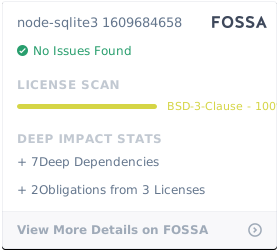](https://app.fossa.io/projects/git%2Bhttps%3A%2F%2Fgithub.com%2Fmapbox%2Fnode-sqlite3?ref=badge_large)
|
|---|