| Version 2 (modified by , 13 days ago) ( diff ) |
|---|
Client Registration
Presentation
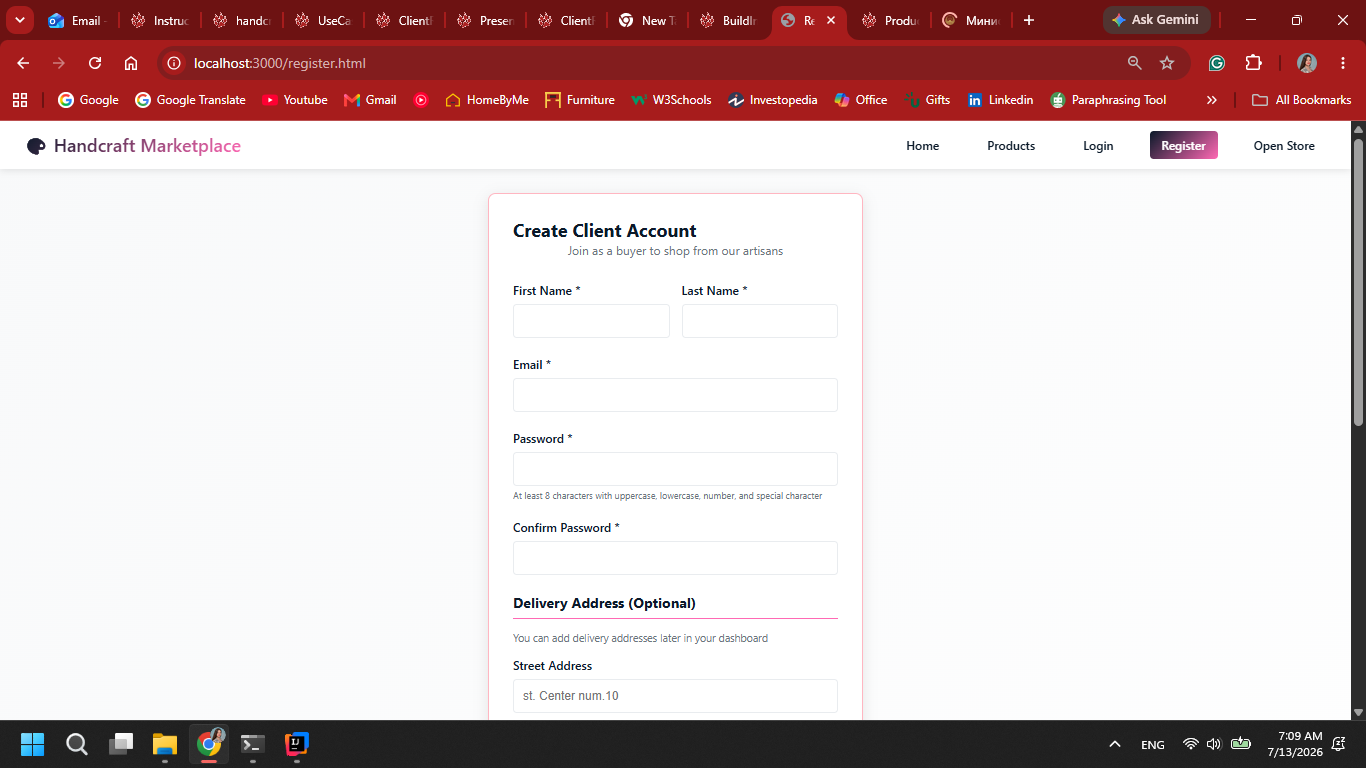
1. The user opens the registration page.

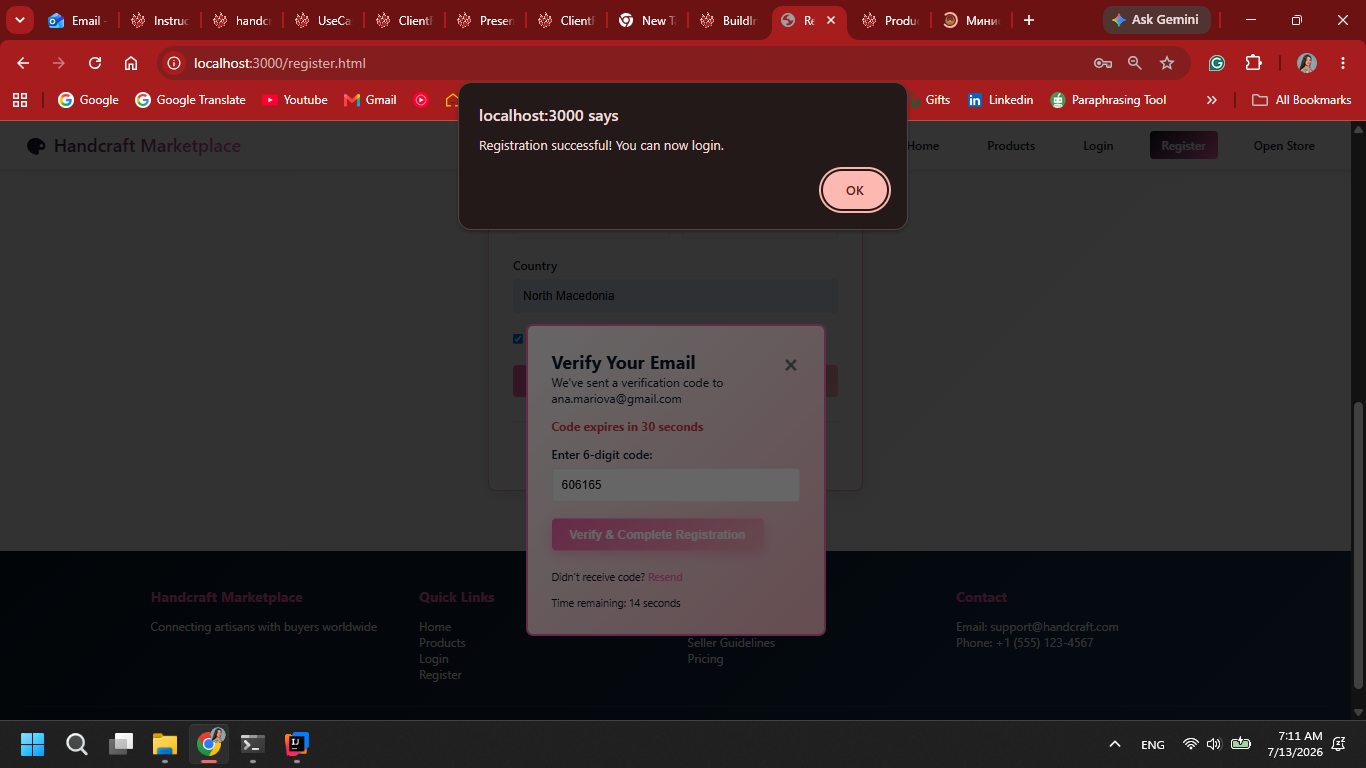
2. Personal data is entered. The user is authenticated through email. After successfull verification, the user is registered in the system.

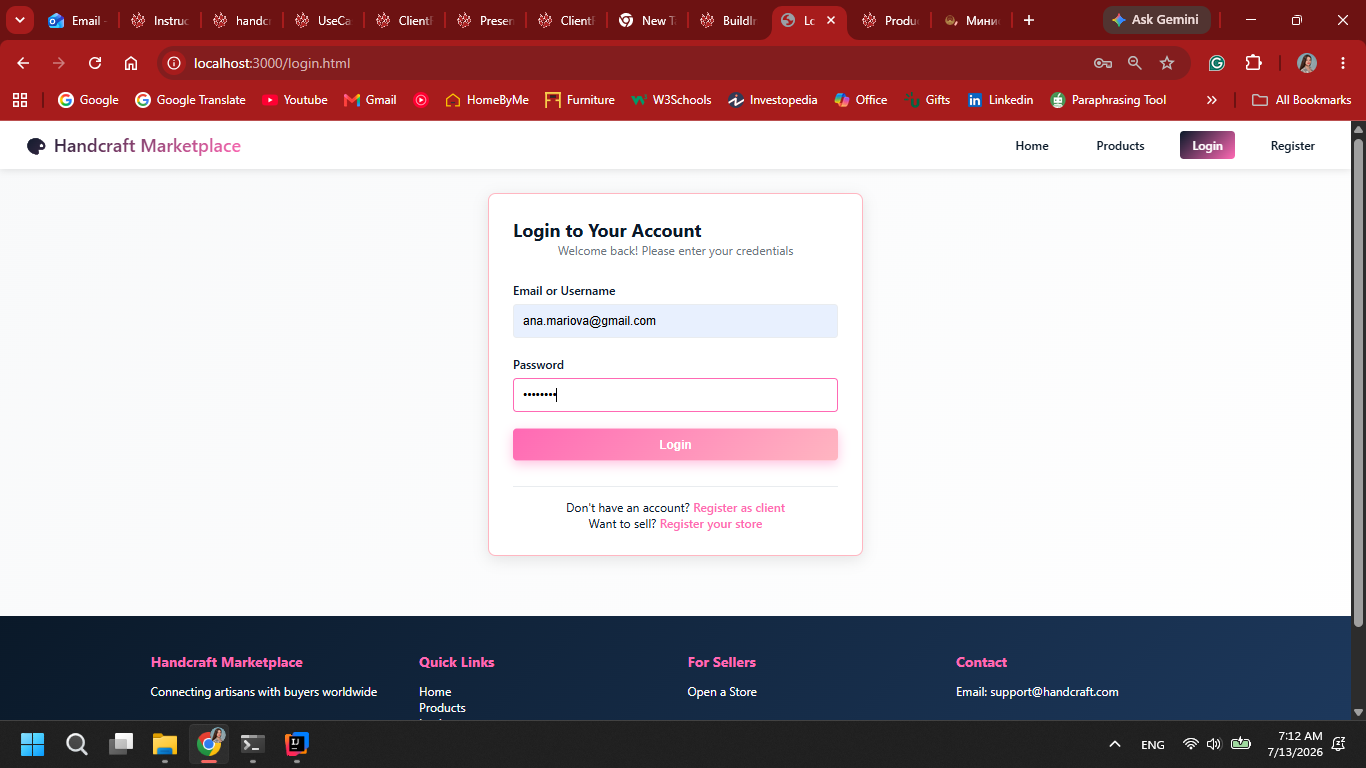
3. The user can then log in with their information.

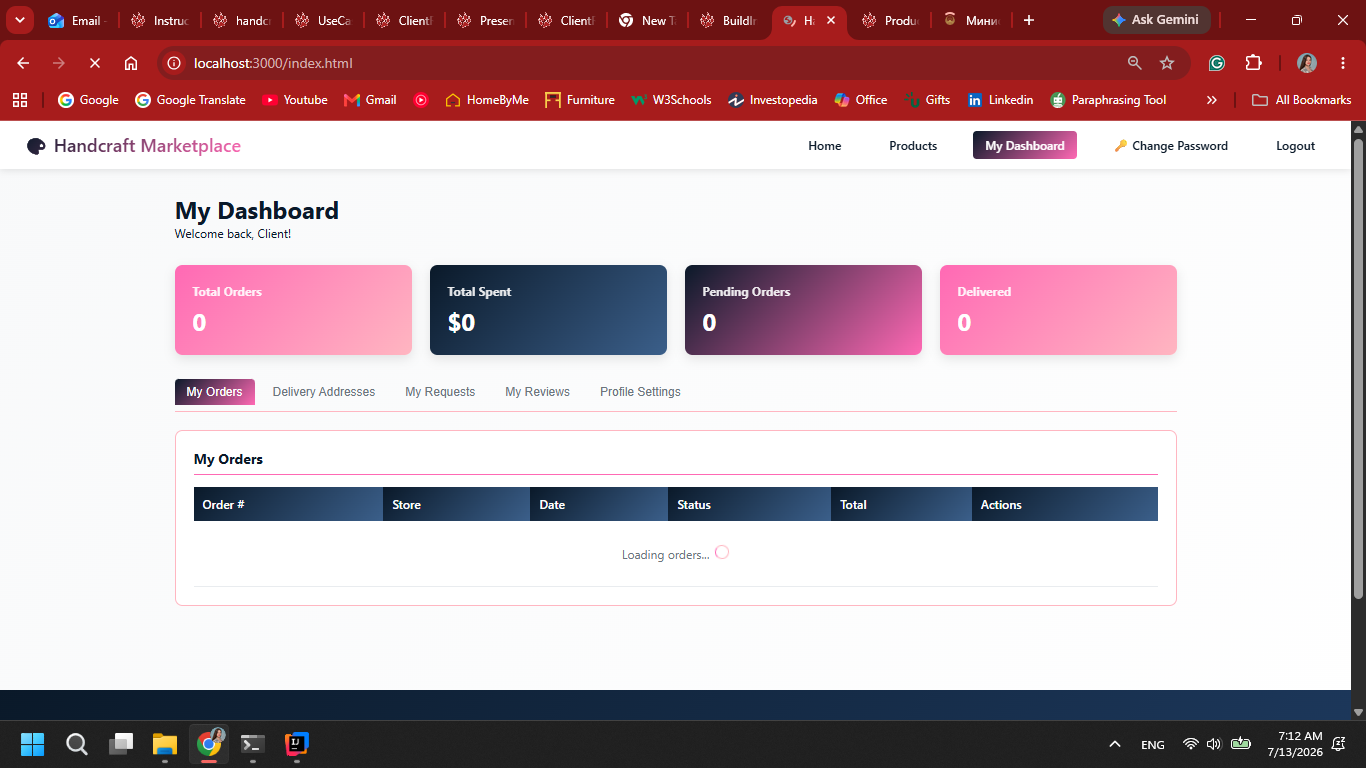
4. The user gets redirected to shopper interface after successfull authentication.

Attachments (4)
- User-Registration.png (185.1 KB ) - added by 13 days ago.
- User-Registered.png (186.8 KB ) - added by 13 days ago.
- User-Login.png (231.4 KB ) - added by 13 days ago.
- User-Page.png (234.7 KB ) - added by 13 days ago.
Download all attachments as: .zip
Note:
See TracWiki
for help on using the wiki.