| Version 1 (modified by , 13 days ago) ( diff ) |
|---|
Store and Owner Registration
Presentation:
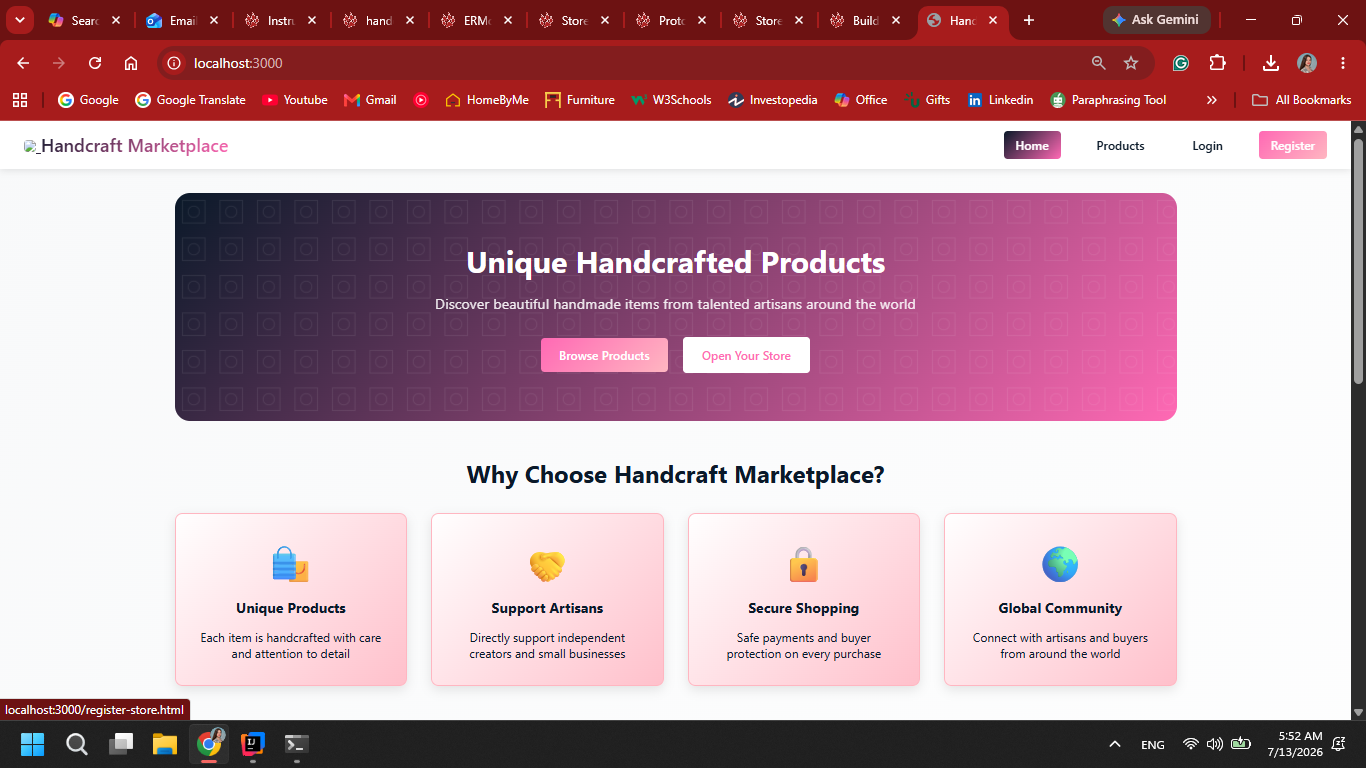
1. The user selects the option to register as a store owner.

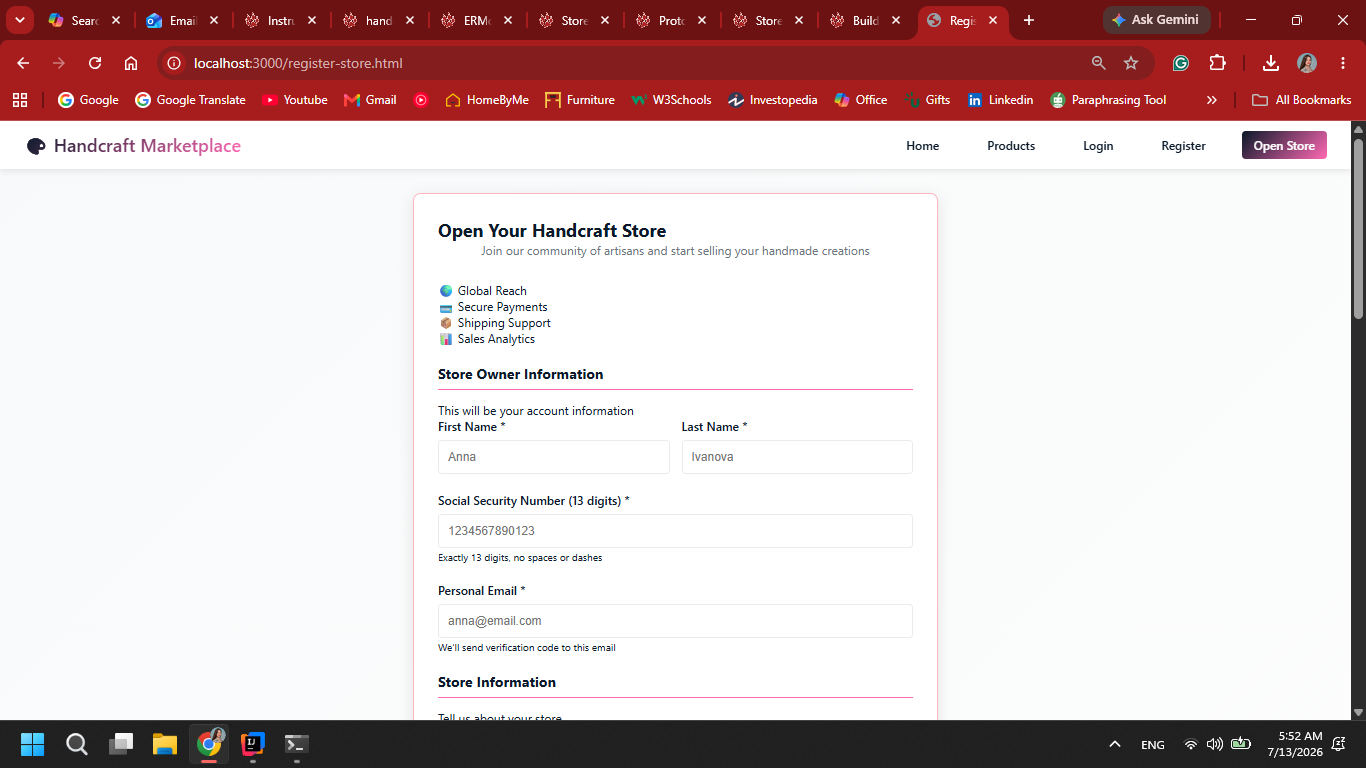
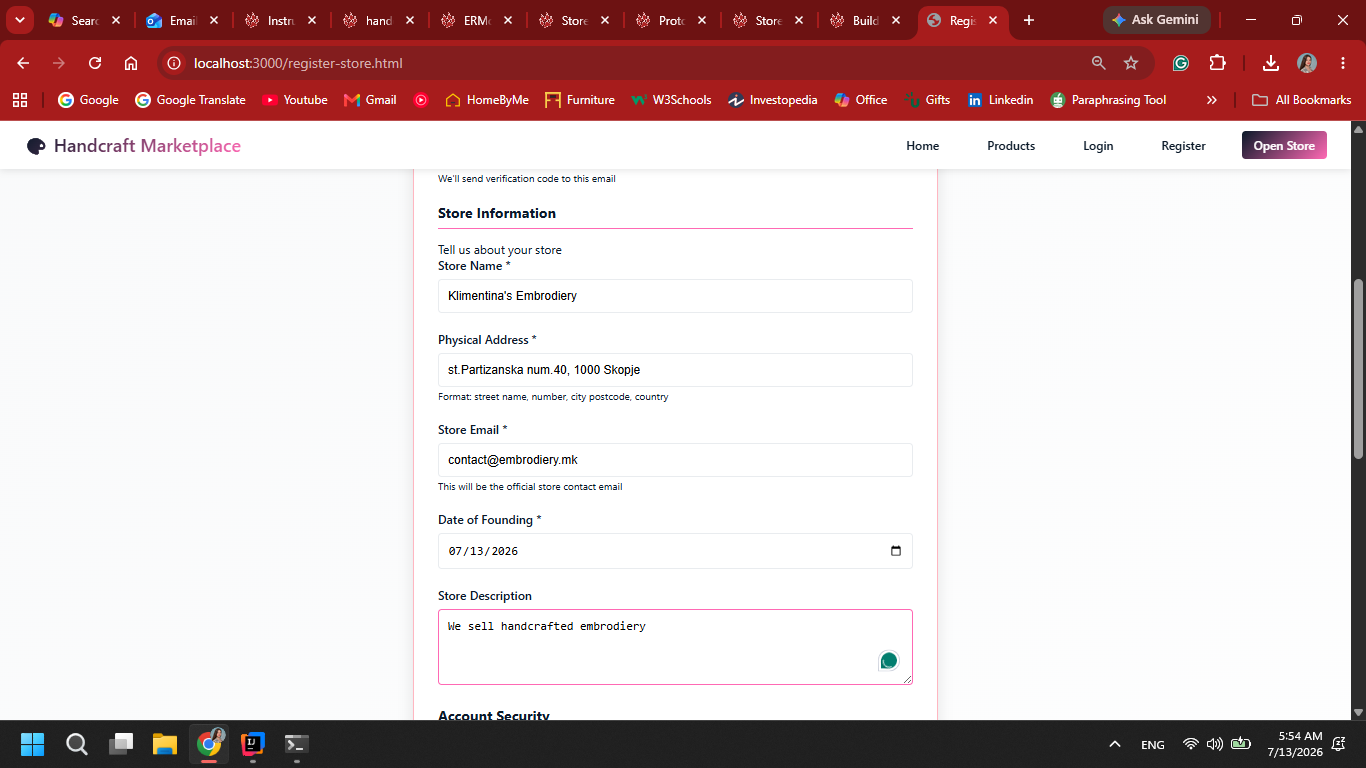
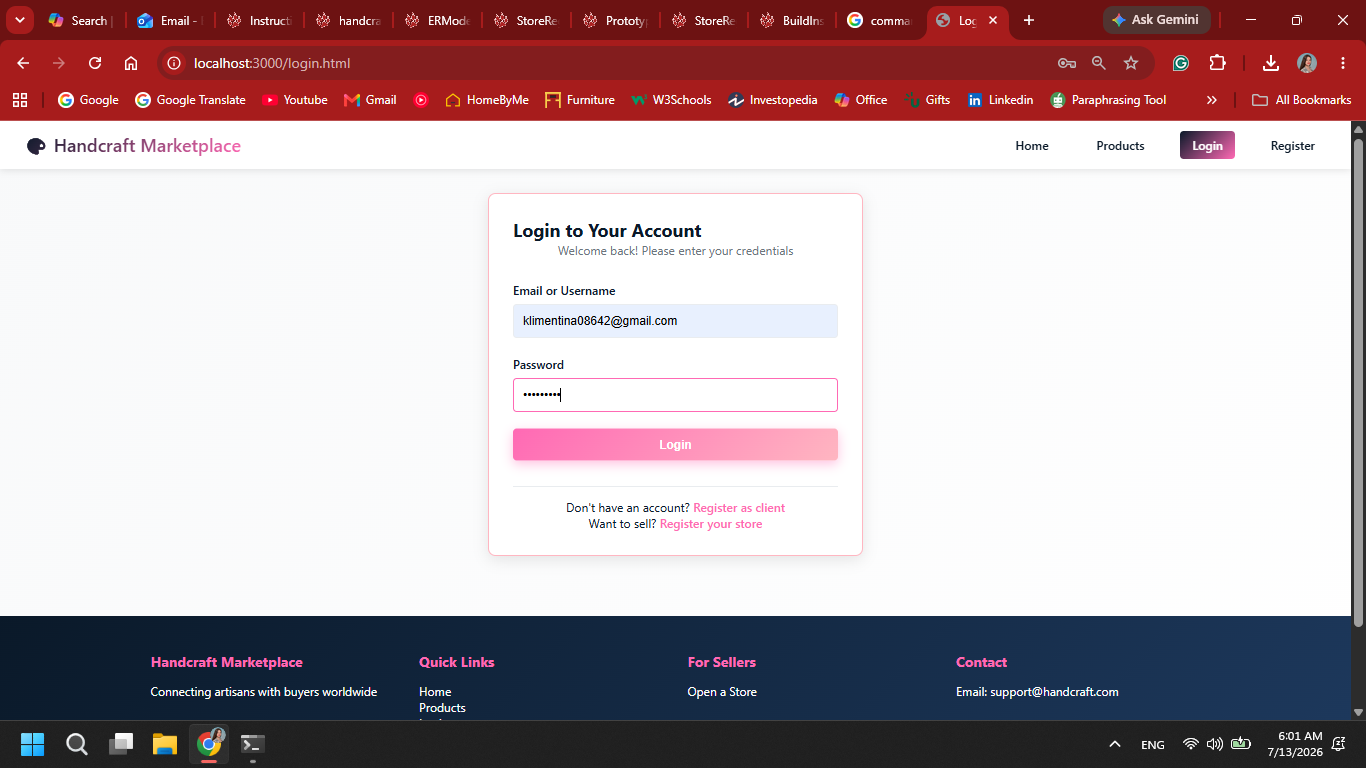
2. The system displays a registration form for personal and store data.

3. The user submits personal information and information for their store.

4. The user gets verified with a One-Time-Pad code and upon successfull authoristaion the store is registered.

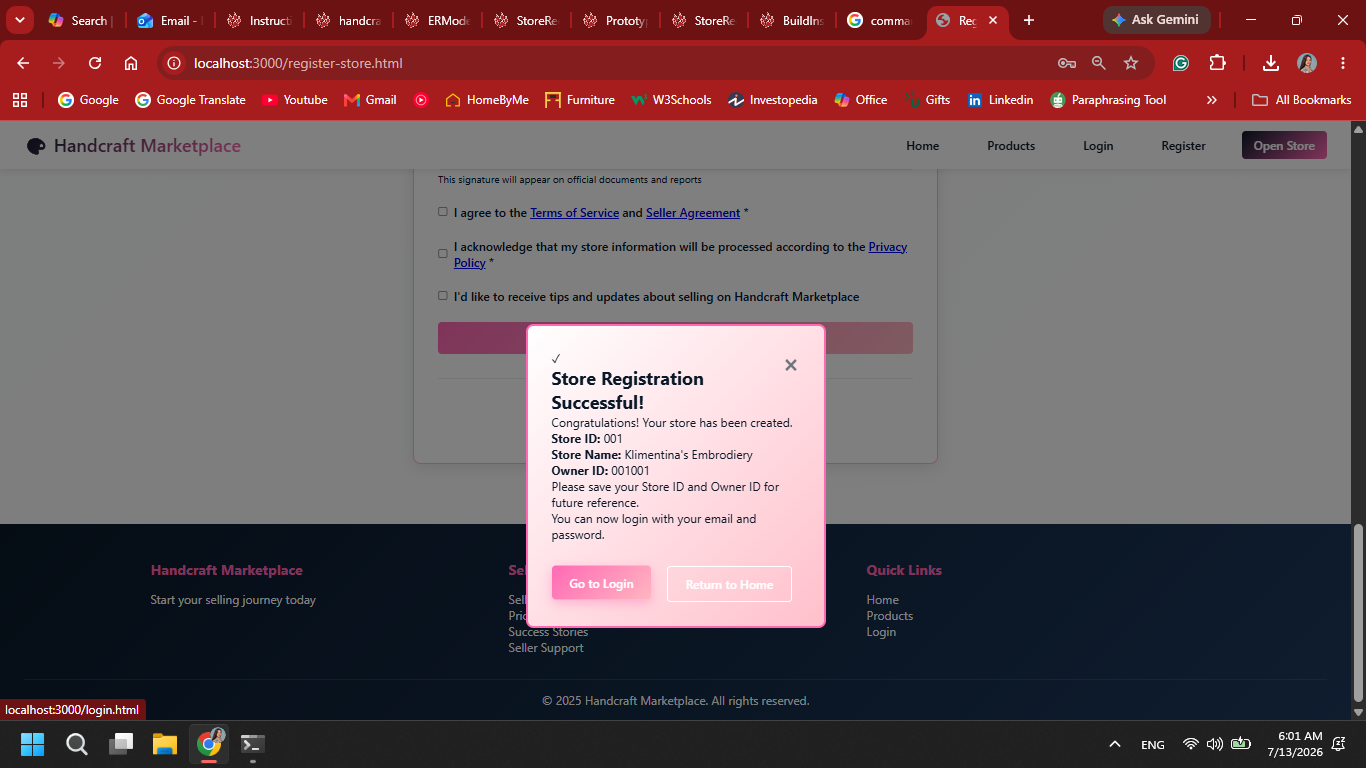
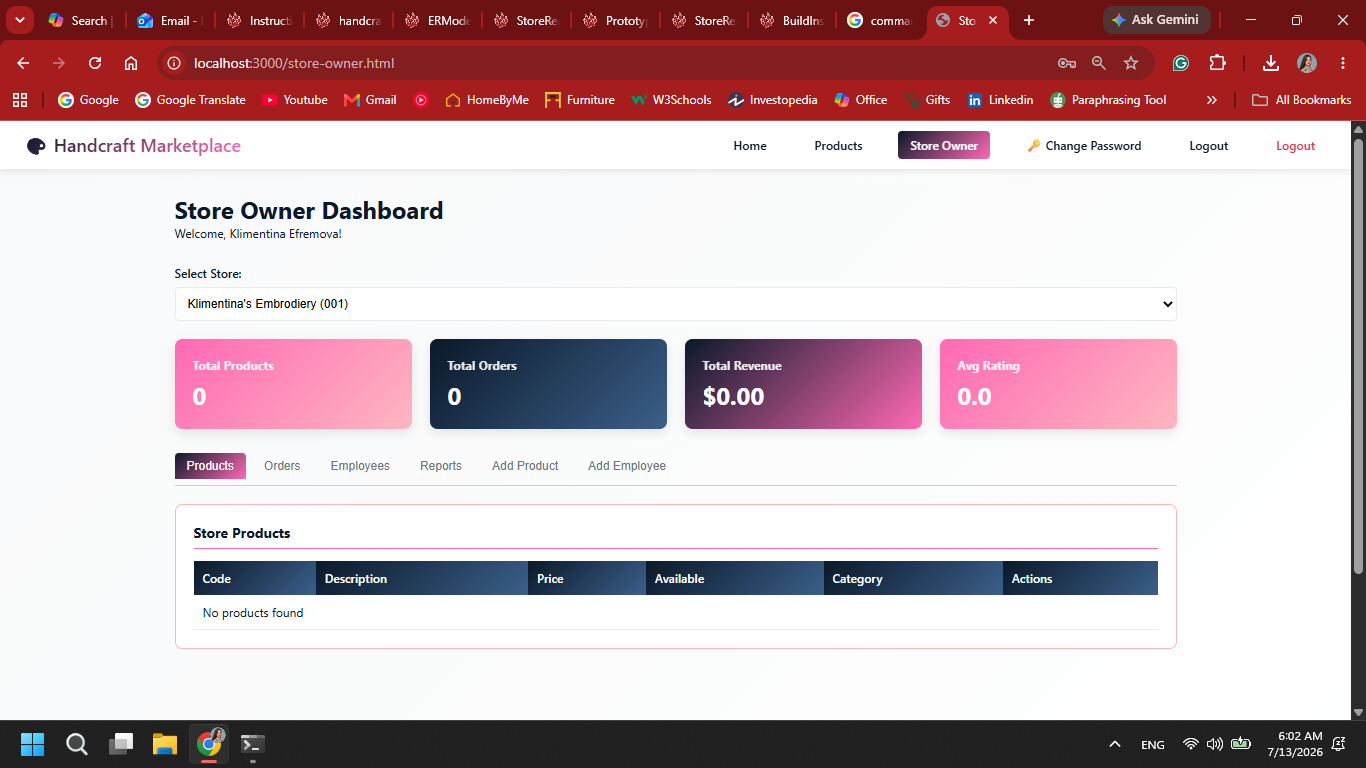
5. The user is redirected to home page or login page after successfull registration.

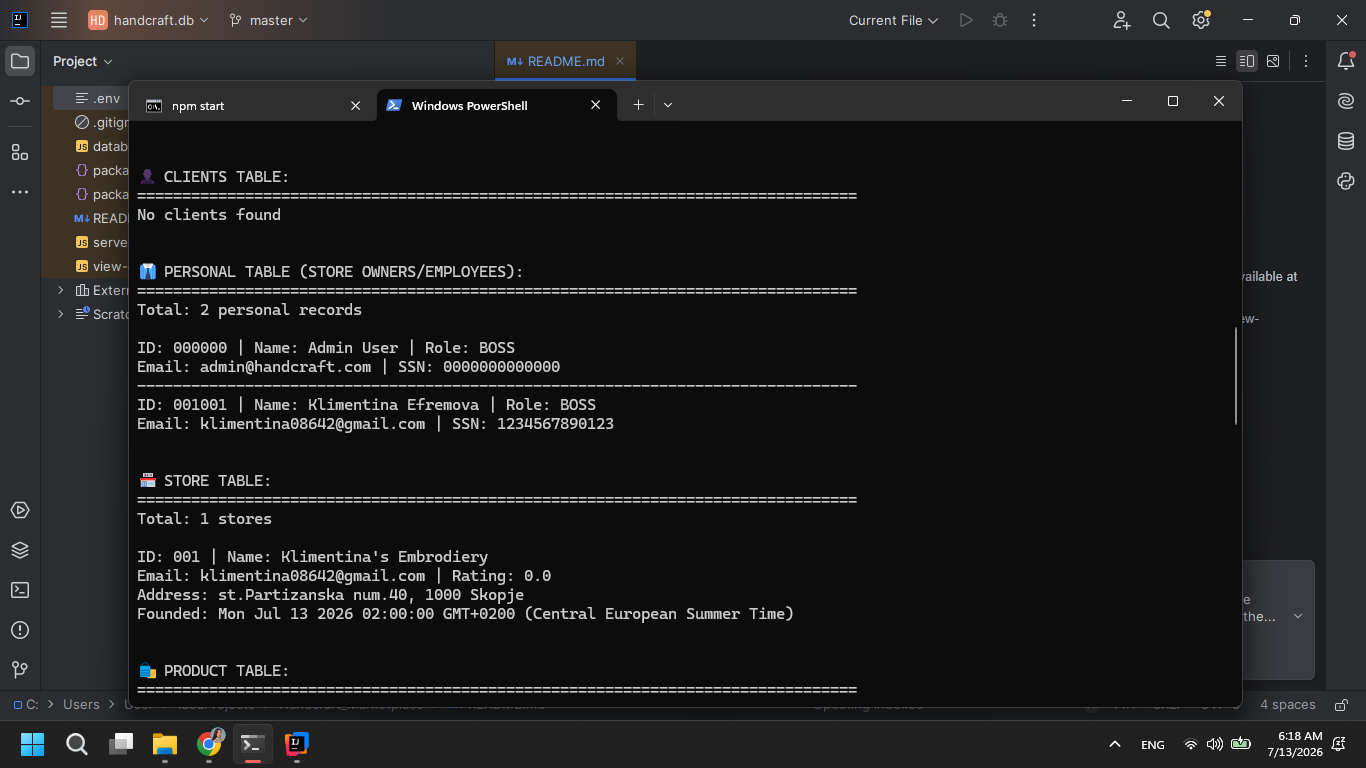
6. The user is now a store owner in the systems database.

The users in the database can be seen through a new window in Command prompt.

Attachments (7)
- Home-Page.png (423.2 KB ) - added by 13 days ago.
- Store-Owner-Registration.png (178.8 KB ) - added by 13 days ago.
- Store-Registration.png (174.3 KB ) - added by 13 days ago.
- Store-Registered.png (274.1 KB ) - added by 13 days ago.
- Login-Page.png (232.3 KB ) - added by 13 days ago.
- Store-Owner.png (237.3 KB ) - added by 13 days ago.
- Store-Owner-In-Database.png (140.8 KB ) - added by 13 days ago.
Download all attachments as: .zip
Note:
See TracWiki
for help on using the wiki.