| Version 4 (modified by , 2 months ago) ( diff ) |
|---|
Advanced Application Development
Overview
This phase documents the advanced application-level implementation of the Room Reservation System. The final application is implemented as a full-stack system with a Spring Boot backend and a React frontend.
The focus of this phase is on:
- database transactions
- connection pooling
- database access through the backend application
- consistency between the documented implementation and the source code uploaded in the project Git repository
The relevant source files are available in the project repository:
- backend/src/main/resources/application.properties
- backend/src/main/java/mk/finki/roomreservation/service/ReservationService.java
- backend/src/main/java/mk/finki/roomreservation/service/AuthService.java
- backend/src/main/java/mk/finki/roomreservation/service/ApprovalService.java
- backend/src/main/java/mk/finki/roomreservation/controller/ReservationController.java
- backend/src/main/java/mk/finki/roomreservation/controller/AuthController.java
- backend/src/main/java/mk/finki/roomreservation/controller/ApprovalController.java
Connection Pooling
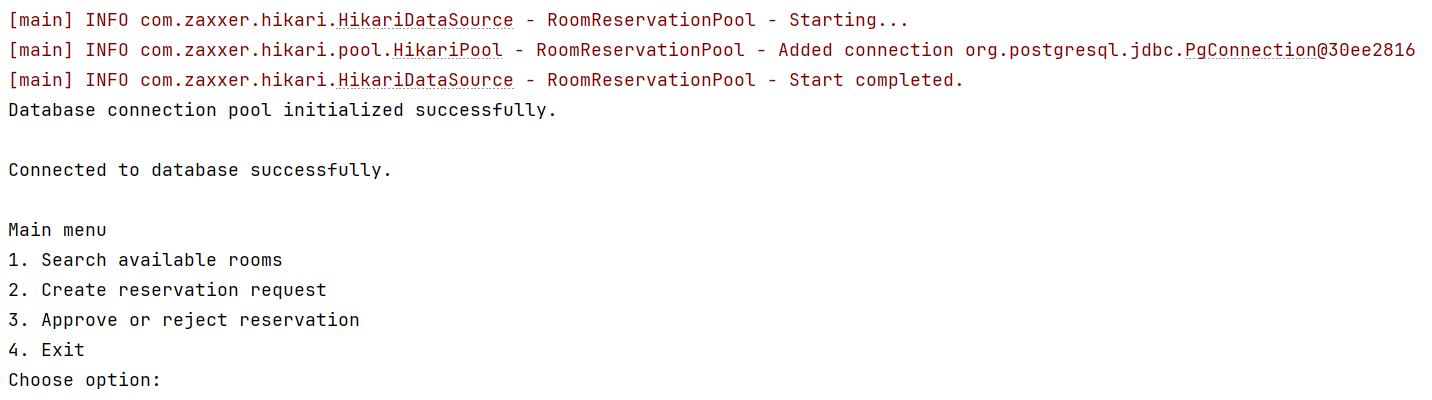
Connection pooling is implemented through Spring Boot's default HikariCP integration. The backend application uses JdbcTemplate for database access, while Spring Boot manages database connections internally through a HikariCP connection pool.
The pool configuration is placed in:
backend/src/main/resources/application.properties
The relevant configuration is:
spring.datasource.hikari.pool-name=RoomReservationPool
spring.datasource.hikari.maximum-pool-size=5
spring.datasource.hikari.minimum-idle=1
spring.datasource.hikari.connection-timeout=10000
The database connection parameters are also configured in the same file:
spring.datasource.url=${SPRING_DATASOURCE_URL:jdbc:postgresql://localhost:9999/db_202526z_va_prj_room_reservation}
spring.datasource.username=${SPRING_DATASOURCE_USERNAME:db_202526z_va_prj_room_reservation_owner}
spring.datasource.password=${SPRING_DATASOURCE_PASSWORD:}
The actual database password is not hard-coded in the source code. It is provided through an environment variable. This makes the application safer and allows the same codebase to run locally and through Docker.
The backend services do not manually open and close raw JDBC connections. Instead, they use Spring's JdbcTemplate. When a query is executed, Spring obtains a connection from the HikariCP pool, executes the SQL operation, and returns the connection back to the pool.
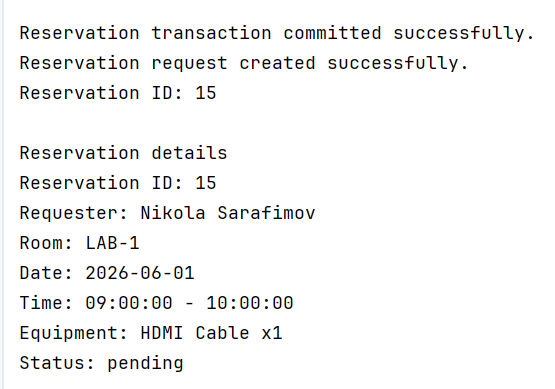
Transaction 1: Creating a Reservation Request
The main application-level transaction is implemented in:
backend/src/main/java/mk/finki/roomreservation/service/ReservationService.java
The transaction is used in the createReservation method. This method inserts a new reservation into project.reservations and then optionally inserts one or more related equipment records into project.reservation_equipment.
The method is marked with @Transactional:
@Transactional
public ReservationDetails createReservation(CreateReservationRequest request) {
    validateCreateRequest(request);

    LocalDate date = LocalDate.parse(request.reservationDate());
    LocalTime start = LocalTime.parse(request.startTime());
    LocalTime end = LocalTime.parse(request.endTime());

    List<EquipmentRequest> equipment =
            request.equipment() == null ? List.of() : request.equipment();

    String insertReservationSql = """
            INSERT INTO project.reservations (
                room_id,
                user_id,
                reservation_date,
                start_time,
                end_time,
                status
            )
            VALUES (?, ?, ?, ?, ?, 'pending')
            RETURNING reservation_id
            """;

    Integer reservationId = jdbcTemplate.queryForObject(
            insertReservationSql,
            Integer.class,
            request.roomId(),
            request.userId(),
            Date.valueOf(date),
            Time.valueOf(start),
            Time.valueOf(end)
    );

    if (reservationId == null) {
        throw new RuntimeException("Reservation was not created.");
    }

    for (EquipmentRequest item : equipment) {
        jdbcTemplate.update(
                """
                INSERT INTO project.reservation_equipment (
                    reservation_id,
                    equipment_id,
                    requested_quantity
                )
                VALUES (?, ?, ?)
                """,
                reservationId,
                item.equipmentId(),
                item.requestedQuantity()
        );
    }

    return findReservationDetails(reservationId);
}
This transaction protects the database from partial writes.
If the reservation insert succeeds, but one of the equipment inserts fails, the entire transaction is rolled back. This means that the system will not store a reservation without its required equipment records.
The method also validates the request before writing to the database:
private void validateCreateRequest(CreateReservationRequest request) {
    if (request.userId() == null) {
        throw new IllegalArgumentException("Requester user is required.");
    }

    if (request.reservationDate() == null || request.reservationDate().isBlank()) {
        throw new IllegalArgumentException("Reservation date is required.");
    }

    if (request.startTime() == null || request.startTime().isBlank()) {
        throw new IllegalArgumentException("Start time is required.");
    }

    if (request.endTime() == null || request.endTime().isBlank()) {
        throw new IllegalArgumentException("End time is required.");
    }

    LocalTime start = LocalTime.parse(request.startTime());
    LocalTime end = LocalTime.parse(request.endTime());

    if (!end.isAfter(start)) {
        throw new IllegalArgumentException("End time must be after start time.");
    }

    boolean hasRoom = request.roomId() != null;
    boolean hasEquipment = request.equipment() != null && !request.equipment().isEmpty();

    if (!hasRoom && !hasEquipment) {
        throw new IllegalArgumentException("Reservation must include at least one resource: room or equipment.");
    }
}
This validates that the reservation has a requester, a valid date and time interval, and at least one reserved resource.
Transaction 2: User Registration
User registration is implemented in:
backend/src/main/java/mk/finki/roomreservation/service/AuthService.java
The register method is also transactional because it writes to two related tables:
project.usersproject.user_credentials
The method first inserts the user profile and then inserts the password hash.
@Transactional
public UserOption register(RegisterRequest request) {
    validateRegisterRequest(request);

    String fullName = request.fullName().trim();
    String username = request.username().trim();
    String email = request.email().trim();

    if (usernameExists(username)) {
        throw new IllegalArgumentException("Username is already taken.");
    }

    if (emailExists(email)) {
        throw new IllegalArgumentException("Email is already registered.");
    }

    Integer userId = jdbcTemplate.queryForObject(
            """
            INSERT INTO project.users (
                username,
                email,
                full_name,
                role
            )
            VALUES (?, ?, ?, 'regular')
            RETURNING user_id
            """,
            Integer.class,
            username,
            email,
            fullName
    );

    if (userId == null) {
        throw new RuntimeException("User registration failed.");
    }

    String passwordHash = passwordEncoder.encode(request.password());

    jdbcTemplate.update(
            """
            INSERT INTO project.user_credentials (
                user_id,
                password_hash
            )
            VALUES (?, ?)
            """,
            userId,
            passwordHash
    );

    return findUserById(userId);
}
This transaction ensures that the application does not create an incomplete account. If the password hash insert fails, the inserted user is rolled back as well.
Passwords are not stored as plain text. The application stores only the BCrypt password hash.
Transaction 3: Activating an Existing Account
The application also supports assigning a password to an already existing database user. This is implemented in the same service:
backend/src/main/java/mk/finki/roomreservation/service/AuthService.java
@Transactional
public UserOption activateExistingAccount(ActivateAccountRequest request) {
    validateActivationRequest(request);

    UserOption user = findUserByIdentifier(request.identifier());

    if (credentialsExist(user.userId())) {
        throw new IllegalArgumentException("This account already has a password.");
    }

    String passwordHash = passwordEncoder.encode(request.password());

    jdbcTemplate.update(
            """
            INSERT INTO project.user_credentials (
                user_id,
                password_hash
            )
            VALUES (?, ?)
            """,
            user.userId(),
            passwordHash
    );

    return user;
}
This keeps the user account and credential creation consistent.
Stored Function Call for Approval Workflow
Approving or rejecting a reservation is implemented in:
backend/src/main/java/mk/finki/roomreservation/service/ApprovalService.java
The Java backend calls a PostgreSQL stored function:
public ApprovalResult approveOrReject(ApprovalRequest request) {
    validateApprovalRequest(request);

    String sql = """
            SELECT *
            FROM project.fn_approve_or_reject_reservation(
                ?,
                ?,
                CAST(? AS project.approval_decision_domain),
                ?
            )
            """;

    ApprovalResult result = jdbcTemplate.queryForObject(
            sql,
            (rs, rowNum) -> new ApprovalResult(
                    rs.getInt("out_approval_id"),
                    rs.getInt("out_reservation_id"),
                    rs.getString("out_status"),
                    rs.getString("out_decision"),
                    rs.getString("out_decision_time")
            ),
            request.reservationId(),
            request.approverId(),
            request.decision(),
            request.note()
    );

    if (result == null) {
        throw new RuntimeException("Approval operation failed.");
    }

    return result;
}
The approval logic is intentionally placed inside the database stored function. This demonstrates cooperation between the application layer and the database layer.
The backend validates the request before calling the function:
private void validateApprovalRequest(ApprovalRequest request) {
    if (request.reservationId() <= 0) {
        throw new IllegalArgumentException("Reservation ID is required.");
    }

    if (request.approverId() <= 0) {
        throw new IllegalArgumentException("Approver ID is required.");
    }

    if (request.decision() == null || request.decision().isBlank()) {
        throw new IllegalArgumentException("Decision is required.");
    }

    if (!request.decision().equals("approved") && !request.decision().equals("rejected")) {
        throw new IllegalArgumentException("Decision must be approved or rejected.");
    }
}
Controllers Using the Transactional Services
The transactional service methods are exposed through REST controllers.
Reservation creation is exposed through:
backend/src/main/java/mk/finki/roomreservation/controller/ReservationController.java
@PostMapping("/api/reservations")
public ReservationDetails createReservation(@RequestBody CreateReservationRequest request) {
    return reservationService.createReservation(request);
}
User registration and login are exposed through:
backend/src/main/java/mk/finki/roomreservation/controller/AuthController.java
@PostMapping("/register")
public UserOption register(@RequestBody RegisterRequest request) {
    return authService.register(request);
}
Approval is exposed through:
backend/src/main/java/mk/finki/roomreservation/controller/ApprovalController.java
@PostMapping("/api/approvals")
public ApprovalResult approveOrReject(@RequestBody ApprovalRequest request) {
    return approvalService.approveOrReject(request);
}
Error Handling and Rollback Behavior
The application uses a global exception handler:
backend/src/main/java/mk/finki/roomreservation/exception/ApiExceptionHandler.java
If a validation error or database error occurs, the backend returns a structured error response to the frontend.
Because the important write operations are marked with @Transactional, Spring rolls back the transaction when a runtime exception occurs.
This behavior is important for:
- reservation creation
- user registration
- account activation
Summary
The final application implements advanced application development concepts through:
- Spring Boot REST controllers
- service-layer database access
- Spring
JdbcTemplate - HikariCP connection pooling
- transaction management with
@Transactional - database stored function integration
- environment-based database credentials
- BCrypt password hashing
The documentation is aligned with the final Git source code. The previously used prototype class names are no longer referenced. The current implementation documents the actual Spring Boot files that are present in the repository.
Attachments (5)
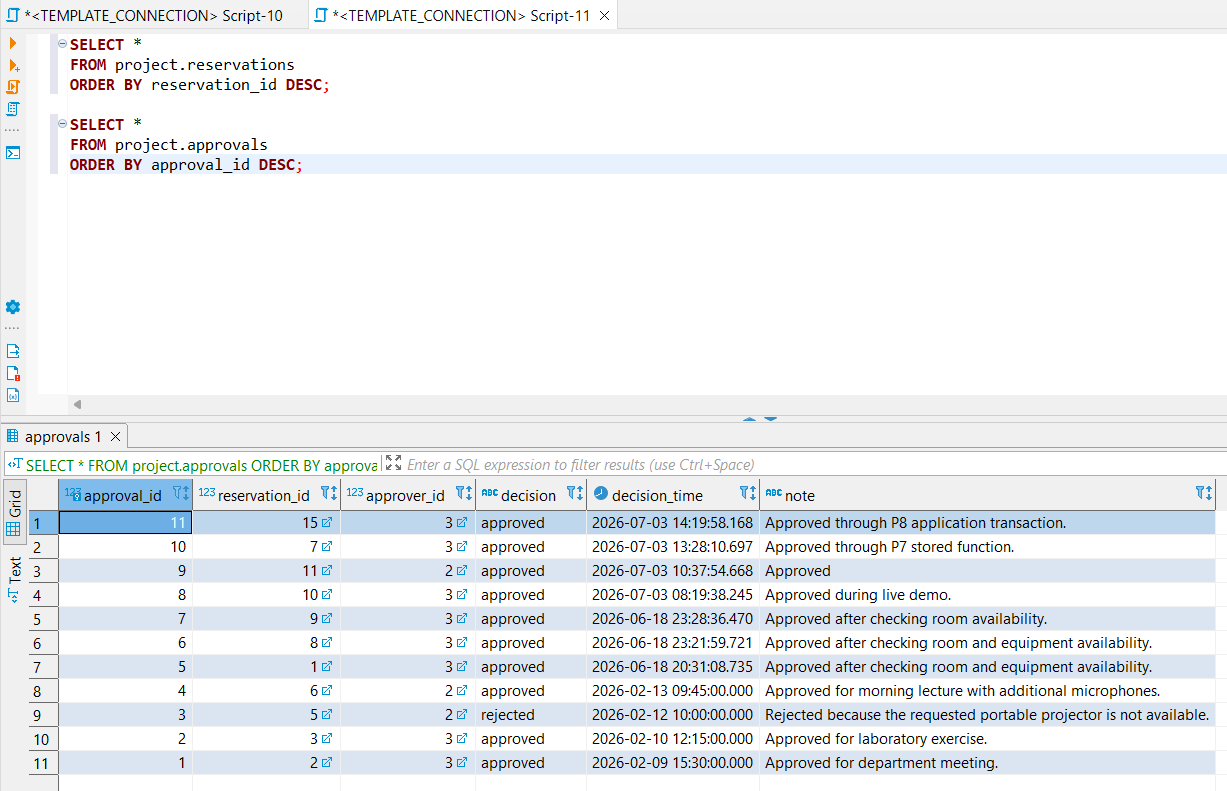
- p8_approval_database_verification.png (59.8 KB ) - added by 4 months ago.
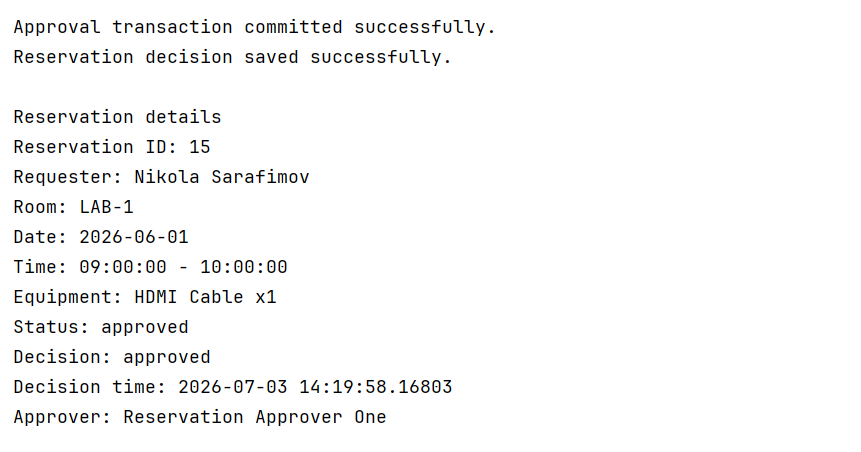
- p8_approval_transaction_success.png (38.6 KB ) - added by 4 months ago.
- p8_connection_pool_initialized.png (45.6 KB ) - added by 4 months ago.
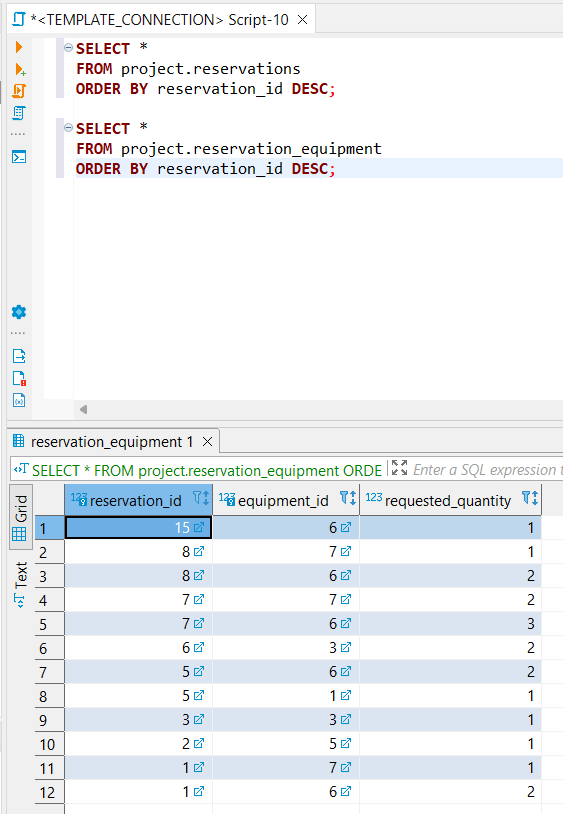
- p8_create_reservation_database_verification.png (31.1 KB ) - added by 4 months ago.
- p8_create_reservation_transaction_success.png (29.7 KB ) - added by 4 months ago.
Download all attachments as: .zip