| Version 2 (modified by , 4 months ago) ( diff ) |
|---|
Phase P7: Advanced Database Development (Indexes, Constraints, Triggers, Views)
Overview
In this phase we implement advanced database mechanisms that enforce correctness and improve performance in the Wedding Planner system. Instead of relying only on application logic, we move important rules directly into PostgreSQL using indexes, constraints, triggers and views.
What we cover in this phase
- Indexes for faster searching/filtering (availability checks, RSVP reports)
- Constraints for preventing invalid/inconsistent data
- Triggers for automation of derived logic (pricing, capacity checks)
- Views for simplified reporting (RSVP summary, confirmed bookings overview)
1) Indexes (Query Performance)
Indexes speed up database queries by avoiding full table scans. They are especially important in our system because availability checks and RSVP reports are executed frequently.
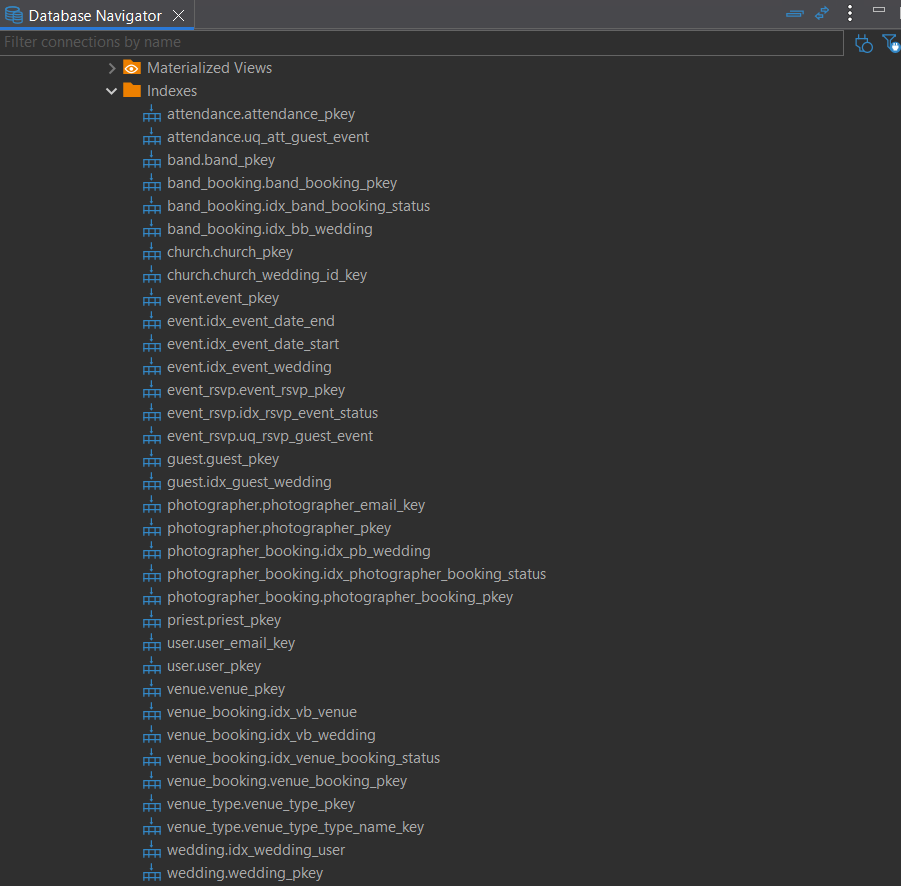
Index 1: Event date/time search
This index improves performance when searching or filtering events by date + start/end time.
*Table:* event
CREATE INDEX idx_event_date_start ON event("date", start_time);
CREATE INDEX idx_event_date_end   ON event("date", end_time);
*Why it matters:* When the system loads the schedule for a wedding day, the database can quickly find events in a time window (without scanning the whole table).
Index 2: Booking status filtering (availability checks)
Availability endpoints frequently filter bookings by date + status (only CONFIRMED bookings should block resources).
*Tables:* venue_booking, photographer_booking, band_booking
CREATE INDEX idx_venue_booking_status        ON venue_booking("date", status);
CREATE INDEX idx_photographer_booking_status ON photographer_booking("date", status);
CREATE INDEX idx_band_booking_status         ON band_booking("date", status);
*Reason:* These indexes make queries like “all confirmed bookings on date X” significantly faster.
Index 3: RSVP status report
RSVP summaries filter guests by status per event.
*Table:* event_rsvp
CREATE INDEX idx_rsvp_event_status ON event_rsvp (event_id, status);
*Reason:* This makes reporting queries efficient (e.g., confirmed vs declined guests for an event).
2) Constraints (Consistency & Integrity)
Constraints guarantee correctness even if invalid data reaches the database. In Wedding Planner, this is critical for avoiding double bookings and enforcing valid status values.
Constraint 1: Prevent overlapping bookings (NO double booking)
A venue / photographer / band must not be booked in overlapping time intervals.
To support this, we first create generated timestamp columns and enable GiST indexing.
CREATE EXTENSION IF NOT EXISTS btree_gist;

ALTER TABLE venue_booking
ADD COLUMN start_ts TIMESTAMP NOT NULL GENERATED ALWAYS AS ("date" + start_time) STORED,
ADD COLUMN end_ts   TIMESTAMP NOT NULL GENERATED ALWAYS AS ("date" + end_time) STORED;

ALTER TABLE photographer_booking
ADD COLUMN start_ts TIMESTAMP NOT NULL GENERATED ALWAYS AS ("date" + start_time) STORED,
ADD COLUMN end_ts   TIMESTAMP NOT NULL GENERATED ALWAYS AS ("date" + end_time) STORED;

ALTER TABLE band_booking
ADD COLUMN start_ts TIMESTAMP NOT NULL GENERATED ALWAYS AS ("date" + start_time) STORED,
ADD COLUMN end_ts   TIMESTAMP NOT NULL GENERATED ALWAYS AS ("date" + end_time) STORED;
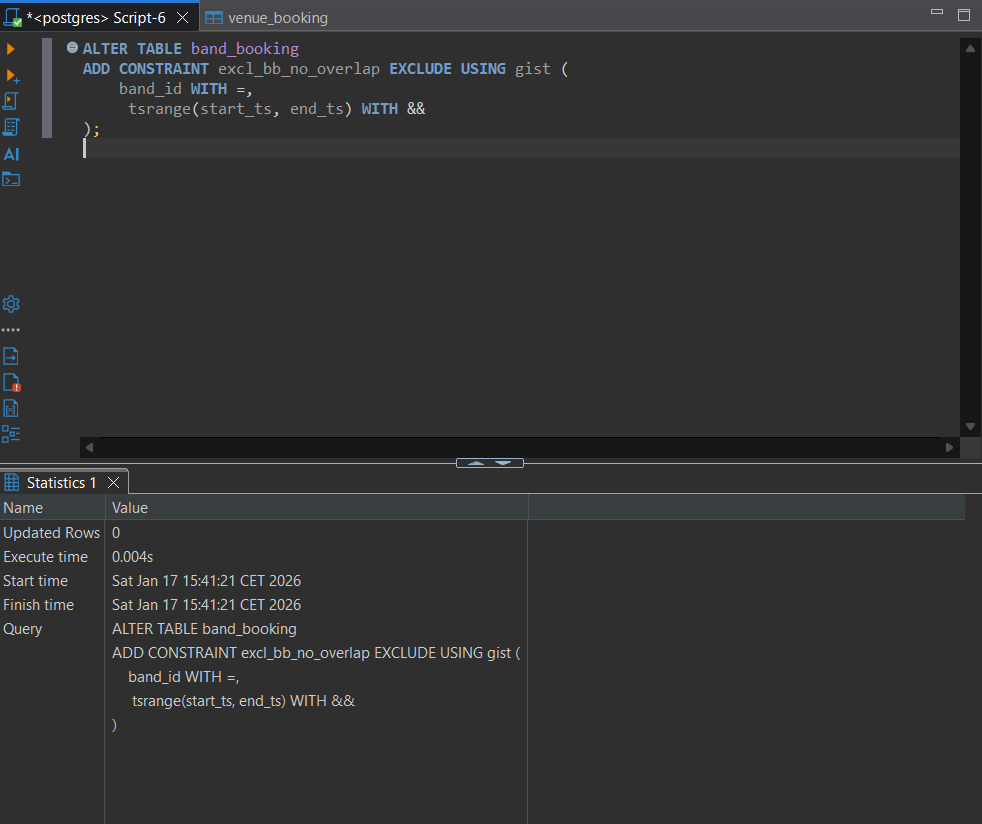
Then we add EXCLUDE constraints:
ALTER TABLE venue_booking
ADD CONSTRAINT exclude_overlap_vb EXCLUDE USING gist (
    venue_id WITH =,
    tsrange(start_ts, end_ts) WITH &&
);

ALTER TABLE photographer_booking
ADD CONSTRAINT exclude_overlap_pb EXCLUDE USING gist (
    photographer_id WITH =,
    tsrange(start_ts, end_ts) WITH &&
);

ALTER TABLE band_booking
ADD CONSTRAINT exclude_overlap_bb EXCLUDE USING gist (
    band_id WITH =,
    tsrange(start_ts, end_ts) WITH &&
);
*Why this is important:* This enforces a real-world rule at database level: even if two users try to insert bookings at the same time, PostgreSQL blocks conflicts automatically.
Constraint 2: Status validation (CHECK constraints)
CHECK constraints restrict allowed values and prevent “random text statuses”.
ALTER TABLE event
ADD CONSTRAINT chk_event_status
CHECK (status IN ('PLANNED', 'CONFIRMED', 'CANCELLED'));

ALTER TABLE event_rsvp
ADD CONSTRAINT chk_event_rsvp_status
CHECK (status IN ('ACCEPTED', 'DECLINED', 'PENDING'));

ALTER TABLE venue_booking
ADD CONSTRAINT chk_venue_booking_status
CHECK (status IN ('PENDING', 'CONFIRMED', 'CANCELLED'));

ALTER TABLE photographer_booking
ADD CONSTRAINT chk_photographer_booking_status
CHECK (status IN ('PENDING', 'CONFIRMED', 'CANCELLED'));

ALTER TABLE band_booking
ADD CONSTRAINT chk_band_booking_status
CHECK (status IN ('PENDING', 'CONFIRMED', 'CANCELLED'));
Additional validations:
ALTER TABLE wedding
ADD CONSTRAINT chk_budget CHECK (budget > 0);

ALTER TABLE attendance
ADD CONSTRAINT chk_att_role
CHECK (role IN ('GUEST', 'BRIDE', 'GROOM', 'BEST_MAN', 'MAID_OF_HONOR'));
*Result:* The database rejects invalid states automatically, ensuring consistent data across the whole system.
3) Triggers (Automation of Business Logic)
Triggers automate derived logic and enforce rules without relying on the application.
Trigger 1: Automatic venue booking price calculation
The total venue booking price is derived from:
venue.price_per_guest * number_of_guests_for_wedding.
CREATE OR REPLACE FUNCTION calc_venue_price()
RETURNS trigger AS $$
BEGIN
    IF NEW.price IS NULL THEN
        SELECT price_per_guest * COUNT(*)
        INTO NEW.price
        FROM venue v
        JOIN guest g ON g.wedding_id = NEW.wedding_id
        WHERE v.venue_id = NEW.venue_id;
    END IF;
    RETURN NEW;
END;
$$ LANGUAGE plpgsql;

CREATE TRIGGER trg_calc_venue_price
BEFORE INSERT ON venue_booking
FOR EACH ROW
EXECUTE FUNCTION calc_venue_price();
*Why it matters:* This ensures consistent pricing and avoids manual calculation mistakes.
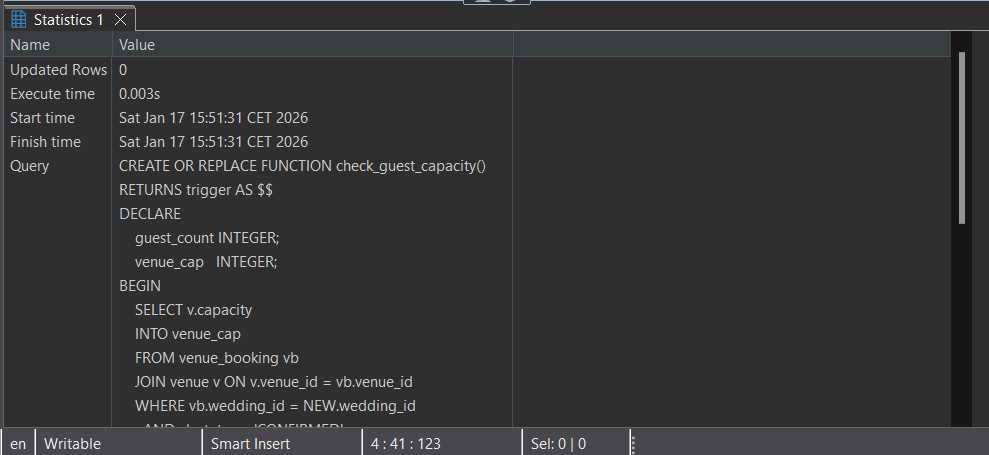
Trigger 2: Venue capacity enforcement
This trigger prevents inserting guests if venue capacity would be exceeded.
CREATE OR REPLACE FUNCTION check_guest_capacity()
RETURNS trigger AS $$
DECLARE
    guest_count INTEGER;
    venue_cap   INTEGER;
BEGIN
    SELECT v.capacity
    INTO venue_cap
    FROM venue_booking vb
    JOIN venue v ON v.venue_id = vb.venue_id
    WHERE vb.wedding_id = NEW.wedding_id
      AND vb.status = 'CONFIRMED';

    IF venue_cap IS NULL THEN
        RETURN NEW;
    END IF;

    SELECT COUNT(*) INTO guest_count
    FROM guest
    WHERE wedding_id = NEW.wedding_id
      AND (TG_OP = 'INSERT' OR guest_id <> OLD.guest_id);

    IF guest_count + 1 > venue_cap THEN
        RAISE EXCEPTION 'Cannot add guest: venue capacity (%) exceeded', venue_cap;
    END IF;

    RETURN NEW;
END;
$$ LANGUAGE plpgsql;

CREATE TRIGGER trg_guest_capacity
BEFORE INSERT OR UPDATE ON guest
FOR EACH ROW
EXECUTE FUNCTION check_guest_capacity();
*Why it matters:* It guarantees that capacity rules are enforced even if the app forgets to validate.
4) Views (Simplified Reports)
Views provide reusable report queries for the system dashboard.
View 1: RSVP summary per event
CREATE VIEW vw_event_rsvp_summary AS
SELECT
    event_id,
    SUM(CASE WHEN status = 'ACCEPTED' THEN 1 ELSE 0 END) AS yes_count,
    SUM(CASE WHEN status = 'DECLINED' THEN 1 ELSE 0 END) AS no_count,
    SUM(CASE WHEN status = 'PENDING' THEN 1 ELSE 0 END) AS maybe_count
FROM event_rsvp
GROUP BY event_id;
View 2: Confirmed bookings by date (all resources)
CREATE VIEW vw_confirmed_bookings_by_date AS
SELECT
    "date",
    'VENUE' AS booking_type,
    venue_id AS resource_id,
    start_time,
    end_time
FROM venue_booking
WHERE status = 'CONFIRMED'

UNION ALL

SELECT
    "date",
    'PHOTOGRAPHER' AS booking_type,
    photographer_id AS resource_id,
    start_time,
    end_time
FROM photographer_booking
WHERE status = 'CONFIRMED'

UNION ALL

SELECT
    "date",
    'BAND' AS booking_type,
    band_id AS resource_id,
    start_time,
    end_time
FROM band_booking
WHERE status = 'CONFIRMED';
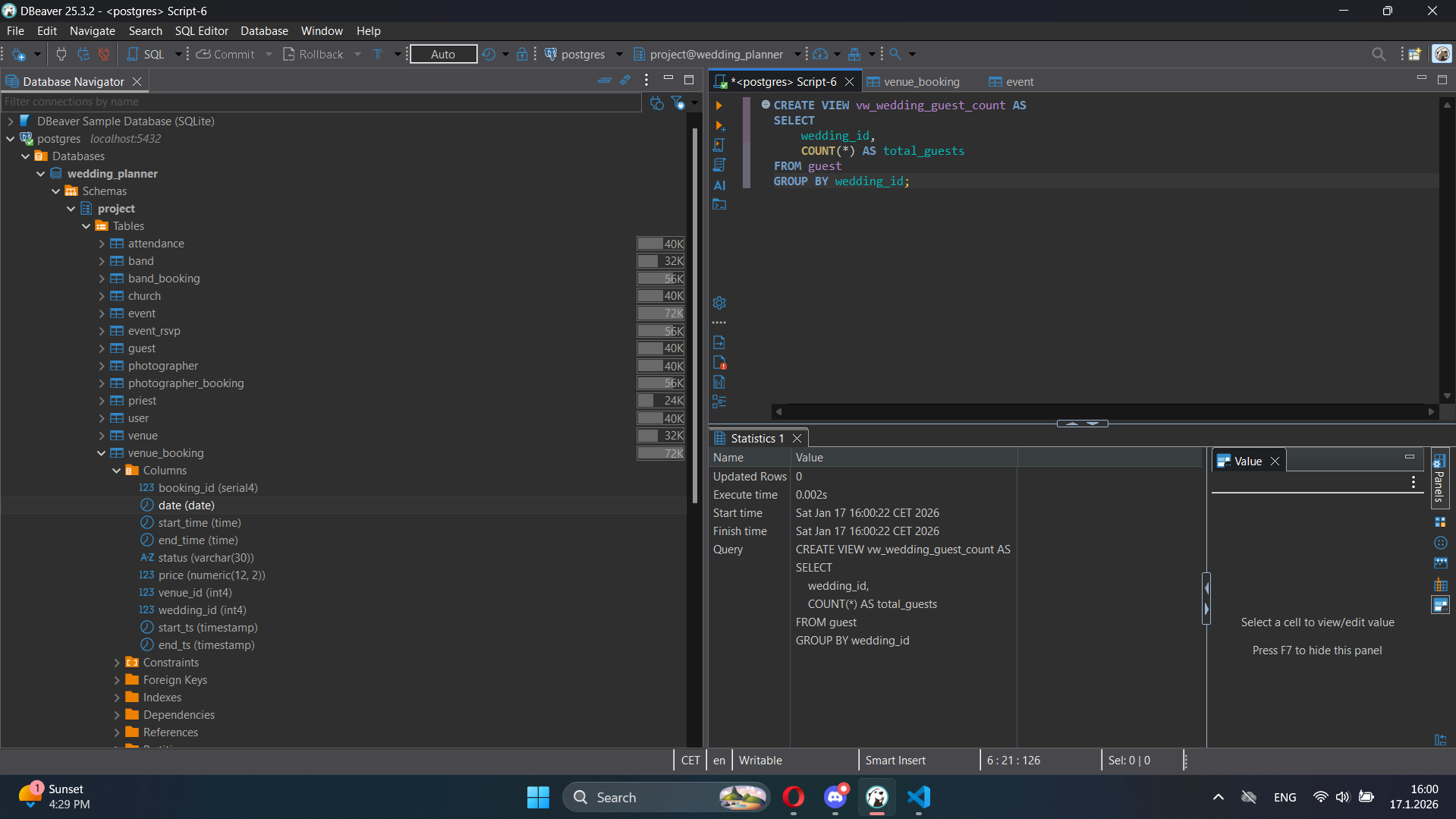
View 3: Guest count per wedding
CREATE VIEW vw_wedding_guest_count AS
SELECT
    wedding_id,
    COUNT(*) AS total_guests
FROM guest
GROUP BY wedding_id;
Conclusion
This phase upgrades our PostgreSQL database with advanced mechanisms used in real systems. Indexes improve performance for scheduling, booking checks and RSVP reports. Constraints enforce correctness and prevent double bookings and invalid statuses. Triggers automate business rules such as venue pricing and capacity limits. Views simplify reporting and provide reusable queries for dashboards and analytics.
Attachments (9)
- P7_exclude_overlap_band_booking.png (41.6 KB ) - added by 4 months ago.
- P7_indexes_list.png (53.0 KB ) - added by 4 months ago.
- P7_trigger_function_capacity.png (25.3 KB ) - added by 4 months ago.
- P7_view_wedding_guest_count.png (195.6 KB ) - added by 4 months ago.
- advanced_constraints.sql (408 bytes ) - added by 2 weeks ago.
- advanced_triggers.sql (6.2 KB ) - added by 9 days ago.
- advanced_functions.sql (5.0 KB ) - added by 9 days ago.
- advanced_views.sql (1.2 KB ) - added by 9 days ago.
- advanced_testing.sql (3.0 KB ) - added by 9 days ago.
Download all attachments as: .zip