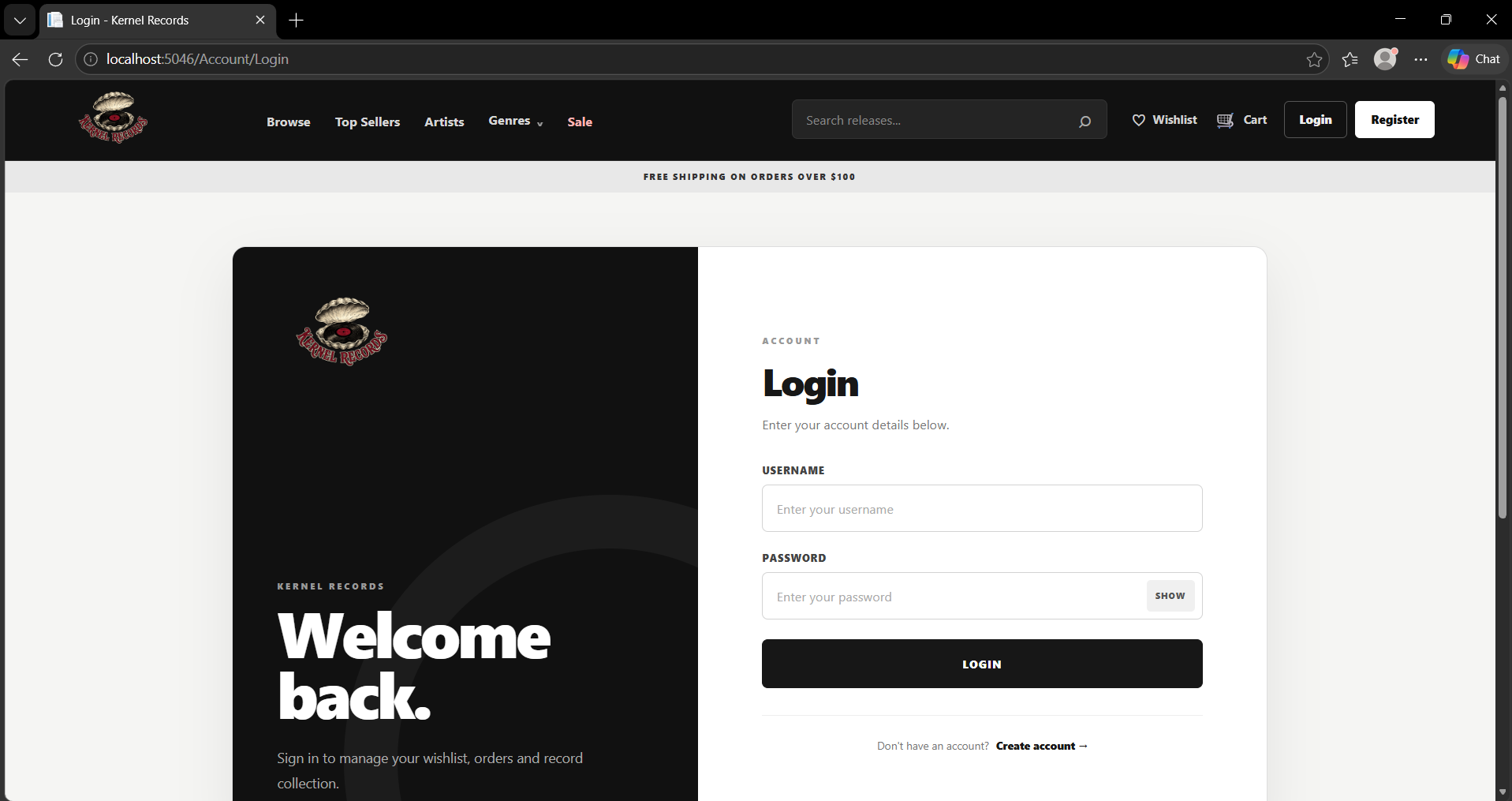
UseCase002 Implementation - Logging in as user
Initiating actor: Logged-Out User
The goal of this use case is to allow an existing user to authenticate their identity and gain access to their personalized account features. The system verifies the provided credentials against the stored records in the User table to establish a secure session. Successful authentication enables the user to act as a Logged-In Consumer or Logged-In Admin depending on their account type.
Scenario
- User enters their email and password into the login interface and submits the form.

- System retrieves the user record associated with the submitted username. The retrieved record contains the stored account information required for authentication.
SELECT
    u.user_id,
    u.date_created,
    u.email,
    u.password,
    u.shipping_address,
    u.telephone_number,
    u.username
FROM project.users AS u
WHERE u.username = @__model_Username_0
LIMIT 1;
- After the credentials are successfully verified, the system checks whether the authenticated user has a corresponding record in the Admin table. This allows the application to determine whether the user should be assigned the Admin role or treated as a Consumer.
SELECT
    a.user_id,
    a.discount_percentage,
    a.type
FROM project.admins AS a
WHERE a.user_id = @__user_UserId_0
LIMIT 1;
- For an authenticated consumer, the system also retrieves the total quantity of products currently contained in the user's pending order. This information is used by the application to display the current shopping-cart quantity for the logged-in user.
SELECT COALESCE(sum(o.quantity), 0.0)::bigint
FROM project.order_products AS o
INNER JOIN project.orders AS o0
    ON o.order_id = o0.order_id
WHERE o0.user_id = @__userId_0
  AND o0.status = 'PENDING'::project.order_status_type;
- The system establishes the authenticated user session with the appropriate role and grants access to the functionality available to that account. The user is then redirected to the main landing page after successful login.
Last modified
6 weeks ago
Last modified on 09/11/26 06:46:39
Attachments (1)
- login.png (116.7 KB ) - added by 6 weeks ago.
Download all attachments as: .zip
Note:
See TracWiki
for help on using the wiki.