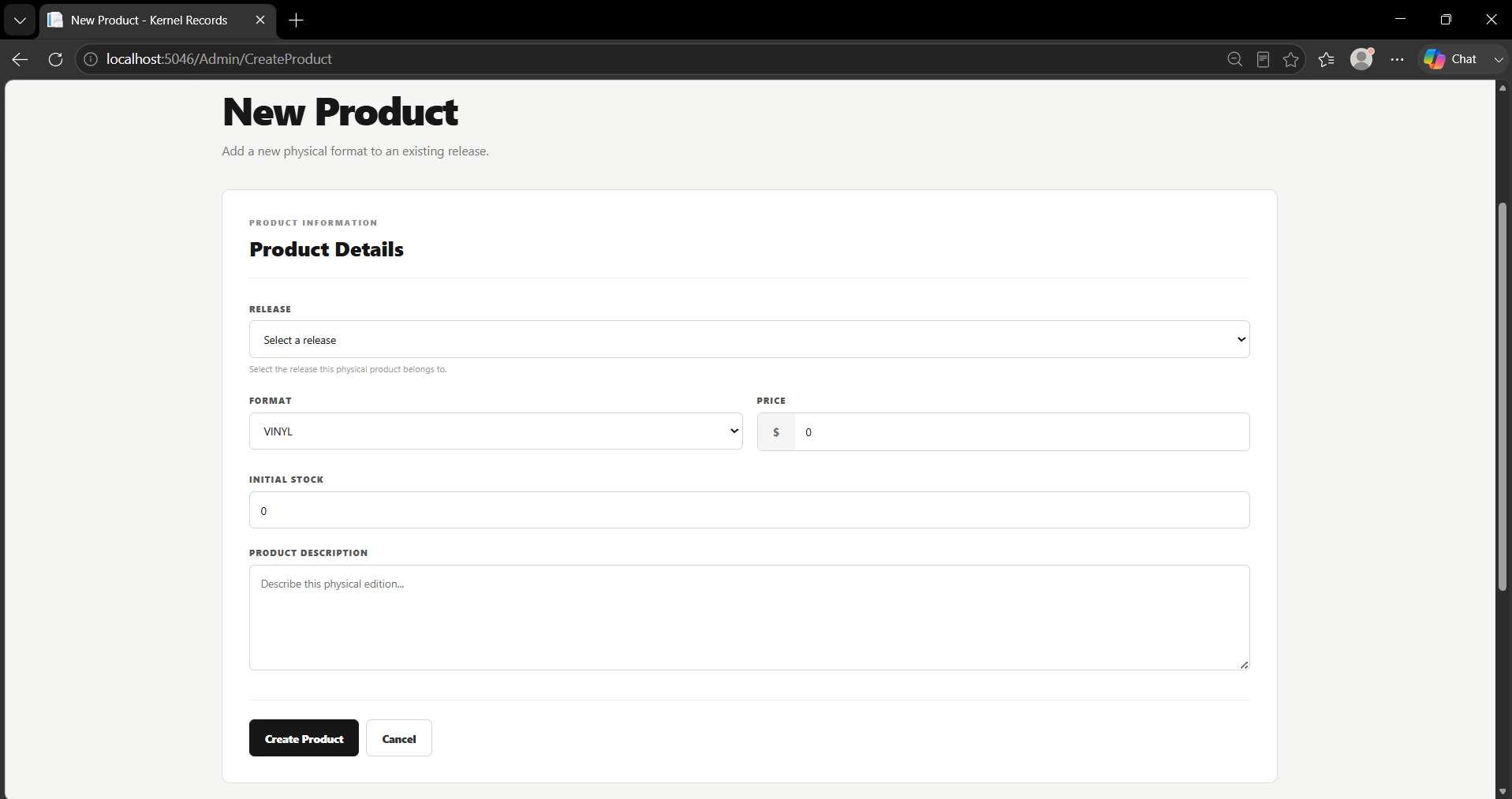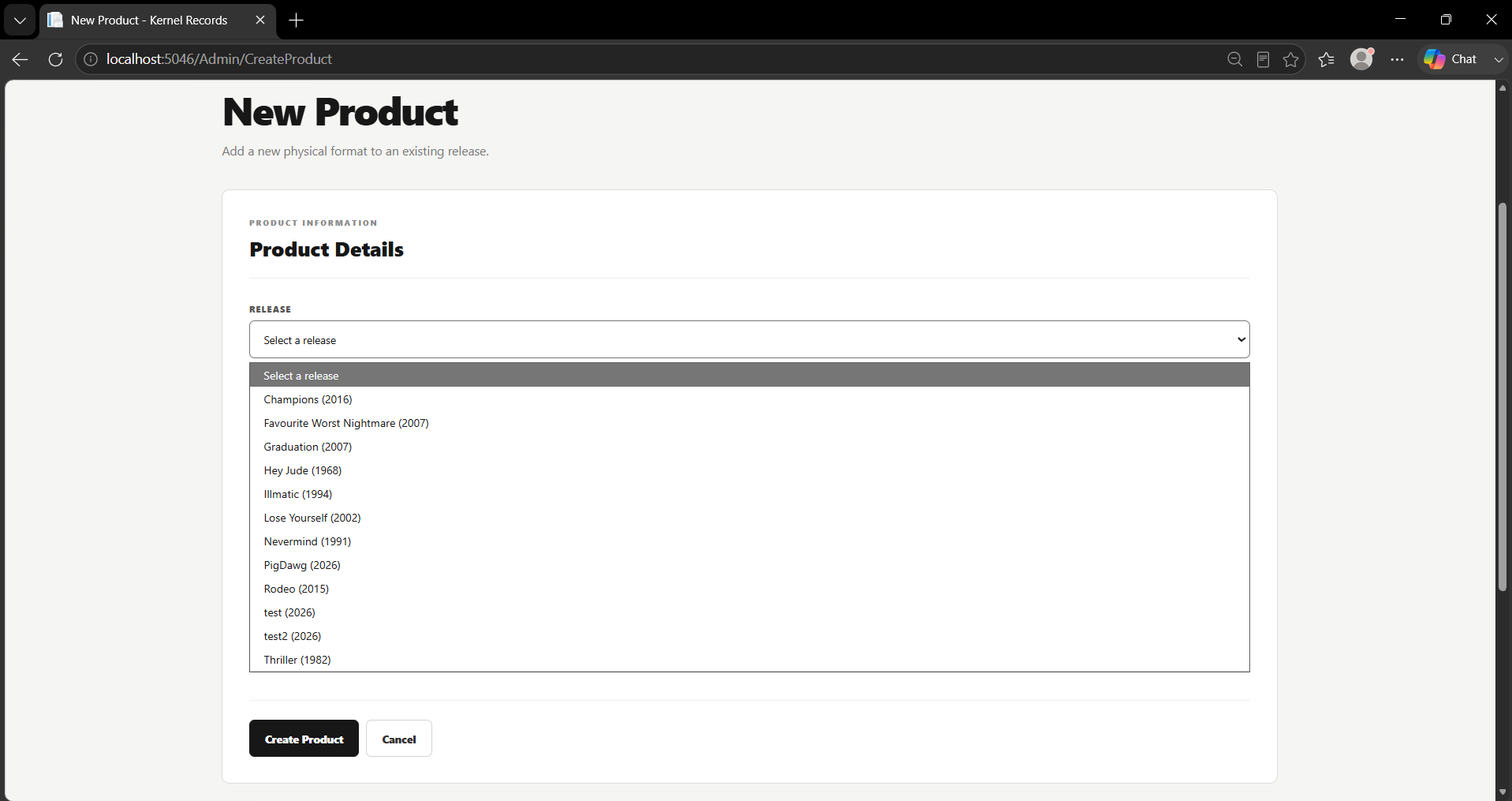
UseCase008 Implementation - New Product creation
Initiating actor: Logged-In Admin
The goal of this use case is to allow an administrator to create a new physical Product for an existing musical Release. The administrator specifies the product format, price, description, and initial stock quantity. The system verifies the selected Release, ensures that the same physical format does not already exist for that Release, creates the new Product, and records the administrative modification associated with its creation.
Scenario
- Admin selects an existing Release for which they want to create a new physical Product. The system retrieves the selected Release to verify that it exists and to obtain its associated information.

SELECT
r.release_id,
r.cover_photo,
r.genre,
r.record_label,
r.release_date,
r.title
FROM project.releases AS r
WHERE r.release_id = @__model_ReleaseId_0
LIMIT 1;
- Admin enters the details of the new inventory item, including its format, price, product description, and initial stock quantity.

- System checks whether a Product with the selected format already exists for the chosen Release. This prevents multiple Product records representing the same physical format for the same Release.
SELECT EXISTS (
SELECT 1
FROM project.products AS p
WHERE p.release_id = @__model_ReleaseId_0
AND p.format = @__model_Format_1
);
- If the selected Release and format combination is available, the system retrieves the highest existing product_id. This value is used by the application when determining the identifier for the new Product.
SELECT max(p.product_id)
FROM project.products AS p;
- System creates the new Product record using the entered format, price, description, stock quantity, and selected release_id.
INSERT INTO project.products
(product_id, format, price, product_description, release_id, stock)
VALUES
(@p0, @p1, @p2, @p3, @p4, @p5);
- After the Product is created, the system retrieves the highest existing modification_id so that a new administrative Modification record can be created.
SELECT max(m.modification_id)
FROM project.modifications AS m;
- System creates a new Modification record containing the administrator responsible for the change, the modification date, the modification type, and any associated discount value. This records the administrative action performed when the Product was created.
INSERT INTO project.modifications
(modification_id, admin_id, date_modified, discount, type_of_modification)
VALUES
(@p0, @p1, @p2, @p3, @p4);
- System creates an entry in the Modification_Products table linking the newly created Modification to the newly created Product.
INSERT INTO project.modification_products
(modification_id, product_id)
VALUES
(@p0, @p1);
- System retrieves the available Products together with their associated Release information. The results are ordered by Release title and Product format, allowing the updated catalog to display the newly created Product.
SELECT
p.product_id,
p.format,
p.price,
p.product_description,
p.release_id,
p.stock,
r.release_id,
r.cover_photo,
r.genre,
r.record_label,
r.release_date,
r.title
FROM project.products AS p
INNER JOIN project.releases AS r
ON p.release_id = r.release_id
ORDER BY
r.title,
p.format;
Last modified
7 weeks ago
Last modified on 09/11/26 07:58:27
Attachments (2)
- creation.png (58.0 KB ) - added by 7 weeks ago.
- chooserelease.png (64.1 KB ) - added by 7 weeks ago.
Download all attachments as: .zip
Note:
See TracWiki
for help on using the wiki.