| Version 2 (modified by , 7 months ago) ( diff ) |
|---|
- Overview: After logging in as an Instructor, the user can manage the structure and content of their courses by adding Modules and Lessons
From the navigation menu, the instructor selects Manage Course
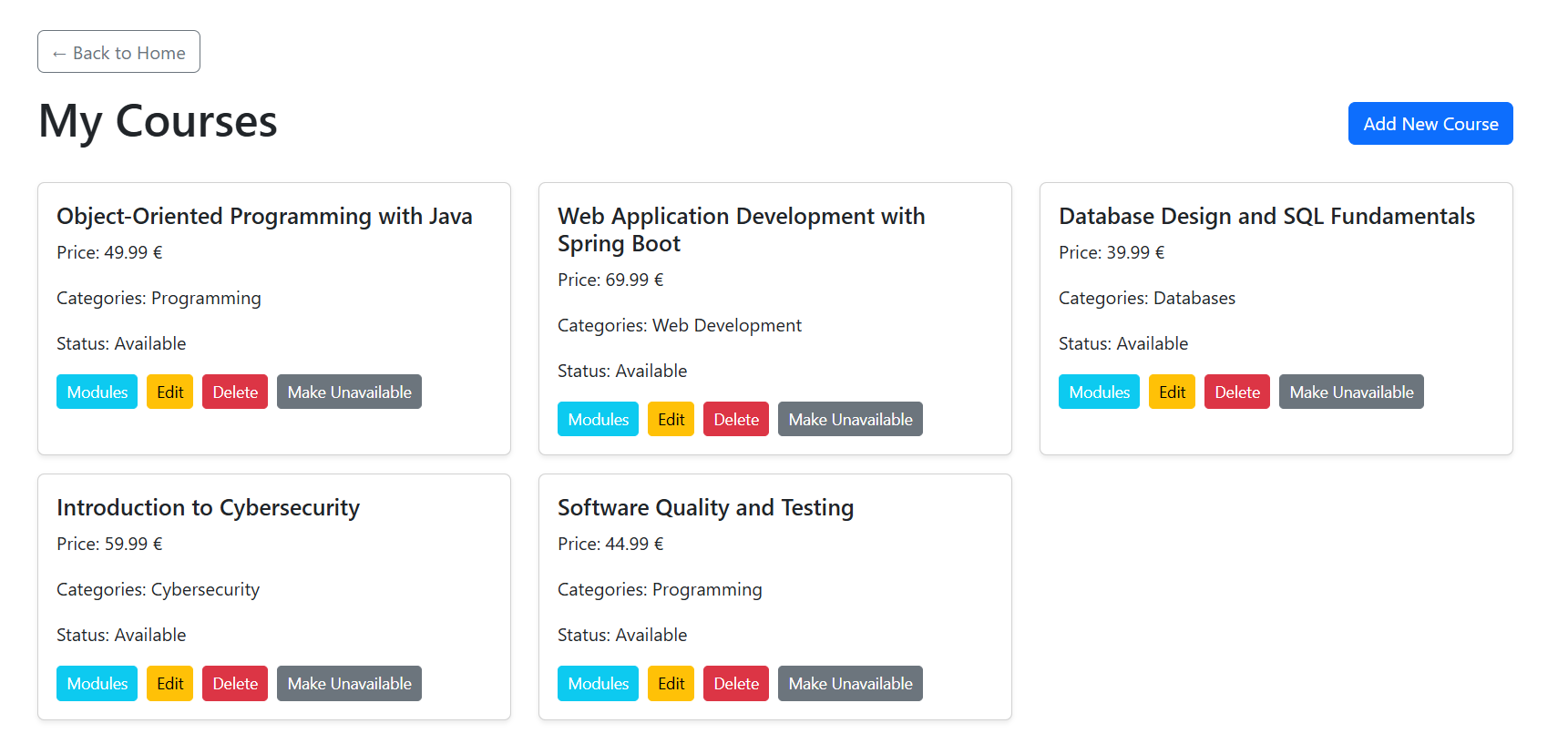
The system redirects the instructor to the My Courses page, where all courses created by the instructor are displayed as cards

- Open Modules for a Course
On the My Courses page, the instructor clicks the Modules button for the selected course.
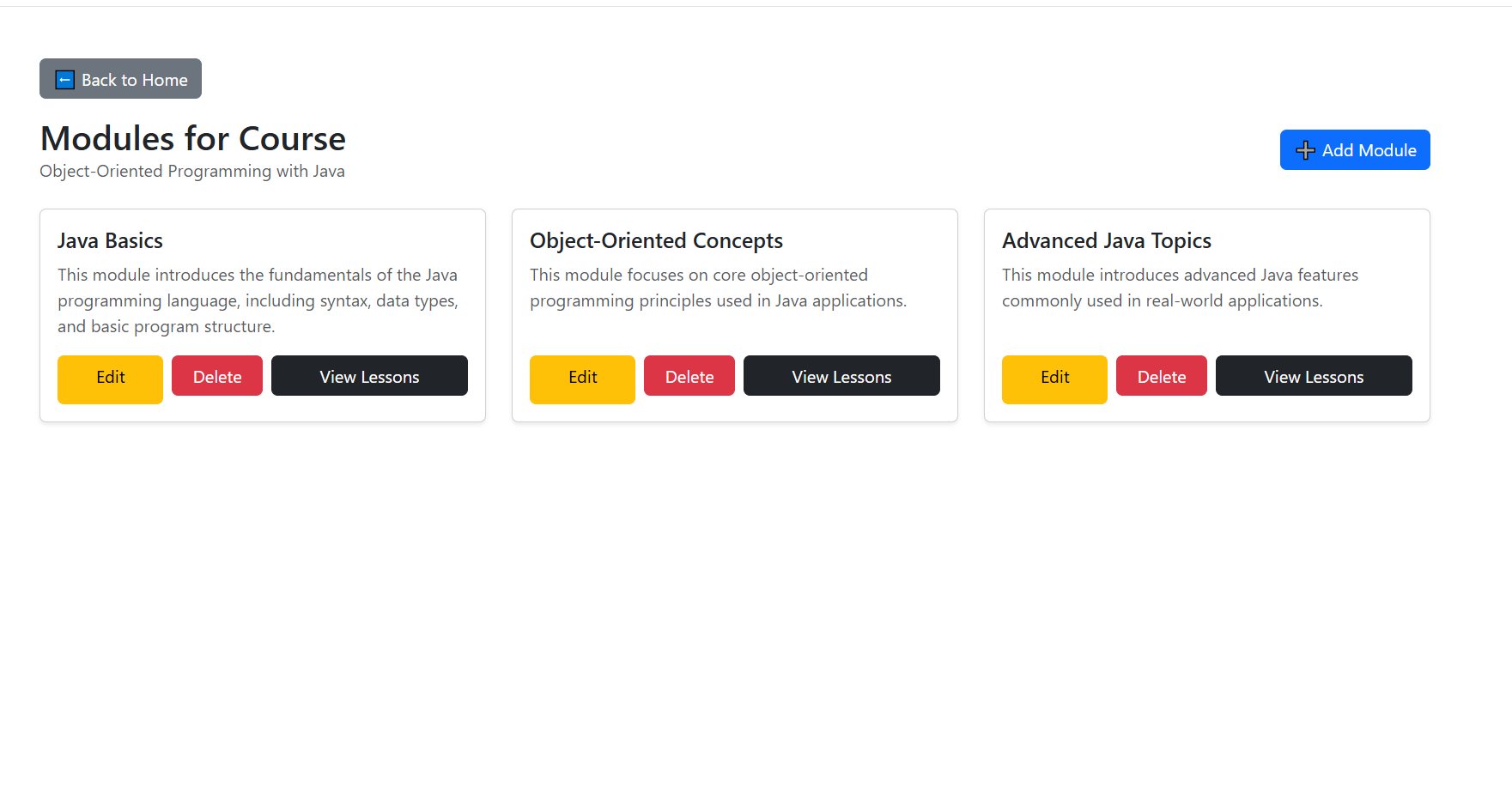
This action opens the Modules Management page, which displays all modules associated with the selected course.

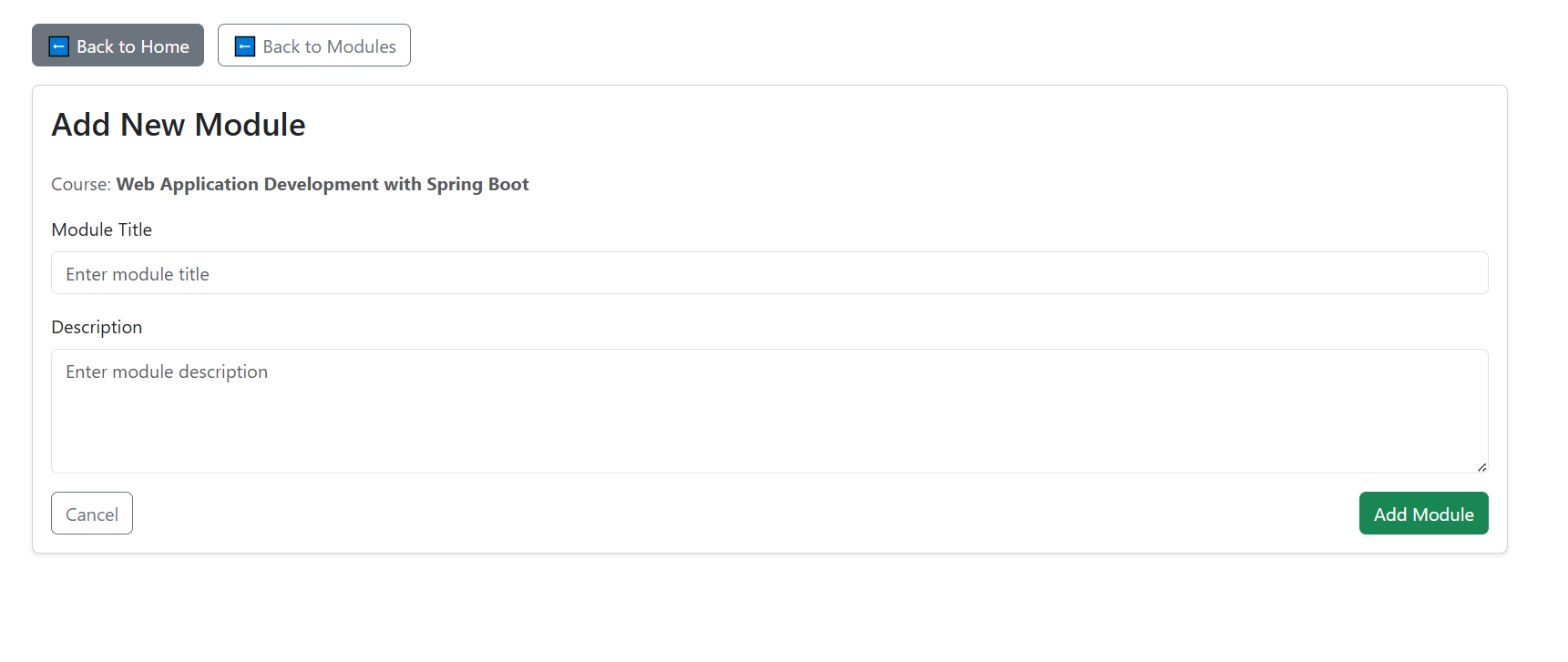
- Add a New Module To add a new module, the instructor clicks the Add Module button.
A form is displayed with the following fields:
Module Title – the name of the module
Description – a short description of the module content

- View Lessons for a Module
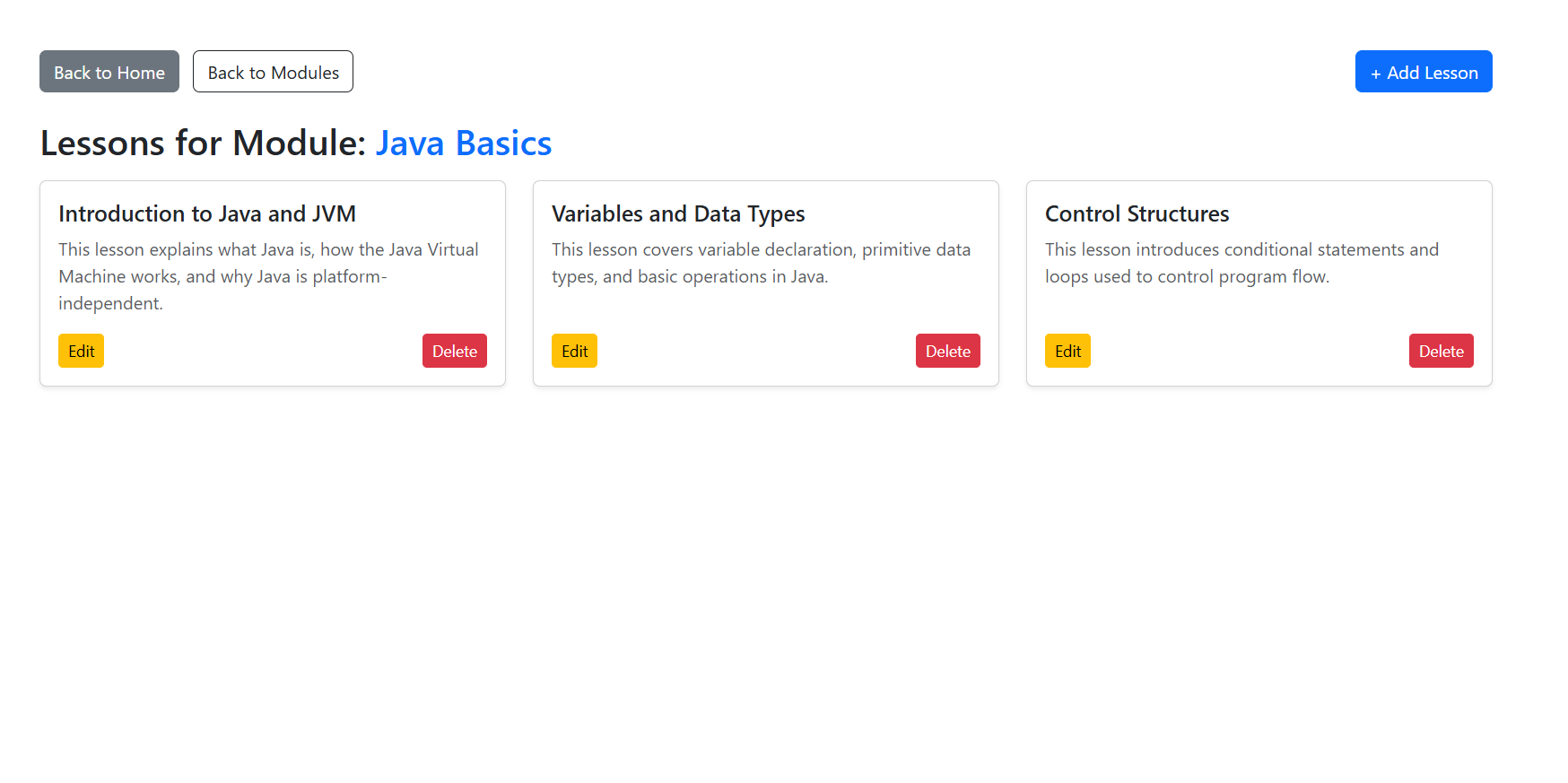
Once a module is created, the instructor can manage its lessons by clicking the Lessons option for the selected module.
The system redirects to the Lessons Management page, showing all lessons belonging to that module.

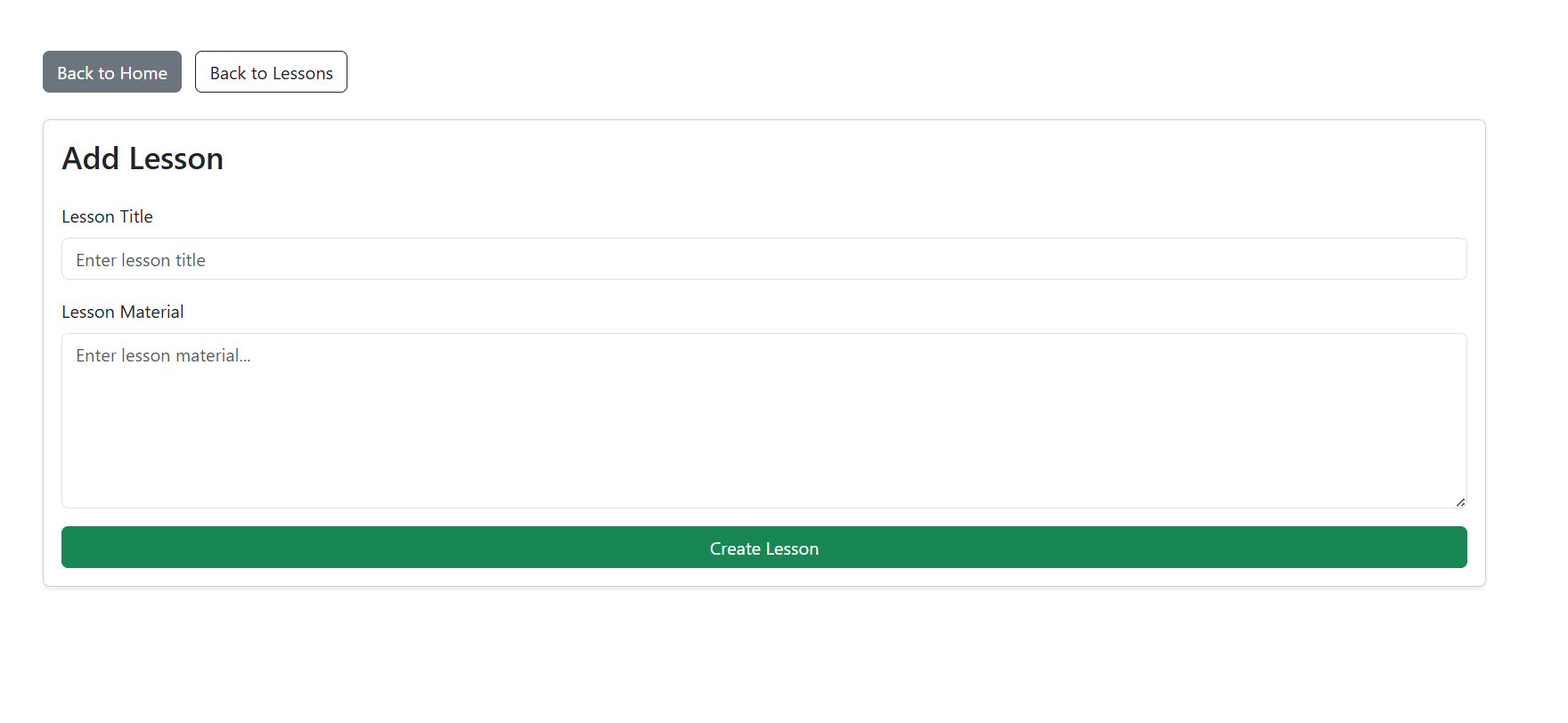
- Add a New Lesson To create a lesson, the instructor clicks Add Lesson.
A lesson creation form is displayed with the following fields:
Lesson Title – the title of the lesson
Lesson Material – textual content or learning material for the lesson
After entering the lesson information, the instructor clicks Create Lesson to save it.

Attachments (5)
- InsMange.PNG (78.6 KB ) - added by 7 months ago.
- ModulCourses.PNG (57.2 KB ) - added by 7 months ago.
- AddModule1.PNG (33.2 KB ) - added by 7 months ago.
- LessonModul.PNG (52.6 KB ) - added by 7 months ago.
- AddLes.PNG (26.7 KB ) - added by 7 months ago.
Download all attachments as: .zip