| Version 2 (modified by , 7 months ago) ( diff ) |
|---|
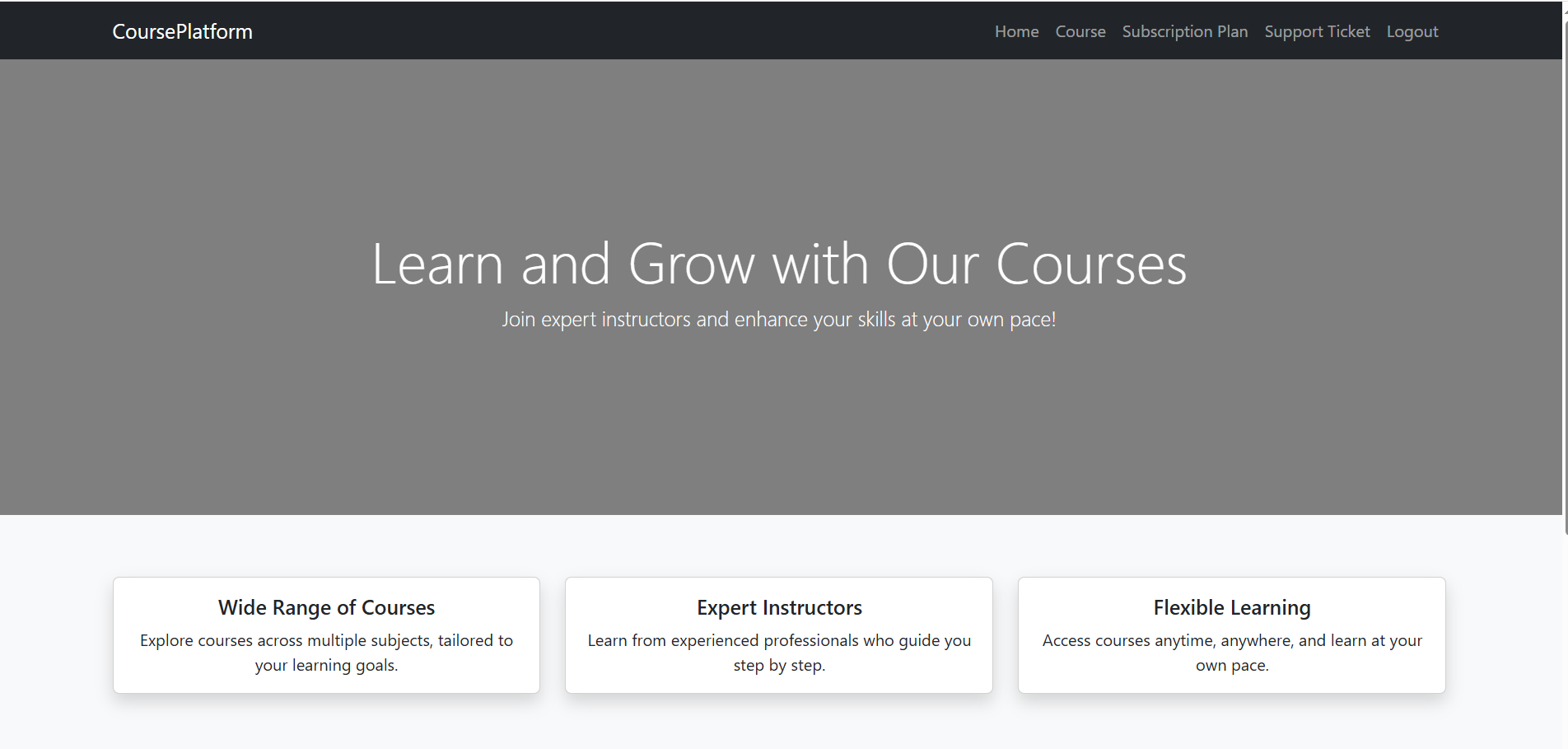
- Access the Home Page
After successful login, the user is redirected to the home page, where the main navigation menu is available

- View Available Courses
Only users with an active subscription can enroll in courses.
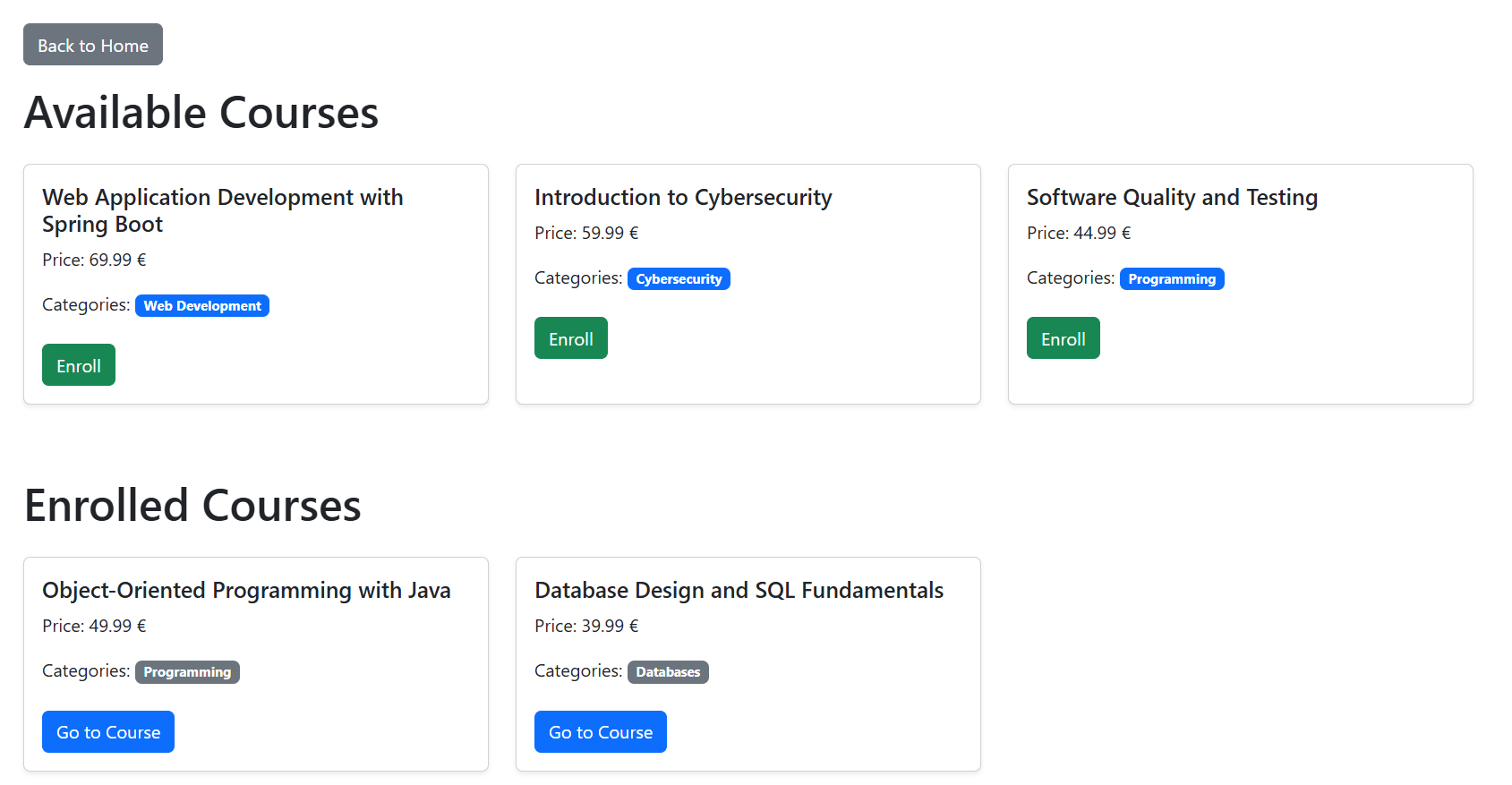
The user navigates to the Courses section, where a list of all available courses is displayed
Each course card contains: Course title, Price, Category, Enroll button
- The user selects a desired course and clicks the Enroll button.
After enrollment, the course is added to the Enrolled Courses section, and the user gains access to the course content.

- Opening the Course Content and watching lessons:
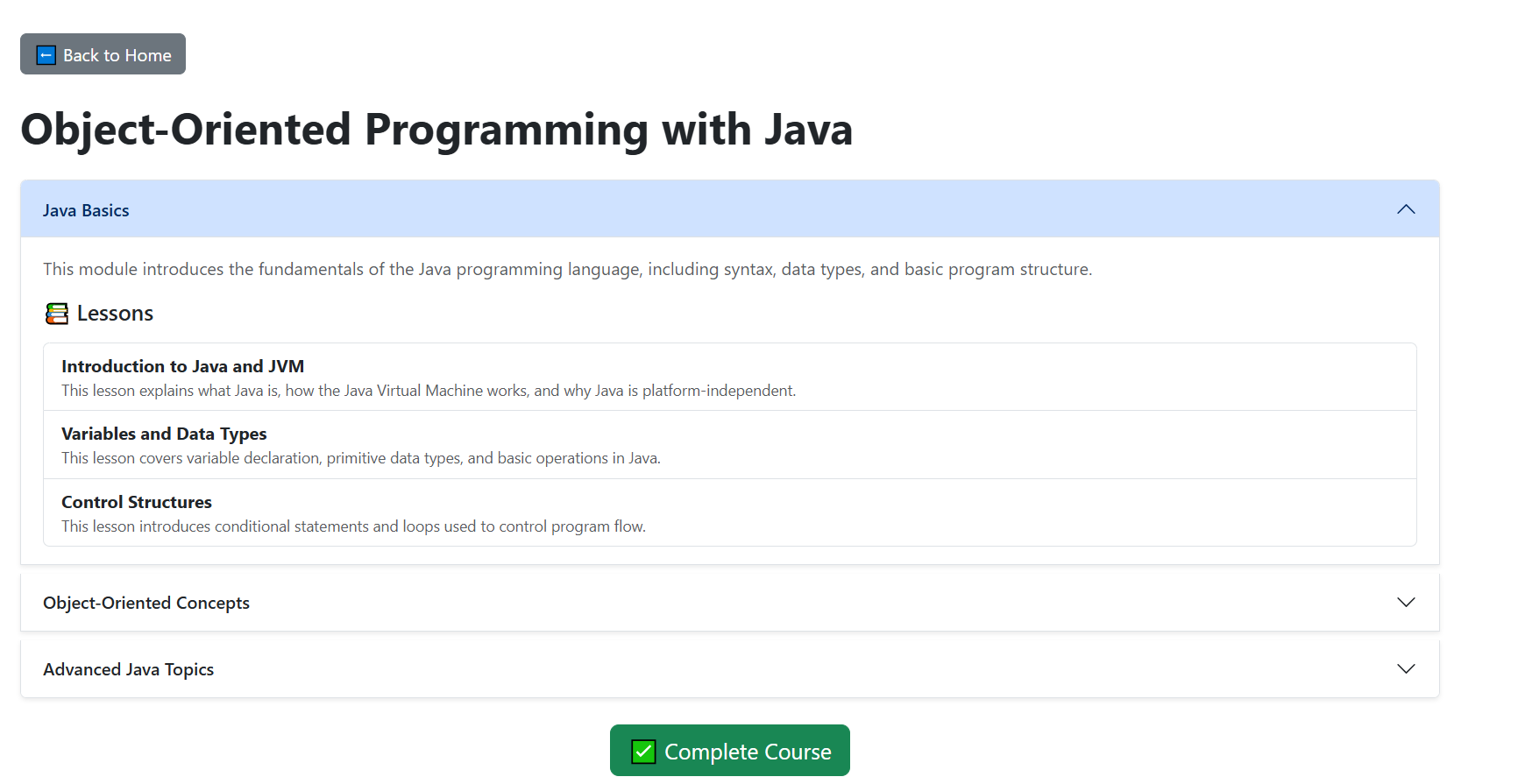
By clicking Go to Course, the user is redirected to the course details page.
Each module can be expanded to reveal its lessons and follow the course structure step by step.

Attachments (3)
- UserPage.PNG (67.0 KB ) - added by 7 months ago.
- ChosingCourse.PNG (66.8 KB ) - added by 7 months ago.
- GoToCourse.PNG (67.6 KB ) - added by 7 months ago.
Download all attachments as: .zip
Note:
See TracWiki
for help on using the wiki.