| Version 9 (modified by , 8 weeks ago) ( diff ) |
|---|
UC2001 – Assign Grade to Student Implementation
Initiating actor: Administrator Other actors: Professor
Description: Administrator updates an existing student subject enrollment record via the Web UI dashboard to record and persist the final grade assigned by the professor.
Scenario:
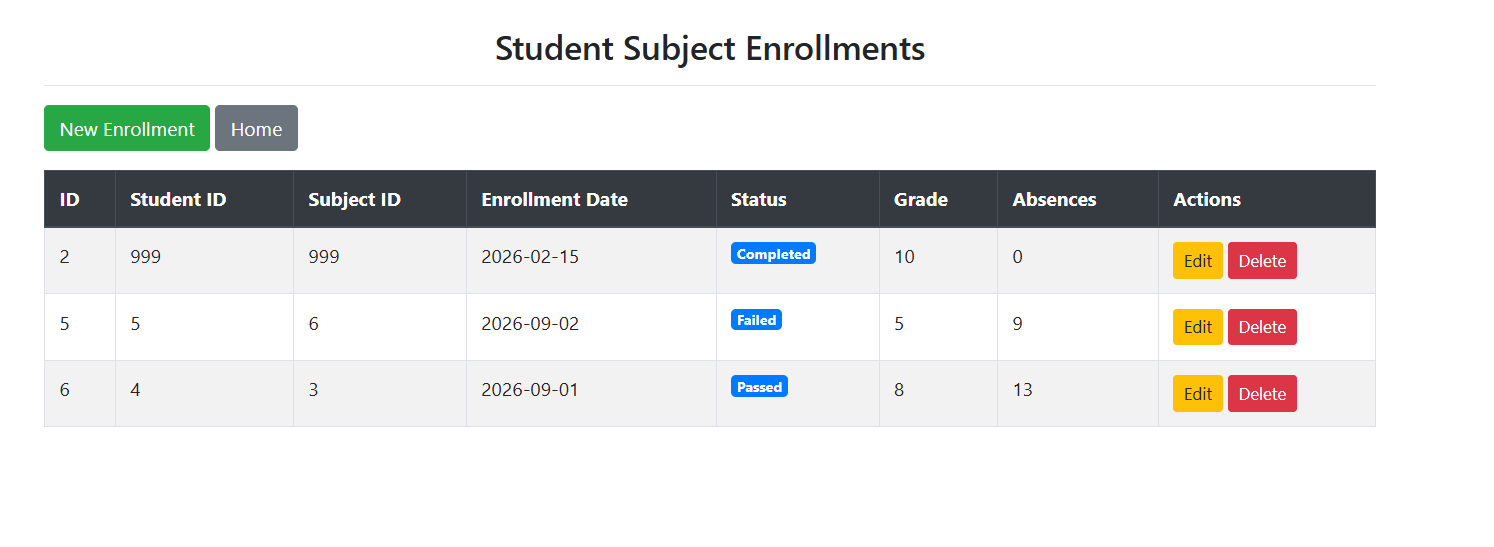
- Administrator navigates to the "Student Subject Enrollments" overview page from the Admin dashboard.
- System queries the database and displays the list of active student enrollments:
SELECT Ss_Id AS ID, Student_Id, Subject_Id, Enrollment_Date, Status, Final_Grade AS Grade, Absences_Count AS Absences
FROM Student_Subject;

- Administrator locates the target enrollment record and clicks the "Edit" button next to it.
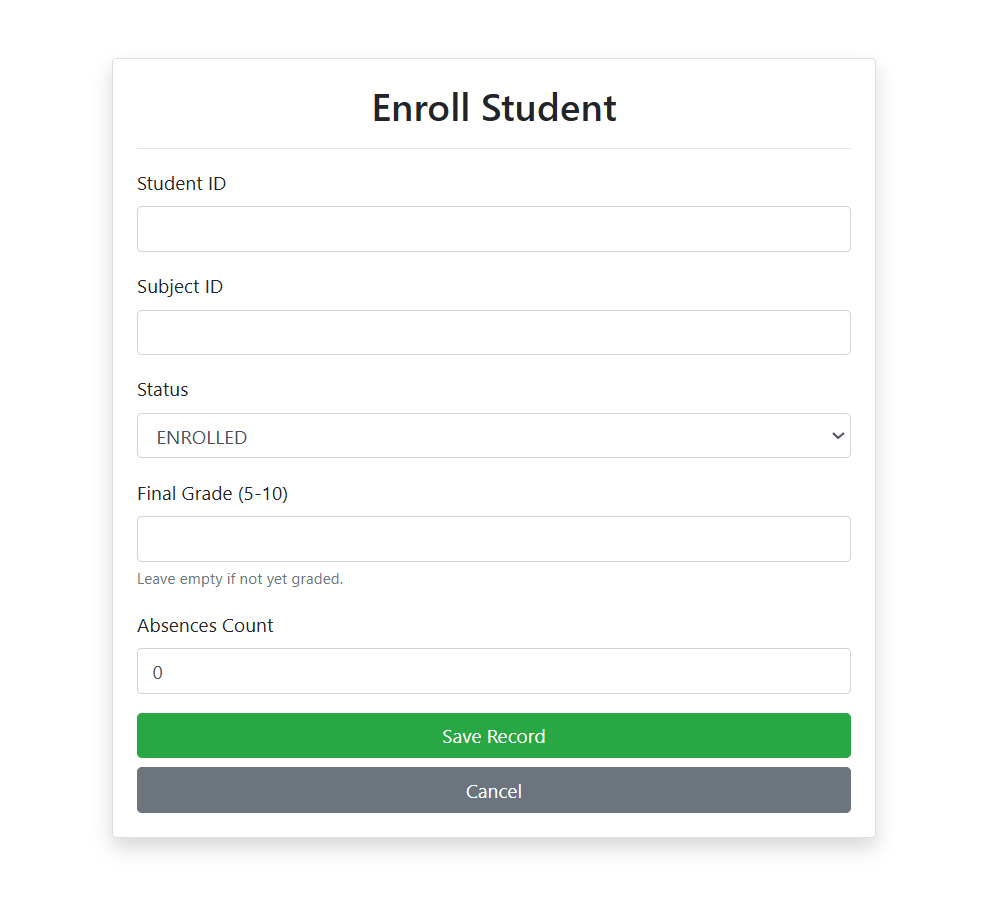
- System presents the "Enroll Student / Edit Enrollment" web form pre-filled with the existing enrollment details.

- Administrator inputs or updates the "Final Grade" field (valid values between 6 and 10) and updates the "Status" dropdown to 'Passed' (or 'Completed').
- Administrator clicks the "Save Record" button.
- System executes the parameterized SQL update statement to persist the updated grade and status:
UPDATE Student_Subject
SET Final_Grade = ?, Status = 'Passed'
WHERE Ss_Id = ?;
- System redirects back to the "Student Subject Enrollments" page showing the updated grade and status in the table.
Attachments (2)
- edit_enrollment_form.png (27.1 KB ) - added by 8 weeks ago.
- enrollment_table.png (31.4 KB ) - added by 8 weeks ago.
Download all attachments as: .zip
Note:
See TracWiki
for help on using the wiki.