Writers Collaboration
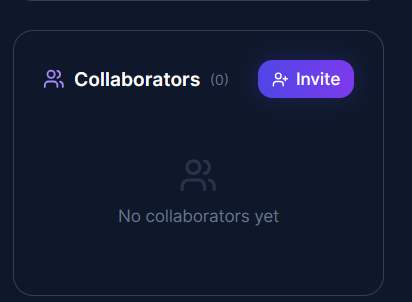
- When we are the authors of the story, clicking on "Edit Story" allows us to manage who can collaborate with us on the story.

- After the author navigates to the edit page of the story, they can manage who will be collaborators on the story.

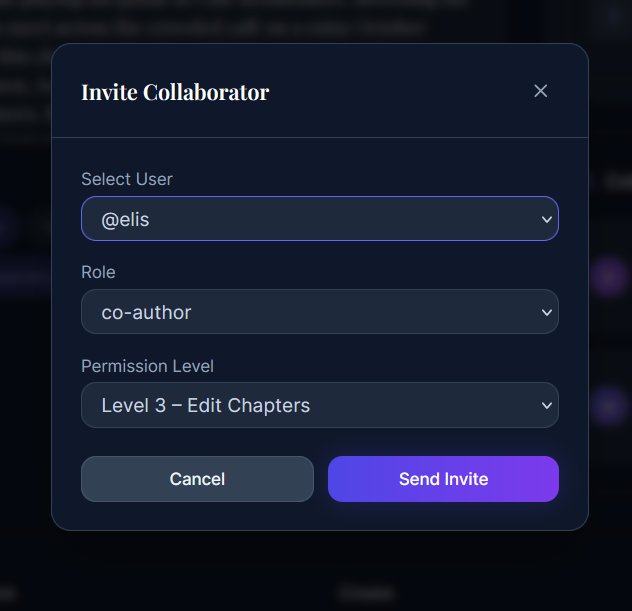
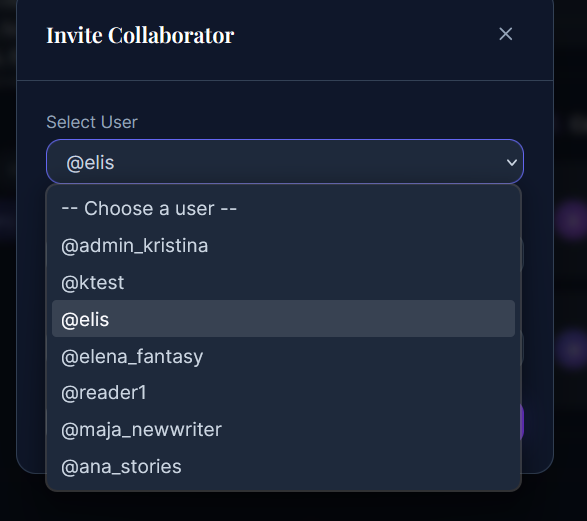
- When we click the "Invite" button, a pop-up appears where we can choose from the current writers with whom we want to collaborate, what role they will have, and their permission level on the chapters.


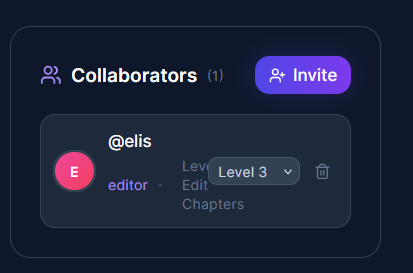
- When we click "Send Invite," our collaborator will appear in the list of collaborators.

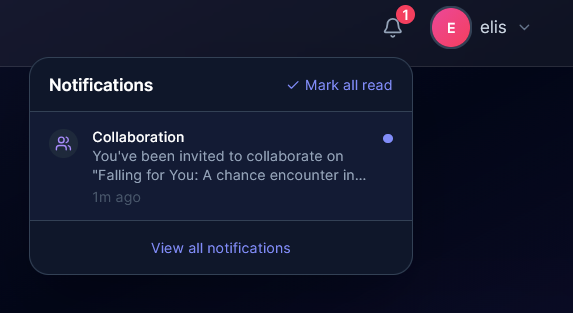
- When we are logged in as that collaborator, a notification will appear informing them that they have been invited to edit the story.
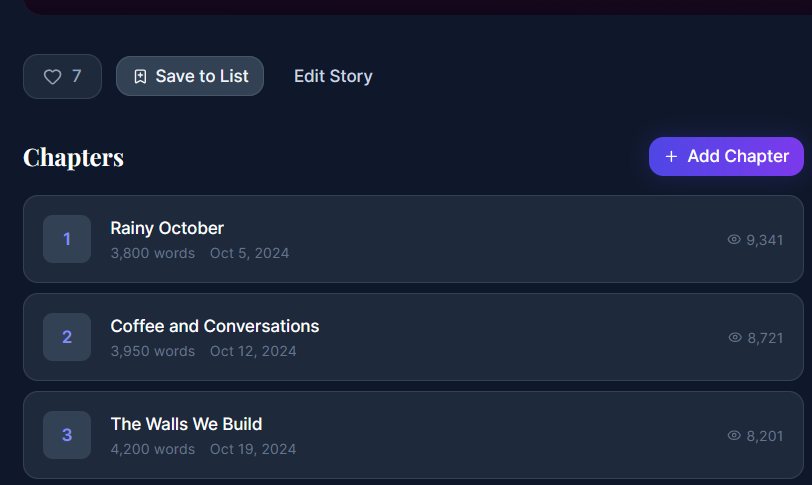
 6.When we click on the notification, it will navigate us to that particular story, where we can now see that we have buttons for "Edit Story" and "Add Chapter."

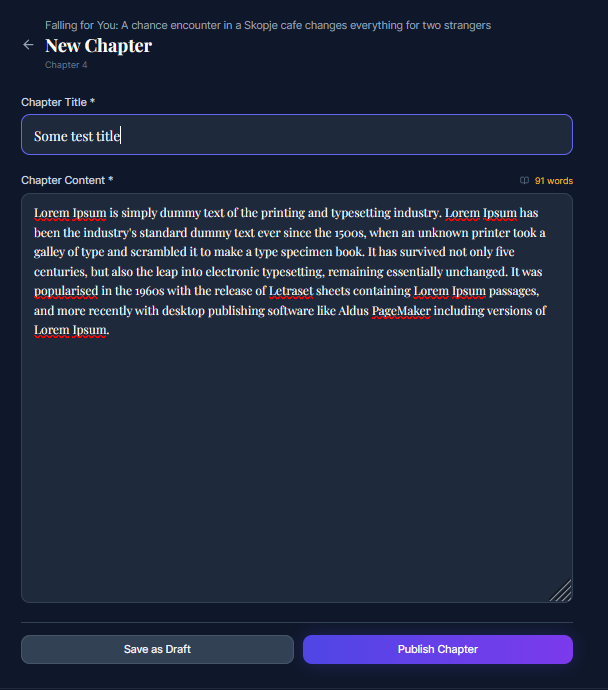
- We now click on "Add Chapter" and create a new chapter.

- We can now see that our chapter has been added to the chapters list.

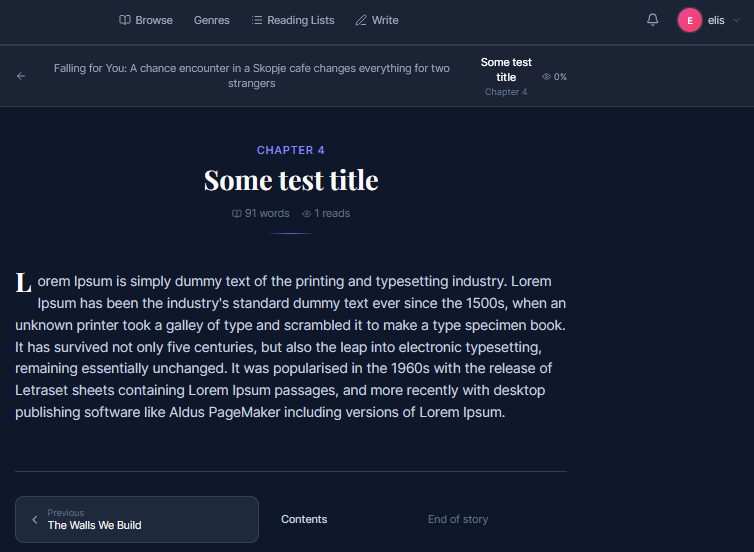
- We now click on the chapter and can see the chapter content.

Last modified
7 months ago
Last modified on 03/24/26 23:04:03
Attachments (10)
- colab1.png (21.9 KB ) - added by 7 months ago.
- colab2.png (19.6 KB ) - added by 7 months ago.
- colab3.png (72.2 KB ) - added by 7 months ago.
- colab4.png (50.7 KB ) - added by 7 months ago.
- colab5.png (24.5 KB ) - added by 7 months ago.
- colab6.png (55.5 KB ) - added by 7 months ago.
- colab7.png (55.2 KB ) - added by 7 months ago.
- colab8.png (71.9 KB ) - added by 7 months ago.
- colab9.png (165.8 KB ) - added by 7 months ago.
- colab10.png (73.6 KB ) - added by 7 months ago.
Download all attachments as: .zip
Note:
See TracWiki
for help on using the wiki.