Admin Manages Genres
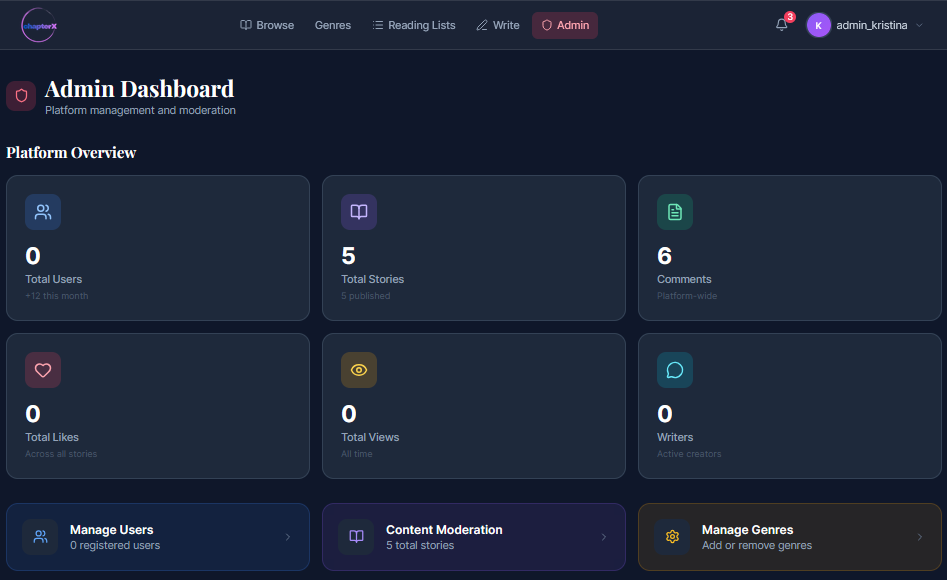
1.When the user is logged in as admin, they have full privileges for managing the application's content, including the ability to manage genres. When logged in as admin, a new Admin Panel tab appears in the navigation bar.

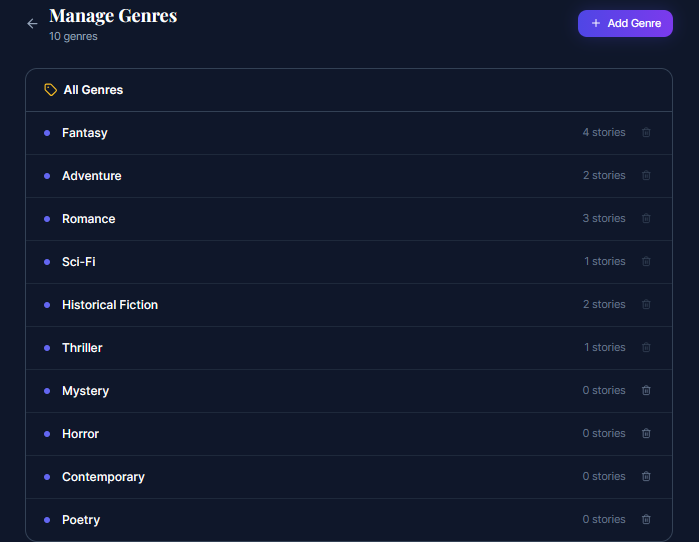
- When the user navigates to the Admin Panel and clicks the Manage Genres button, they will be redirected to the Manage Genres tab.

- Once on the Manage Genres tab, the admin can view all existing genres, delete them, or add new ones.

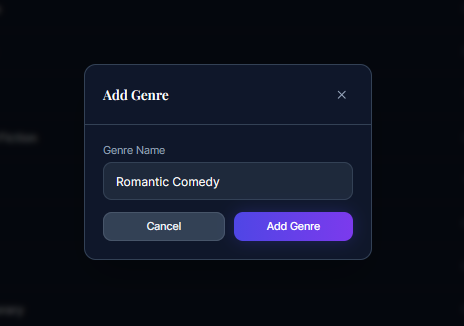
- If the admin clicks Add New Genre, they need to enter the name of the genre and click Submit. The new genre will then be added and made visible to other users.

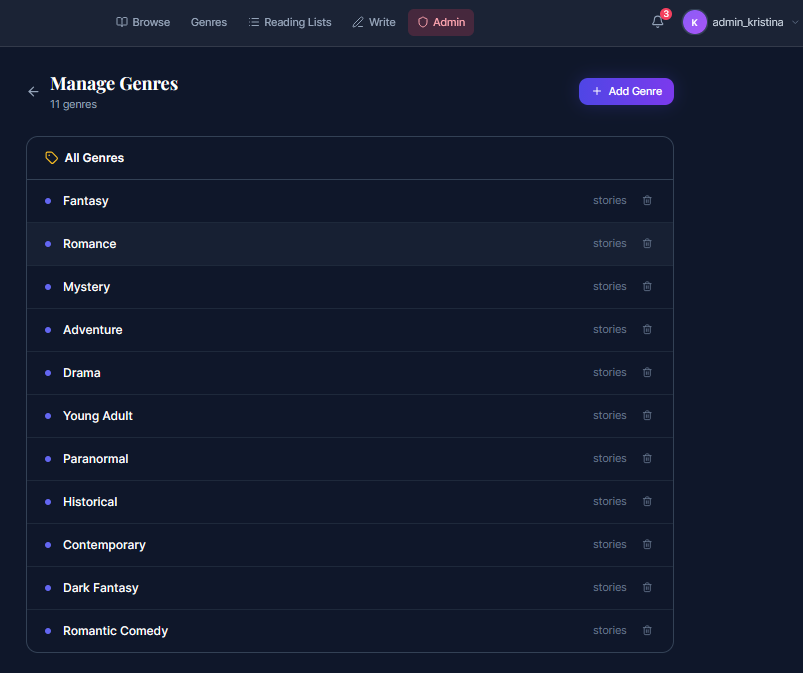
- Once the admin has added a new genre, it appears in the genres list and becomes available for other users to use.

Last modified
7 months ago
Last modified on 03/22/26 18:21:04
Attachments (5)
- genre1.png (16.9 KB ) - added by 7 months ago.
- genre2.png (56.5 KB ) - added by 7 months ago.
- genre3.png (36.1 KB ) - added by 7 months ago.
- genre4.png (18.0 KB ) - added by 7 months ago.
- genre5.png (48.0 KB ) - added by 7 months ago.
Download all attachments as: .zip
Note:
See TracWiki
for help on using the wiki.