| Version 1 (modified by , 8 months ago) ( diff ) |
|---|
Documentation / Build Instructions
This page explains how to run the Wedding Planner Phase P4 prototype locally.
Prerequisites
- Python 3.x installed
- pip (Python package manager)
- (Optional) virtual environment (recommended)
Project structure
The prototype is implemented as a Flask application.
Main files/folders:
- app.py - Flask entry point
- requirements.txt - Python dependencies (if available)
- data_load.sql - demo dataset loading script
- /templates and /static (if UI templates exist)
1. Clone / download the project
Obtain the project source code from the repository (or download it as ZIP).
2. Create virtual environment (recommended)
Open terminal in the project folder and execute:
python -m venv venv
Activate:
- Windows PowerShell:
.\venv\Scripts\activate
- Linux / MacOS:
source venv/bin/activate
3. Install dependencies
Install required packages:
pip install -r requirements.txt
If requirements.txt is missing, install manually:
pip install flask flask_sqlalchemy psycopg2-binary
4. Configure database
The prototype uses PostgreSQL database.
Update the database connection string in the configuration (if required), e.g.:
postgresql://<username>:<password>@<host>:<port>/<database>
5. Load demo dataset
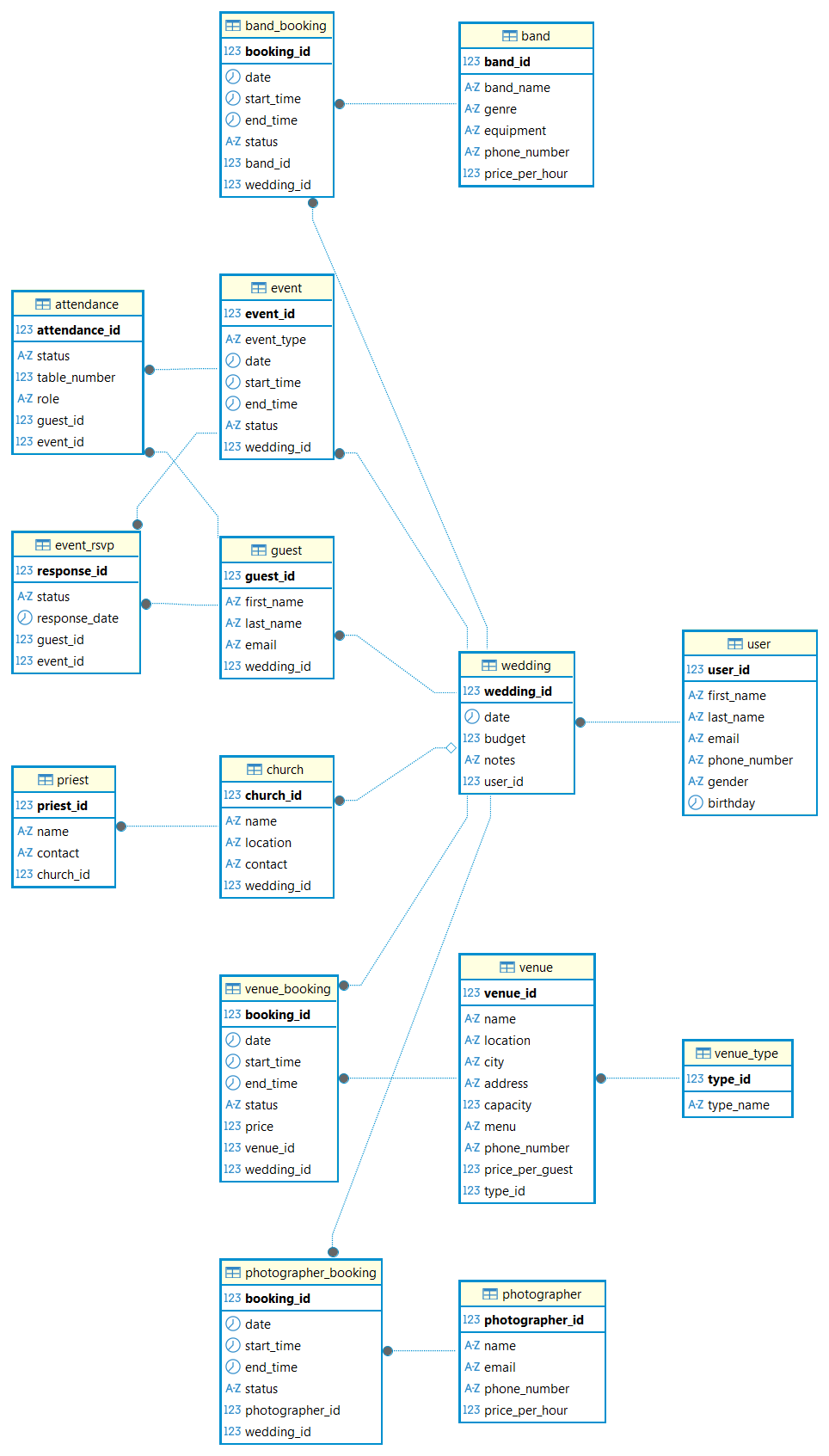
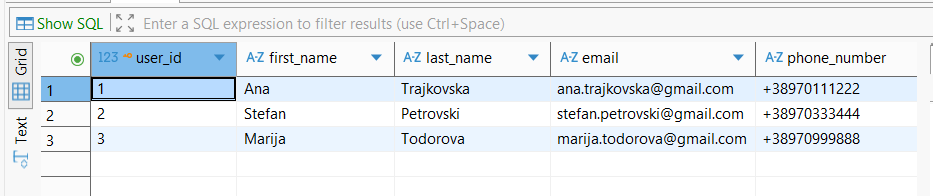
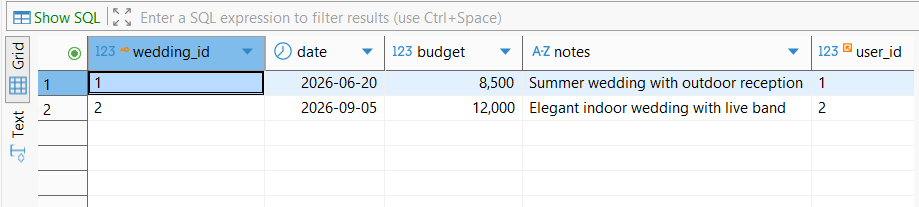
To make the prototype runnable immediately, demo data is loaded into the database using SQL scripts.
- Demo schema created:
- Demo user dataset loaded:
- Demo wedding dataset loaded:
- Demo guest dataset loaded:
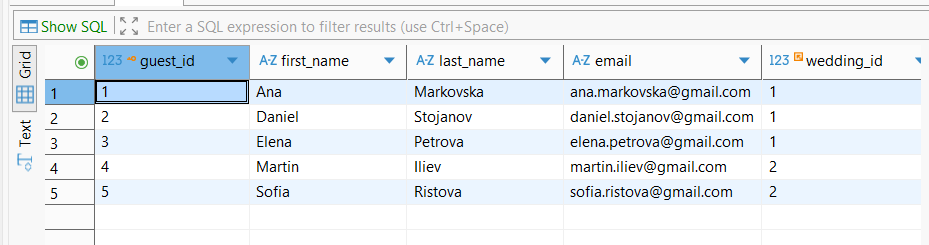


6. Run the Flask prototype
Navigate into the folder that contains app.py and run:
python app.py
If the command fails, ensure the current directory is correct (contains app.py).
Successful run output looks like:

7. Access the prototype
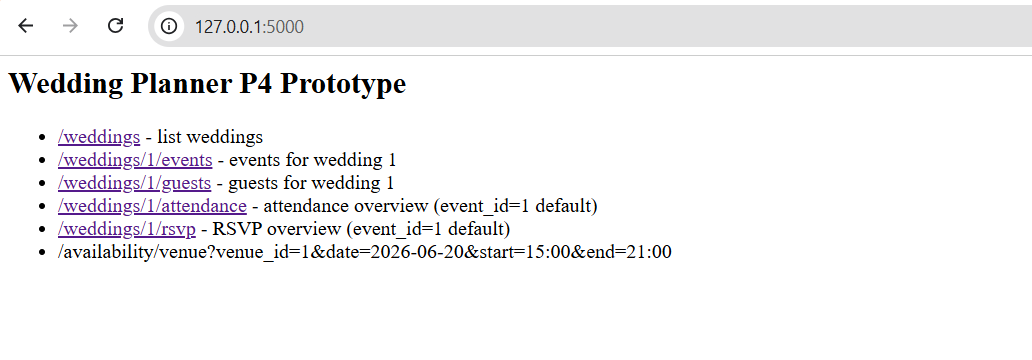
Open the browser:
Prototype overview page:
8. Available REST endpoints
The prototype provides the following endpoints:
- /weddings
- /weddings/1/events
- /weddings/1/guests
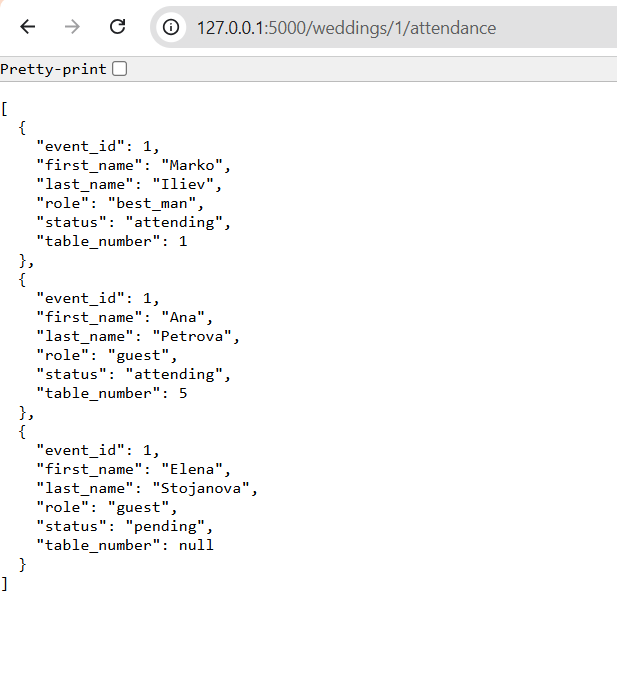
- /weddings/1/attendance
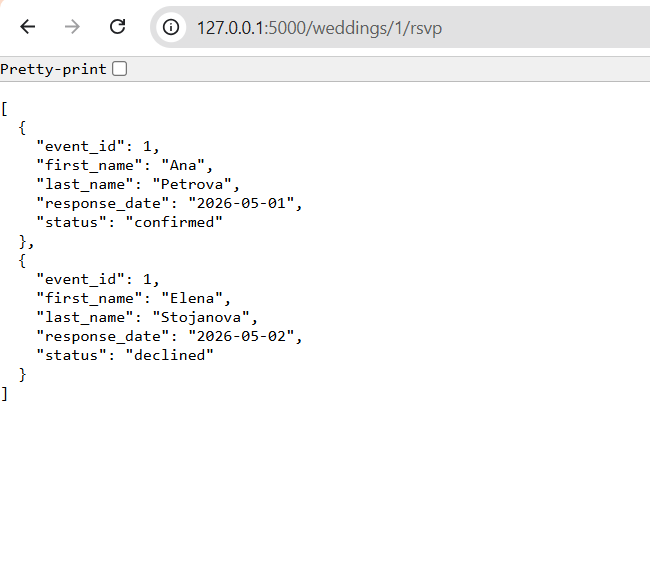
- /weddings/1/rsvp
- /availability/venue?venue_id=1&date=2026-06-20&start=15:00&end=21:00
Example screenshots:
- Weddings list:
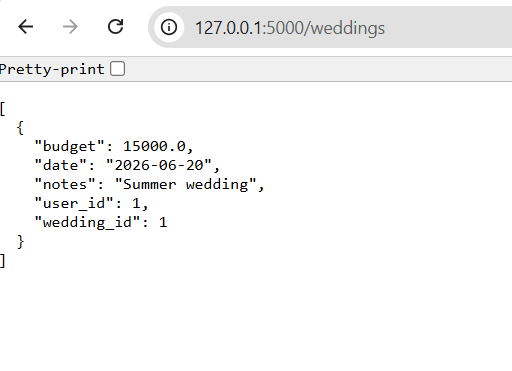
- Events list:
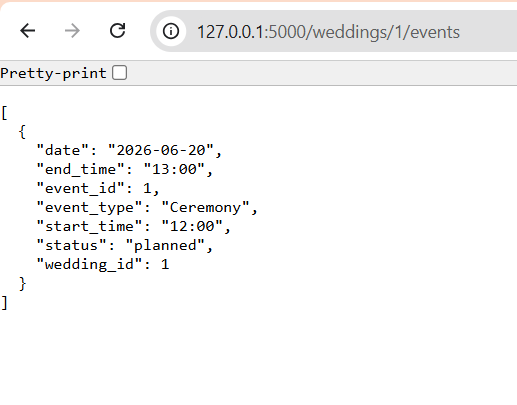
- Guests list:
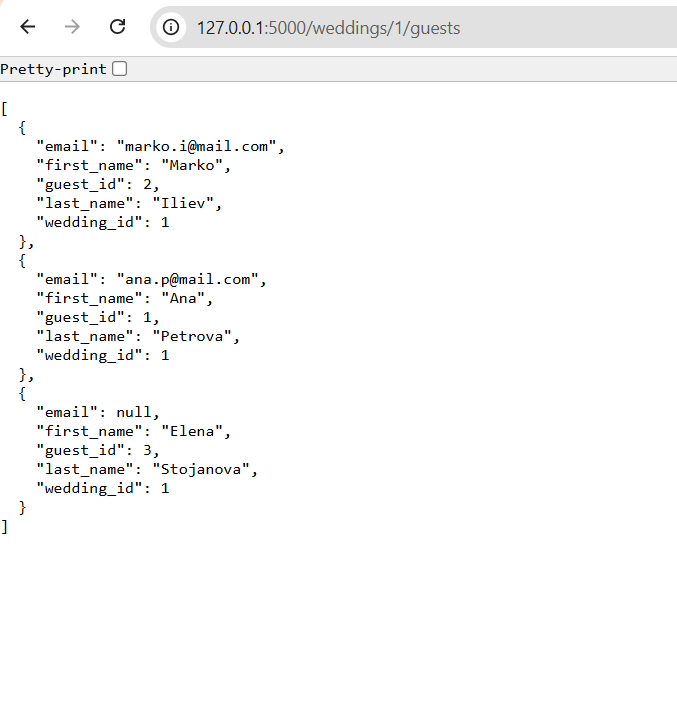
- Attendance overview:
- RSVP overview:


Notes
- This is a prototype implementation for Phase P4.
- UI screens are demonstrated through REST JSON responses in browser.
Attachments (12)
- weddings.png (13.1 KB ) - added by 8 months ago.
- events.png (15.9 KB ) - added by 8 months ago.
- guests.png (26.2 KB ) - added by 8 months ago.
- attendance.png (28.0 KB ) - added by 8 months ago.
- rsvp.png (21.2 KB ) - added by 8 months ago.
- user_data_load.png (19.5 KB ) - added by 8 months ago.
- guest_data_load.png (22.8 KB ) - added by 8 months ago.
- tables_schema_creation.png (96.9 KB ) - added by 8 months ago.
- wedding_data_load.png (18.0 KB ) - added by 8 months ago.
- wedding_planner_p4.zip (4.2 KB ) - added by 8 months ago.
- http.jpg (38.1 KB ) - added by 8 months ago.
- p4-prototype.jpg (49.0 KB ) - added by 8 months ago.
Download all attachments as: .zip