
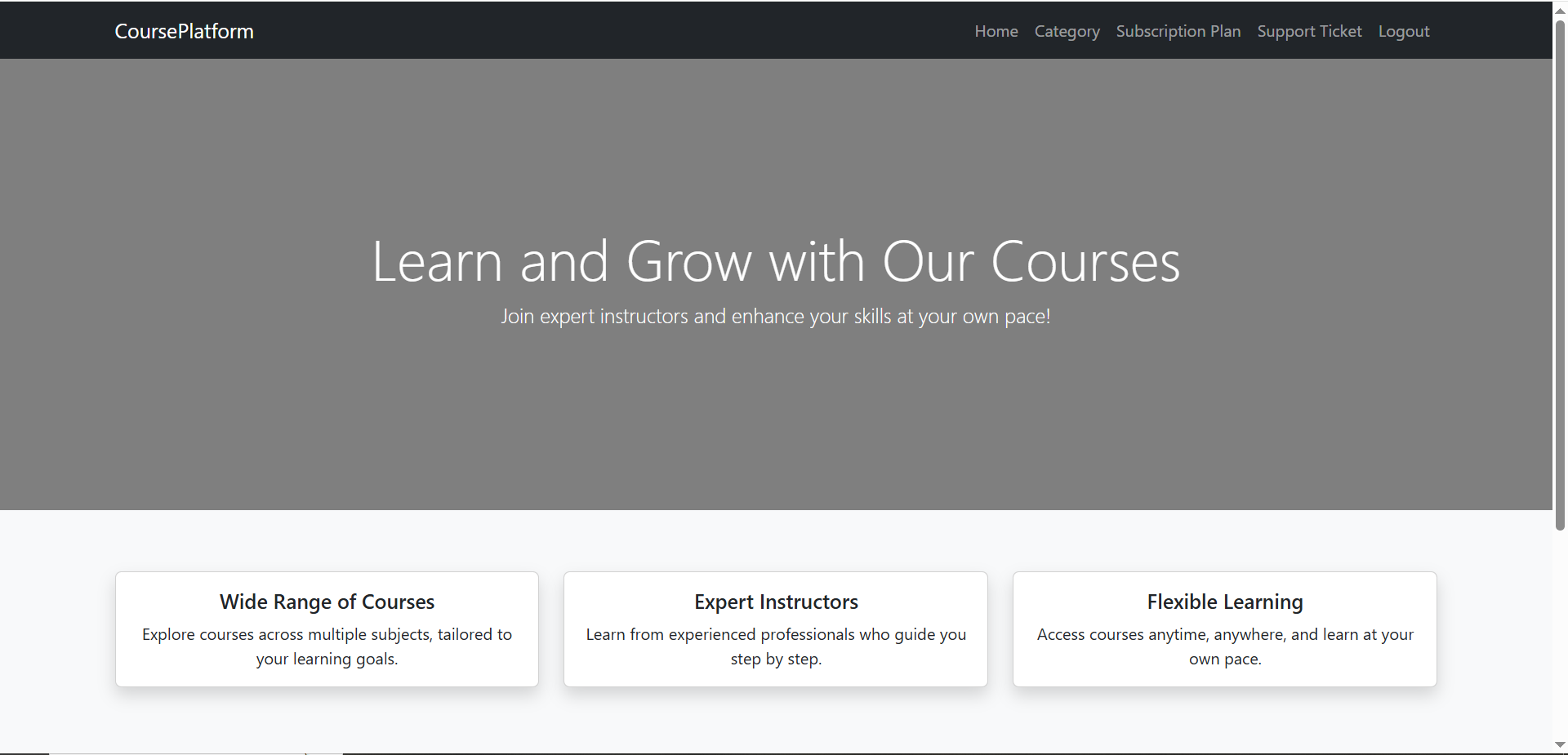
- Admin Dashboard Overview When logged in as an Administrator, the following main sections become available in the navigation bar: Category, Subscription Plans, Support Ticket, Logout
These options allow the administrator to manage the core entities of the system.

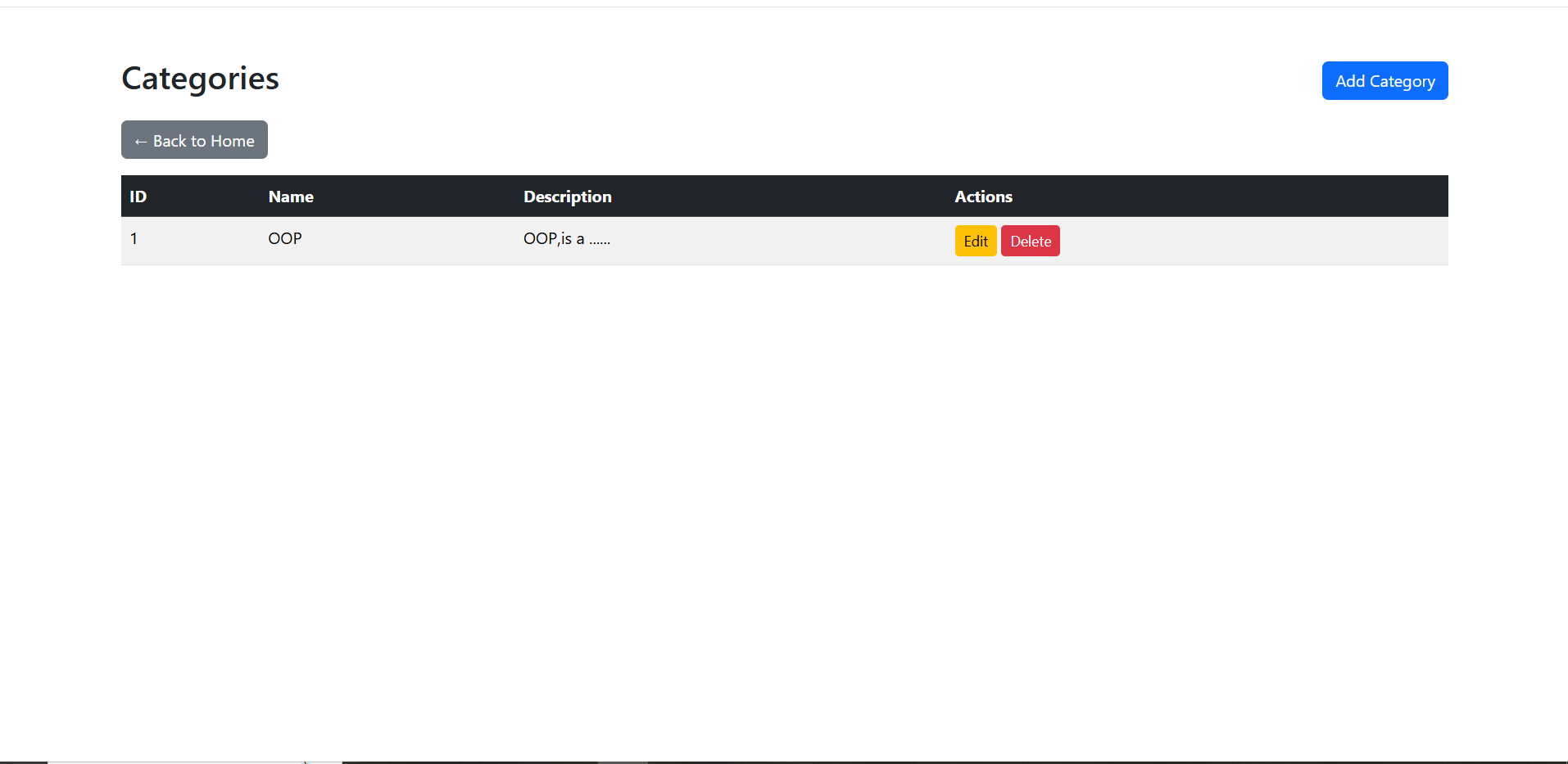
- Viewing Categories By selecting Category from the navigation menu, the administrator is redirected to the Categories Management Page.
The page displays a table with the following information: Category ID, Category Name, Category Description, Available Actions.

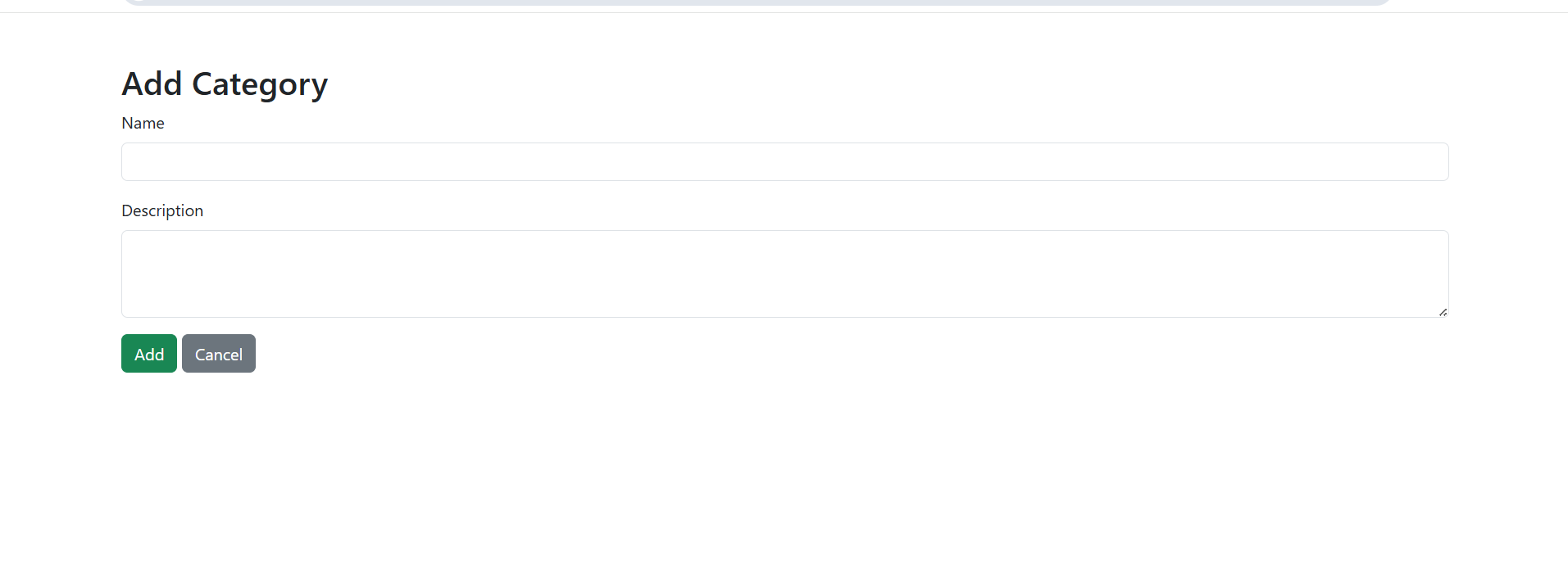
- Adding a New Category In the top-right corner of the Categories page, the “Add Category” button is available. When clicked: A form is displayed for creating a new category The administrator must enter: Name and Description.
After submitting the form, the category is saved in the database and immediately appears in the categories list.

- Editing and Deleting Categories For each category entry, the following actions are available:
# Edit – allows modification of the category name and description
# Delete – permanently removes the category from the system
Last modified
8 months ago
Last modified on 02/02/26 23:36:03
Attachments (3)
- Admin.PNG (77.4 KB ) - added by 8 months ago.
- AddGatecoryTolls.PNG (17.3 KB ) - added by 8 months ago.
- CаtegoryPage.PNG (29.5 KB ) - added by 8 months ago.
Download all attachments as: .zip
Note:
See TracWiki
for help on using the wiki.